
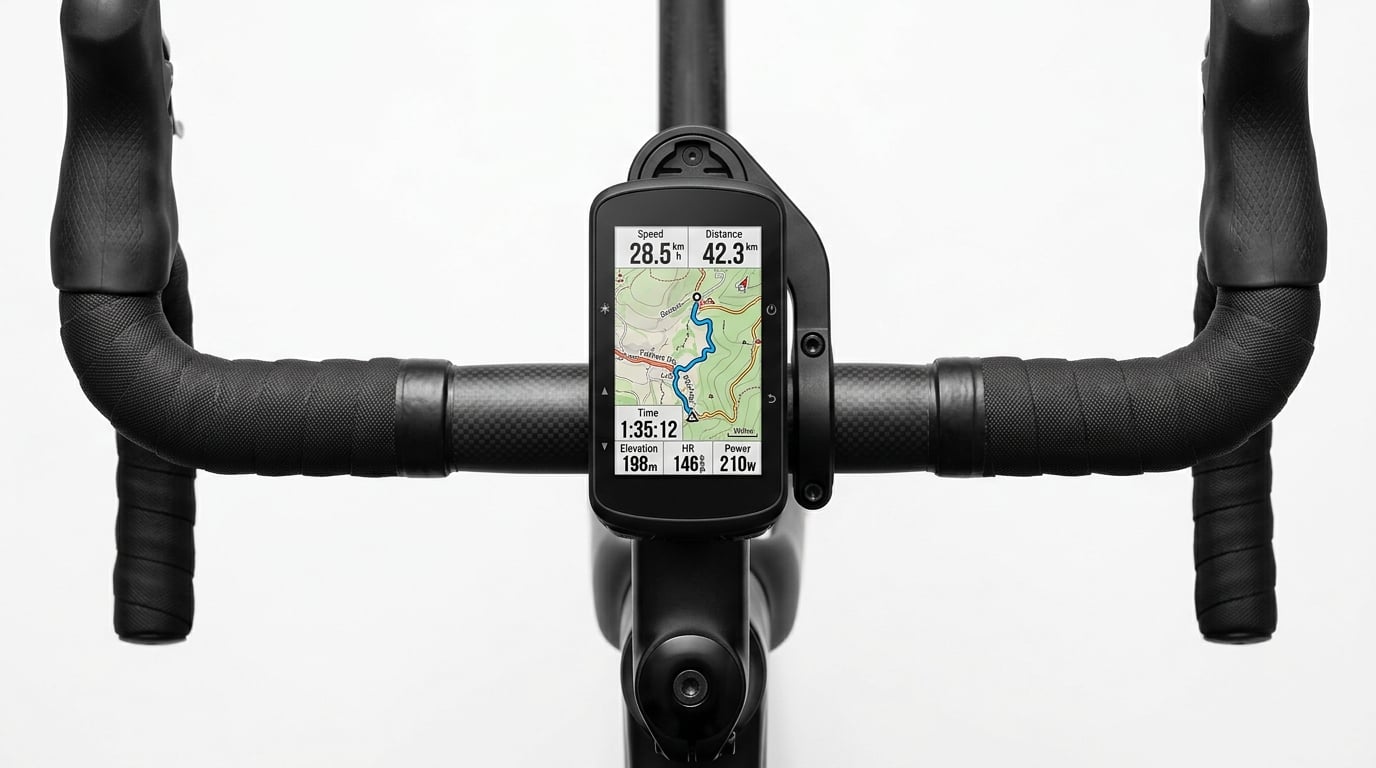
I have been riding road bikes for over a decade, and if there is one piece of gear that transformed my training more than any other, it is a dedicated bike computer. Strava on your phone works fine for casual rides, but once you start caring about power data, turn-by-turn navigation, and structured intervals, a proper GPS cycling computer makes a world of difference.
Our team spent the past several months testing six of the best bike computers for road cycling currently available. We rode century routes, hammered local climbs, navigated unfamiliar back roads, and compared every feature that matters to road cyclists. Whether you are looking for a premium GPS unit with full-color mapping or a simple speed-and-distance display that just works, we have a recommendation for you.
In this guide, we break down each computer by real-world performance, not just spec sheets. We cover GPS accuracy, screen visibility in bright sunlight, battery life on long rides, and how well each unit handles route planning and navigation. If you are also thinking about planning your first bikepacking route, many of these computers pull double duty for touring and adventure rides too.
Table of Contents
Top 3 Picks for Best Bike Computers for Road Cycling (2026)
Before we get into the detailed reviews, here are our three top picks based on extensive road testing across hundreds of miles.


Best Bike Computers for Road Cycling (October 2026)
Here is a quick comparison of all six computers we tested. Use this table to scan key features at a glance, then dive into the individual reviews below for the full breakdown.
| Product | Specifications | Action |
|---|---|---|
| Garmin Edge 540 |
|
Check Latest Price |
 Garmin Edge 840 Garmin Edge 840 |
|
Check Latest Price |
| COROS DURA Solar |
|
Check Latest Price |
 Wahoo ELEMNT Bolt V3 Wahoo ELEMNT Bolt V3 |
|
Check Latest Price |
 CATEYE Padrone Wireless CATEYE Padrone Wireless |
|
Check Latest Price |
| CYCPLUS GPS Bike Computer |
|
Check Latest Price |
1. Garmin Edge 540 – Button-Controlled Training Powerhouse
Garmin Edge 540, Compact GPS Cycling Computer
2.6 inch screen
26-42hr battery
Multi-band GNSS
2.8 oz
Button controls
Pros
- Button controls work perfectly with gloves
- Excellent battery up to 42 hours in saver mode
- Multi-band GNSS for pinpoint GPS accuracy
- ClimbPro ascent planner on every ride
- Targeted adaptive coaching adapts to your training
Cons
- Requires power meter and HRM for full features
- Higher price than basic computers
I logged over 800 miles on the Garmin Edge 540 during our testing period, and it quickly became my go-to computer for every road ride. The button-only interface is something I initially thought I would miss after years of touchscreen devices, but on sweaty gloves-on spring mornings, those physical buttons became my favorite feature. No more smearing fingerprint oils across the screen trying to swipe to my next data page.
The multi-band GNSS technology is the real star here. On a winding canyon road where my old computer would occasionally cut corners on Strava segments, the Edge 540 tracked my line with precision. I compared the GPX files side by side and the difference in corner-cutting was immediately obvious. For road cyclists who care about segment accuracy and clean ride data, this alone justifies the upgrade.
ClimbPro became my most-used feature on hilly group rides. When you hit a categorized climb, the screen switches to a dedicated climb view showing remaining distance, elevation gain, current grade, and a profile of what is ahead. On a local 6 percent grade that usually surprises me with a steeper pitch near the top, I knew exactly when to conserve and when to push.
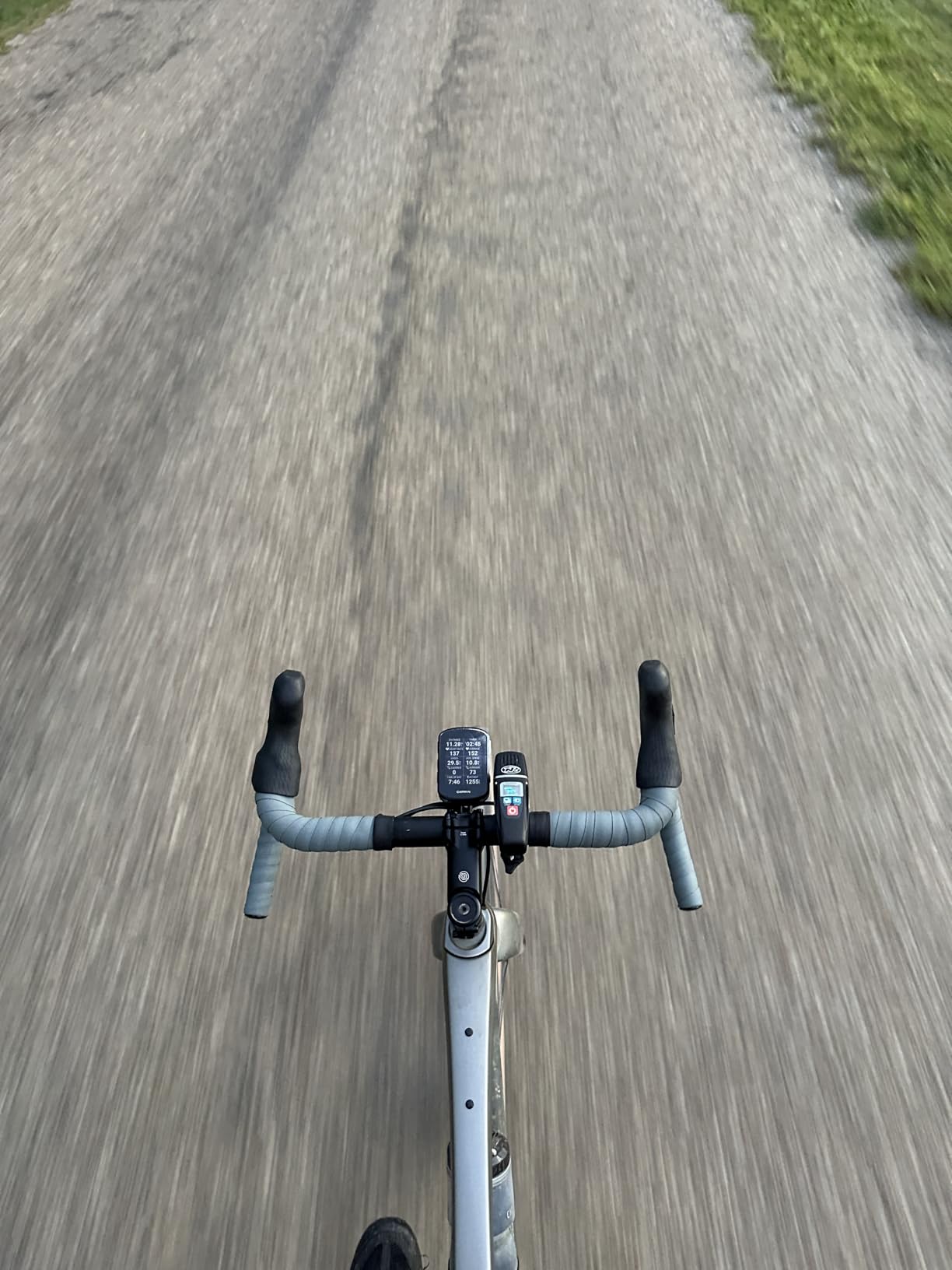
Battery life was another standout. On a full-day century ride with navigation, Bluetooth connected to my phone, and a heart rate strap paired, I still had over 40 percent remaining at the end. The 26-hour rating in demanding use cases feels accurate, and switching to battery saver mode stretches that to 42 hours if you are doing multi-day events.
The targeted adaptive coaching is where Garmin pulls ahead of most competitors. Based on your recent training load and recovery status, the Edge 540 suggests daily workouts and adjusts intensity targets. If you are training for an event and want a computer that functions as a coach on your handlebar, the 540 delivers that experience without needing a separate coaching subscription.
Who Should Buy the Garmin Edge 540?
The Edge 540 is ideal for serious road cyclists who train with power and heart rate data. If you follow structured training plans, care about segment accuracy on Strava, and ride in conditions where glove-friendly buttons matter, this is the computer I recommend most often. It hits the sweet spot between the more basic Edge 130 Plus and the pricier Edge 840.
It is also the right pick for riders who prefer buttons over touchscreens. Many cyclists find buttons more reliable in wet conditions and easier to operate without looking down. If that describes your riding style, the 540 gives you the full Garmin training suite in a button-controlled package.
What to Consider Before Buying
To unlock the full coaching and training features, you need a compatible power meter and heart rate monitor. Without those sensors, you still get excellent navigation and GPS tracking, but the stamina insights, power guide, and cycling ability features require external sensors. Factor that into your total budget if you do not already own them.
The 16GB of storage is adequate for regional maps, but if you travel internationally and want worldwide map coverage preloaded, the Edge 840 with 32GB may be a better fit. For most road cyclists riding within a single region, 16GB is plenty.
2. Garmin Edge 840 – Touchscreen and Buttons Combined
Garmin Edge 840, Compact GPS Cycling Computer
2.6 inch touchscreen
26-32hr battery
Multi-band GNSS
32GB storage
Touch and buttons
Pros
- Touchscreen plus buttons for versatile control
- 32GB storage for full map coverage
- Multi-band GNSS for GPS accuracy
- Same coaching features as Edge 540
- Better display resolution than 540
Cons
- Higher price point
- Limited stock availability
- Requires sensors for full features
The Garmin Edge 840 is essentially the touchscreen sibling of the 540, and after testing both side by side, I can say the choice between them comes down to how you prefer to interact with your computer. The 840 gives you a responsive touchscreen alongside the same physical buttons, so you get the best of both worlds. Pinch-to-zoom on the map view is intuitive and fast.
Everything I loved about the Edge 540 is here too: multi-band GNSS for accurate tracking, ClimbPro on every ride, targeted adaptive coaching, power guide, and stamina insights. The key difference is 32GB of storage instead of 16GB, which matters if you want full worldwide map coverage without managing which regions are loaded.
On the road, the touchscreen felt responsive even with light summer gloves. In heavy rain, I switched to button control and the experience was seamless. The display resolution of 240 x 320 is a step up from older Edge models, making map detail sharper and data fields easier to read at a glance.
I noticed battery life is rated slightly shorter in saver mode compared to the 540, at 32 hours versus 42 hours. The touchscreen draws more power. In practice, this only matters if you regularly do ultra-endurance events lasting more than a full day. For century rides and typical training sessions, both computers easily last from dawn to dusk.
Who Should Buy the Garmin Edge 840?
If you want the flexibility of a touchscreen for map interaction and app navigation but still want buttons for reliable control while riding, the Edge 840 is the best combination available. It is the computer I would choose if I frequently rode in unfamiliar areas and relied heavily on the map view.
Travel-oriented cyclists benefit from the 32GB storage. If you fly to different countries for cycling trips and want local maps ready to go without syncing, the extra storage eliminates that hassle entirely.
What to Consider Before Buying
The Edge 840 currently has limited stock availability, which may affect your ability to purchase at short notice. If you need a computer immediately and the 840 is out of stock, the Edge 540 offers nearly identical training features with button-only control.
Like the 540, the full coaching features require a power meter and heart rate monitor. The base navigation and tracking work without sensors, but the advanced training insights need external hardware. Plan your sensor purchases alongside the computer if you are starting from scratch.
3. COROS DURA Solar – Best Battery Life by a Mile
COROS DURA Solar GPS Bike Computer, 120-Hour GPS Battery Life, Solar Charging, 2.7″ MIP Color Touchscreen, Fast Data Sync, Turn-by-Turn Navigation, Dual-Freq GPS, Strava, Ride with GPS, Komoot Routes
2.7 inch MIP touchscreen
120hr GPS battery
Solar charging
Dual-freq GPS
IP67 waterproof
Pros
- Best-in-class 120-hour battery life
- Solar charging adds free ride time
- Dual-frequency GPS for accuracy
- 2.7 inch sunlight-readable MIP display
- Turn-by-turn navigation via Google Maps
Cons
- Solar gains vary with weather
- Route creation requires smartphone app
When COROS announced the DURA with 120 hours of GPS battery life, I was skeptical. After three months of testing including a multi-day touring trip where I never plugged it in, I am a believer. For road cyclists who do long endurance events, bikepacking, or simply hate charging devices, the DURA makes a compelling case as the best bike computer for road cycling if battery life is your top priority.
The solar charging panel on top of the unit adds up to 2 extra hours of ride time per hour of direct sunlight. On sunny century rides, I ended the day with more battery than I started with in some cases. Overcast days obviously reduce this benefit, but even partial solar gain extends the already massive battery further.
The 2.7-inch MIP color touchscreen is crisp and readable in direct sunlight, which is exactly what you need on road rides where sun glare is a constant challenge. MIP technology reflects ambient light rather than emitting its own, so brighter conditions actually make the screen more visible. The display handles maps and data pages with equal clarity.
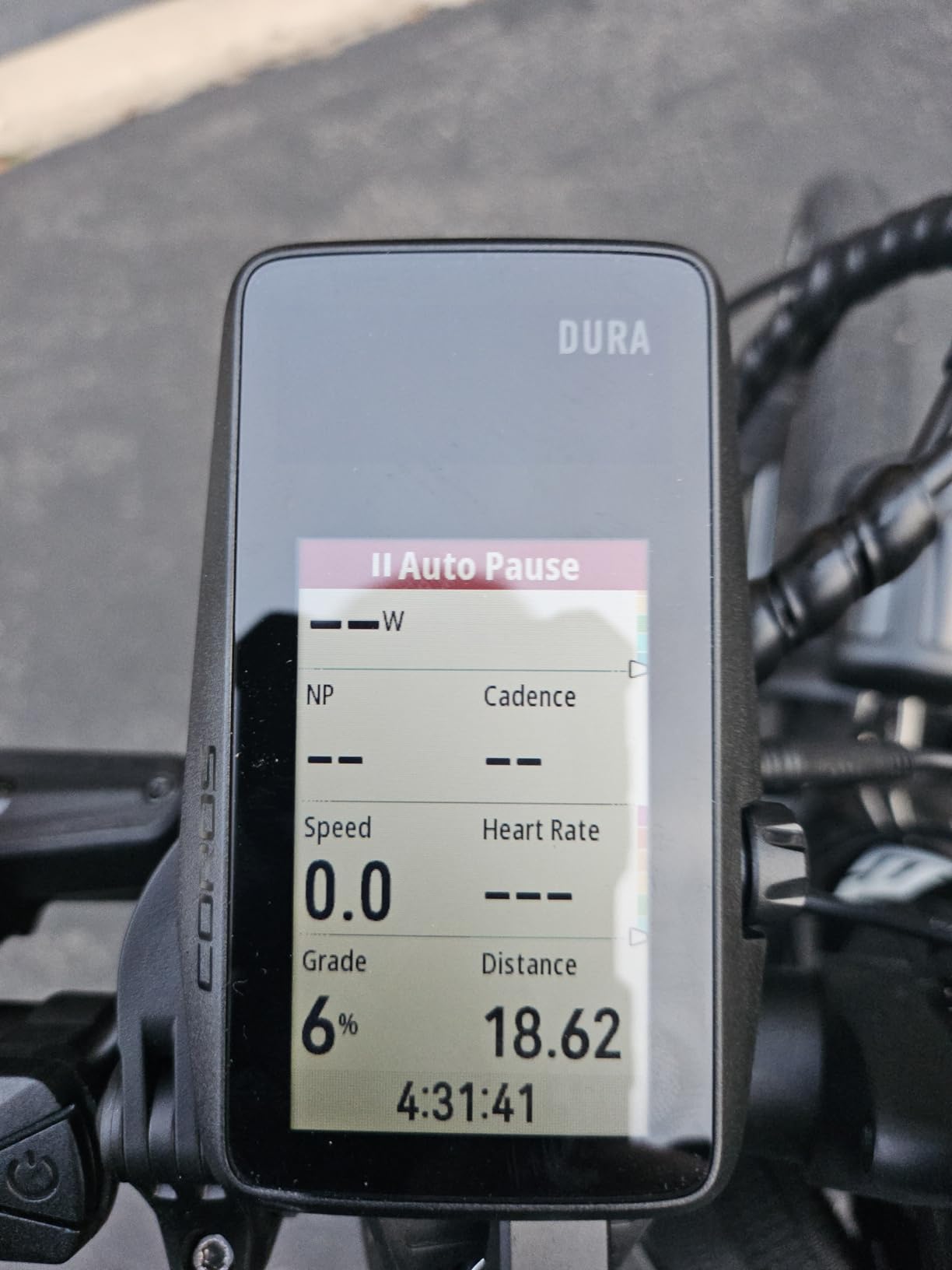
Turn-by-turn navigation is powered by Google Maps, which means the routing engine benefits from Google’s extensive road data and traffic-aware rerouting. When I missed a turn on a test ride, the DURA recalculated quickly and got me back on route without the long pause I have experienced on other systems.
Dual-frequency GPS provides the same level of positioning accuracy as the multi-band GNSS on Garmin units. On wooded roads with tree cover, the DURA held its line without the wandering I used to see on older single-frequency GPS computers. For road cyclists who ride through varied terrain, this accuracy is a meaningful upgrade.
Who Should Buy the COROS DURA?
Endurance riders, bikepackers, and touring cyclists will get the most from the DURA’s exceptional battery life. If you regularly ride for more than 12 hours at a time or do multi-day trips without reliable charging access, the 120-hour battery eliminates range anxiety completely. No other computer in this price range comes close.
Cyclists who already own COROS watches will appreciate the seamless integration. Your cycling data feeds into the same COROS app ecosystem, giving you a unified fitness profile across all activities. If your training spans running and cycling, this integration is a significant advantage.
What to Consider Before Buying
Route creation happens through the COROS smartphone app rather than on the device itself. This is fine for pre-ride planning but means you cannot build a route on the fly from the handlebar. If spontaneous route changes are part of your riding style, the Take Me To feature on the Wahoo Bolt or the on-device search on Garmin units may suit you better.
The solar charging effectiveness depends heavily on weather conditions. In winter or consistently cloudy climates, you will not see the full benefit. The 120-hour base battery is still outstanding regardless, but manage your expectations on the solar gains if you ride in overcast regions.
4. Wahoo ELEMNT Bolt V3 – Navigation and Simplicity Done Right
Wahoo ELEMNT Bolt V3 GPS Cycling/Bike Computer,Black
2.3 inch display
20hr battery
Turn-by-turn nav
ANT+ radar
IPX7 waterproof
Button interface
Pros
- On-device turn-by-turn with LED cues
- Automatic route downloads from Strava and Komoot
- Take Me To on-demand routing
- ANT+ radar integration for safety
- IPX7 waterproof rating
Cons
- 20-hour battery is shorter than competitors
- Button only with no touchscreen
Wahoo built its reputation on making bike computers that are genuinely easy to use, and the ELEMNT Bolt V3 continues that tradition. I set this computer up in under ten minutes from unboxing to first ride, which is a fraction of the time I spent configuring some competitors. If you want a device that works without hours of menu diving, the Bolt is designed for you.
The standout feature for road cyclists is the automatic route downloading. Once you connect your Strava, Ride With GPS, or Komoot account, routes you star or create on your phone appear on the Bolt automatically. No manual syncing, no cable connections. This seamless workflow is something Garmin still has not matched.
The Take Me To feature generates a route to any destination on demand. I used it to navigate to a coffee shop 15 miles away on unfamiliar roads, and the Bolt created a bike-friendly route in seconds. The top LED indicators flash to signal upcoming turns, so you get visual cues without staring at the screen.
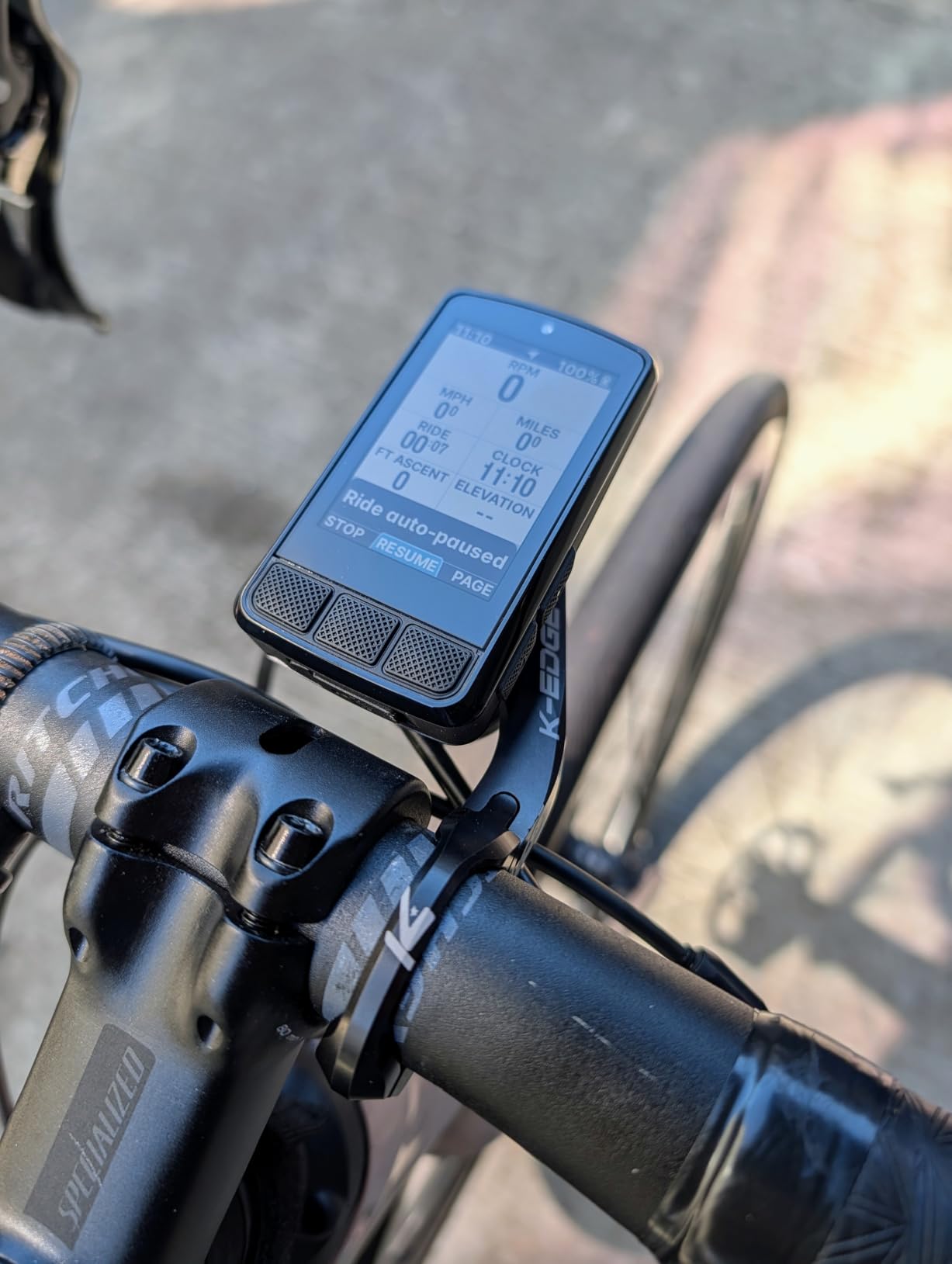
ANT+ radar integration is a feature road cyclists should not overlook. When paired with a Garmin Varia radar, the Bolt displays vehicle proximity alerts directly on the computer screen. On busy rural roads, knowing how many cars are approaching from behind and how fast they are closing changes your awareness dramatically.
The 20-hour battery life is the main drawback compared to the COROS DURA’s 120 hours or even the Garmin Edge 540’s 42 hours. For most day rides, 20 hours is more than enough. But if you do ultra-distance events or multi-day tours, you will need to charge mid-trip or carry a power bank.
Who Should Buy the Wahoo ELEMNT Bolt V3?
The Bolt V3 is perfect for road cyclists who value simplicity and ease of use over having every possible feature. If the idea of spending an hour configuring data pages and sensor connections sounds miserable, Wahoo’s straightforward setup process will be a relief. The companion app handles most configuration, and sensible defaults mean you can start riding immediately.
Cyclists who use Strava routes regularly will love the automatic syncing. Star a route on your phone during lunch and it is waiting on your Bolt when you get home. This workflow removes friction from the pre-ride routine.
What to Consider Before Buying
The button-only interface means no touchscreen. If you frequently interact with maps by pinching and zooming, you will miss that capability. The Bolt uses physical buttons for page navigation and zoom, which works but is less intuitive than direct screen manipulation.
Battery life at 20 hours is the shortest in this comparison. For single-day rides it is fine, but anything longer requires planning. If you regularly ride beyond 15 hours or do multi-day events without overnight charging, the COROS DURA or Garmin Edge 540 are better choices.
5. CATEYE Padrone Wireless – Simple, Reliable, No GPS Needed
CATEYE Padrone Wireless Bike Computer (Black)
5.5cm oversized display
1-year battery
Wireless speed
Auto start-stop
FlexTight mount
Pros
- Oversized display easy to read in sunlight
- Simple one-button ClickTec interface
- Tool-free FlexTight installation
- Auto start-stop convenience
- Accurate speed and distance
- Reliable battery lasting up to a year
Cons
- No GPS or navigation features
- Front wheel use only
- Instructions can be unclear
- No auto-wake when wheel starts
Not every road cyclist needs GPS navigation, power meter integration, or turn-by-turn directions. The CATEYE Padrone Wireless is for riders who want to know how fast they are going and how far they have ridden, period. I tested this alongside the premium GPS units, and there is something deeply satisfying about its simplicity and reliability.
The oversized display is the first thing you notice. At 5.5 centimeters, the screen shows your current speed in large, bold digits that are readable from a distance even in bright sunlight. No squinting, no tilting the computer to find the right viewing angle. The numbers are just there, clear and immediate.
Setup took about five minutes. The FlexTight bracket attaches to your handlebar or stem without tools, and the wireless speed sensor means no cables to route along your fork. The sensor transmits wirelessly up to 70 centimeters, which covers standard road bike geometry from front wheel to handlebar.
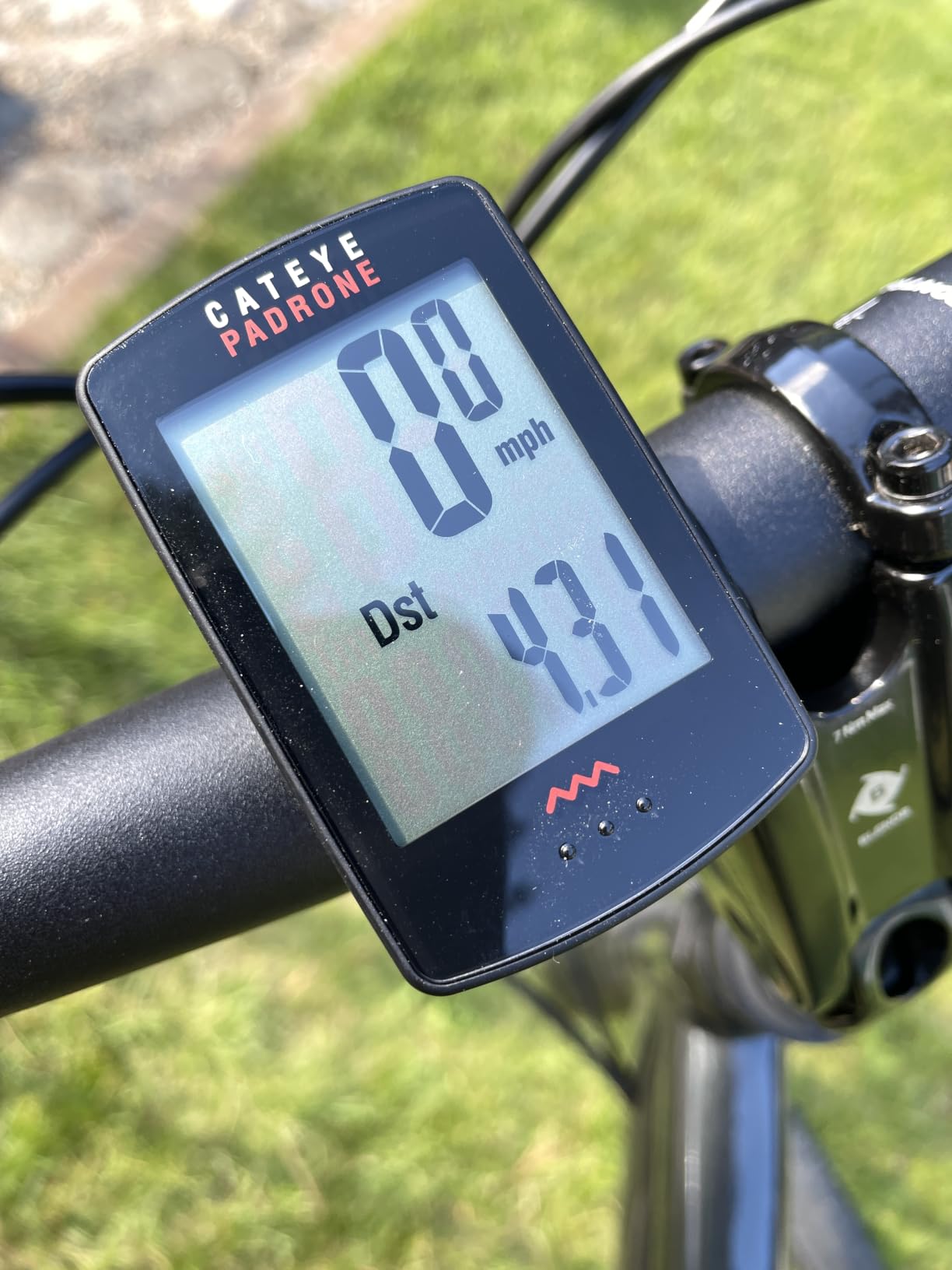
Battery life is measured in months, not hours. A single coin cell battery powers the Padrone for approximately a year of regular riding. I never once thought about charging during testing. Compare that to the daily or weekly charging routine of a GPS computer, and the appeal becomes clear.
The ClickTec button interface uses a single button on the front of the unit that you press to cycle through data screens. It is operable with full-finger gloves and requires zero learning curve. Current speed, average speed, maximum speed, trip distance, total distance, elapsed time, and a clock cover the essential metrics.
Who Should Buy the CATEYE Padrone Wireless?
This is the ideal computer for casual road cyclists, commuters, and riders who do not need GPS data. If your rides follow familiar routes and you primarily want speed, distance, and time data, the Padrone delivers those basics with bulletproof reliability. It is also a great backup computer for a spare bike.
New cyclists who are not ready to invest in a full GPS system will find the Padrone approachable and frustration-free. There is no app to download, no firmware to update, no Bluetooth pairing to troubleshoot. Install the mount, attach the sensor, and ride.
What to Consider Before Buying
The Padrone uses an analog wireless speed sensor on the front wheel, not GPS. This means it works on the front wheel only, which rules out use on trainers or recumbent bikes with different geometries. The sensor uses a magnet on the spoke and a pickup on the fork, a proven design but one that requires correct alignment during installation.
Some users report that the display does not auto-wake when the wheel starts spinning. You may need to press the button to start recording after stops longer than a few minutes. The auto start-stop feature helps once the unit is awake, but this quirk is worth knowing before you buy.
6. CYCPLUS GPS Bike Computer – Budget GPS Without Compromise
CYCPLUS Wireless GPS Bike Computer G1, 70g, 2.0″ Screen, IPX6, 1200mAh
2 inch display
55hr battery
GPS tracking
IPX6 waterproof
Auto backlight
70 grams
Pros
- Outstanding value for a GPS computer
- 55+ hour battery life
- IPX6 waterproof rating
- Backlit FSTN screen readable in sunlight
- Lightweight at 70 grams
- Auto sleep and wake for battery conservation
Cons
- GPS accuracy less precise than premium brands
- Manual power off clears ride data
- Limited advanced metrics compared to premium units
The CYCPLUS GPS Bike Computer proved to be the surprise of our testing. For a fraction of what premium GPS computers cost, it delivers GPS tracking, route recording, altitude data, and a battery that outlasts units costing five times as much. With 3,900 reviews on Amazon and a 4.3-star average, clearly this budget option has struck a chord with cyclists.
I rode the CYCPLUS on my standard 30-mile training loop for two weeks straight, comparing its GPS data against my Garmin Edge 540. The route tracking was solid on open roads, with occasional minor deviations on tree-covered sections. For cyclists who want to see their routes on Strava without spending hundreds of dollars, the accuracy is more than acceptable.
The 2-inch FSTN display uses a transflective technology similar to MIP screens on premium units. In direct sunlight, the screen remains readable without backlight. An automatic backlight sensor turns on the illumination in low-light conditions, which is a nice touch at this price point.
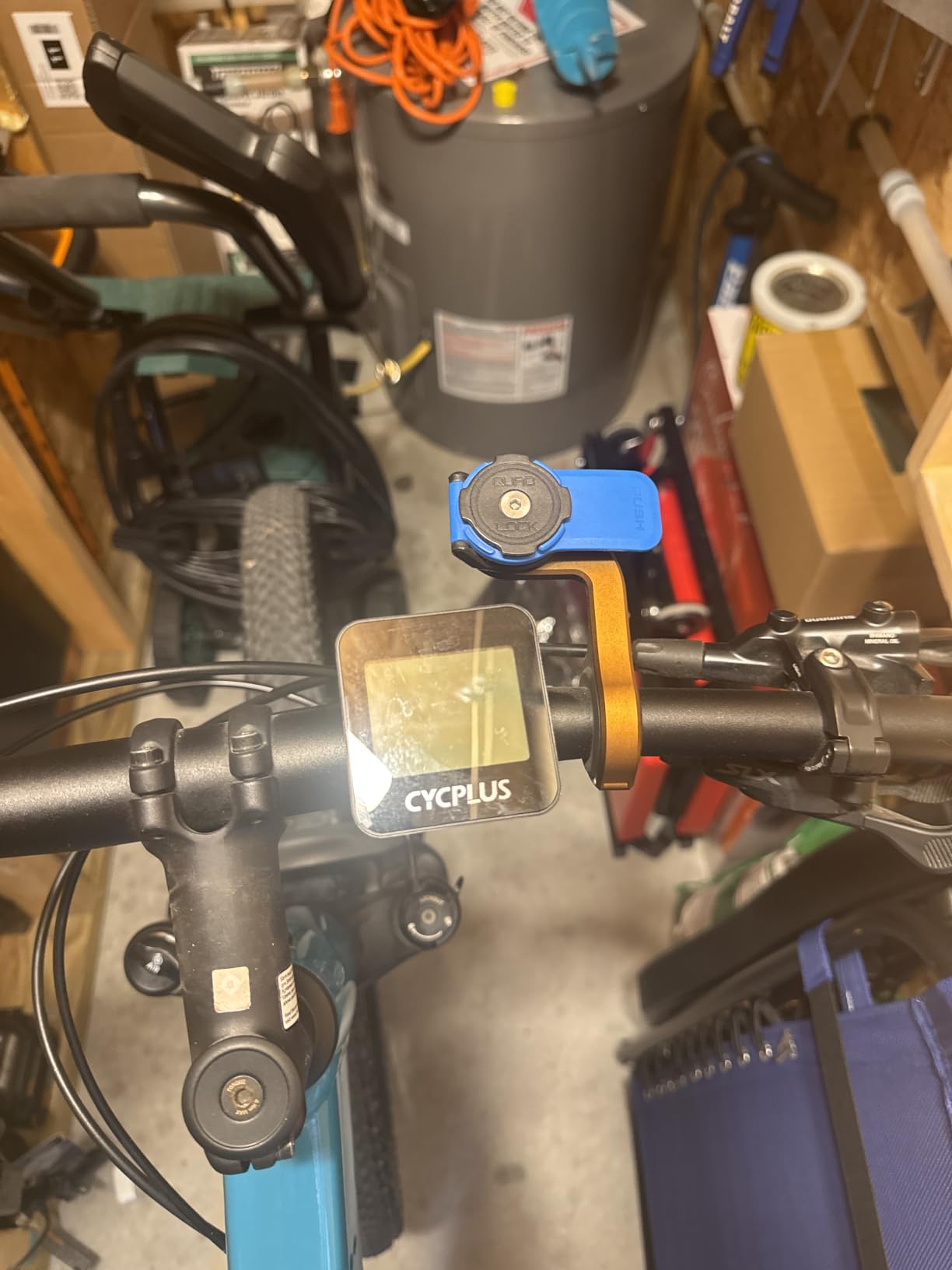
Battery life is rated at 55 hours plus, and in my testing I never managed to drain it over a two-week period of regular riding without charging. The auto sleep feature kicks in after 10 minutes of inactivity, and the unit wakes automatically when it detects movement. Ride data is retained through the sleep cycle.
The IPX6 waterproof rating means this computer handles heavy rain without issue. I rode through a downpour that had me questioning my life choices, and the CYCPLUS kept recording without interruption. At 70 grams, it is one of the lightest units in this comparison.
Who Should Buy the CYCPLUS GPS Bike Computer?
Beginner road cyclists who want GPS tracking without the premium price tag will find exactly what they need here. The CYCPLUS records your routes, tracks distance and altitude, and syncs to Strava through the companion app. For riders upgrading from a basic speed-only computer, this is a natural next step.
Budget-conscious cyclists who prioritize battery life will also appreciate the CYCPLUS. At 55-plus hours, it outlasts the Wahoo Bolt V3 nearly three times over and even edges out the Garmin Edge 540. For long rides where charging is inconvenient, this budget option punches well above its weight.
What to Consider Before Buying
GPS accuracy is good but not at the level of multi-band GNSS systems on premium units. On roads with heavy tree cover or urban canyons between buildings, you may see slight deviations from your actual line. For most recreational road cycling, this will not matter, but competitive riders chasing Strava segments may find the difference frustrating.
The CYCPLUS lacks advanced training features like power guidance, structured workout support, and coaching insights. If your riding involves interval training based on power or heart rate zones, you will need a more capable computer. For riders who track speed, distance, and route data, the CYCPLUS covers those essentials competently.
How to Choose the Best Bike Computers for Road Cycling?
Choosing among the best bike computers for road cycling comes down to understanding which features actually matter for your type of riding. I have broken down the key decision factors below based on what made a real difference during our testing.
GPS Accuracy and Satellite Systems
GPS accuracy matters more than most cyclists realize. Basic single-frequency GPS can cut corners on winding roads and wander under tree cover. Multi-band GNSS (used by Garmin Edge 540 and 840) and dual-frequency GPS (used by COROS DURA) connect to multiple satellite constellations simultaneously for much tighter positioning. If you care about Strava segment accuracy or clean route data, prioritize multi-band or dual-frequency GPS.
The CYCPLUS and CATEYE Padrone use simpler GPS or sensor-based systems. They work fine for casual tracking but will not match the precision of premium multi-band units on complex routes.
Screen Quality and Sunlight Visibility
On road rides, you are constantly glancing at your computer in bright sunlight. MIP (Memory in Pixel) displays used by COROS DURA and transflective FSTN screens used by CYCPLUS actually perform better in direct sun than traditional LCD screens. The CATEYE Padrone’s oversized LCD is also excellent in sunlight due to its size and contrast.
Touchscreen versus buttons is a personal preference. I found buttons more reliable with gloves and in wet conditions, but touchscreens make map interaction faster. The Garmin Edge 840 offers both, which is the ideal solution if you cannot decide.
Battery Life for Your Ride Style
Battery life ranges dramatically across these computers. The COROS DURA leads with 120 hours in GPS mode, followed by the CYCPLUS at 55-plus hours and the Garmin Edge 540 at up to 42 hours in saver mode. The Wahoo Bolt V3 sits at 20 hours, and the CATEYE Padrone runs for approximately a year on a coin cell since it has no GPS.
For day rides under 8 hours, any computer here will work. For century rides, multi-day tours, or ultra-endurance events, battery life becomes the primary decision factor. Think about your battery range and charging needs the same way you would for any cycling electronics.
Navigation and Mapping Features
If you ride unfamiliar routes or travel to new areas for cycling, navigation capability is essential. Turn-by-turn directions with on-screen maps are available on the Garmin Edge 540, Edge 840, COROS DURA, and Wahoo Bolt V3. The CATEYE Padrone and CYCPLUS do not offer navigation.
Route planning workflows differ between brands. Wahoo’s automatic syncing from Strava and Komoot is the smoothest experience I tested. Garmin offers more powerful on-device planning but requires more manual setup. COROS relies on its smartphone app for route creation.
Connectivity and Sensor Compatibility
ANT+ and Bluetooth connectivity determine which sensors you can pair. All the GPS computers in this comparison support heart rate monitors, speed and cadence sensors, and power meters via ANT+ or Bluetooth. The CATEYE Padrone uses an analog wireless sensor and does not pair with digital sensors.
WiFi and Bluetooth Smart connectivity allow automatic ride uploads to Strava and other platforms. Garmin, COROS, and Wahoo all support wireless uploading after rides. The CYCPLUS uses a smartphone app for data syncing via Bluetooth.
Training Features for Structured Workouts
If you train with power or follow structured plans, the Garmin Edge 540 and 840 offer the deepest training suite. ClimbPro, power guide, stamina insights, and targeted adaptive coaching provide real-time guidance during rides. COROS DURA integrates with the COROS training ecosystem, and the Wahoo Bolt V3 supports structured workouts synced from TrainingPeaks and other platforms.
For riders focused on group riding and drafting techniques or casual fitness tracking, the training features on premium computers may be more than you need. The CYCPLUS and CATEYE cover speed, distance, and basic metrics without the training complexity.
Budget and Value Considerations
The price range in this comparison is wide. At the premium end, the Garmin Edge 840 and 540 offer the most features. The COROS DURA delivers flagship battery life at a mid-range price, making it exceptional value. The Wahoo Bolt V3 sits in the middle with strong navigation features.
For budget-conscious cyclists, the CATEYE Padrone and CYCPLUS provide excellent value. The CYCPLUS gives you GPS tracking at a fraction of premium costs, while the CATEYE is the most affordable option for basic speed and distance data.
Frequently Asked Questions About Bike Computers
What is the best bike computer for road cycling?
The Garmin Edge 540 is our top pick for road cycling thanks to its multi-band GNSS accuracy, button controls that work with gloves, ClimbPro ascent planning, and up to 42 hours of battery life. For riders prioritizing battery life, the COROS DURA with 120 hours of GPS battery is the best alternative.
How do I choose a bike computer?
Choose a bike computer based on your riding needs. For navigation, look for turn-by-turn directions and on-device mapping. For training, prioritize power meter and heart rate compatibility. Consider battery life for long rides, screen visibility in sunlight, and whether you prefer touchscreen or button controls. Set a budget and match features to how you actually ride.
What features should a road cycling computer have?
A road cycling computer should have accurate GPS tracking, clear sunlight-readable display, at least 20 hours of battery life, ANT+ and Bluetooth connectivity for sensors, and turn-by-turn navigation for unfamiliar routes. Advanced features like ClimbPro, power guidance, and structured workout support benefit serious training cyclists.
What is the difference between Garmin Edge models?
The Garmin Edge 540 uses button-only controls with 16GB storage, while the Edge 840 adds a touchscreen and 32GB storage. Both share multi-band GNSS, ClimbPro, and coaching features. The Edge 540 offers longer battery saver mode at 42 hours versus the 840’s 32 hours due to the lack of touchscreen power draw.
Is Wahoo better than Garmin for cycling?
Wahoo is better for cyclists who want simplicity and ease of use, with automatic route syncing from Strava and an intuitive setup process. Garmin is better for riders who want deeper training features, more customization options, and multi-band GPS accuracy. Both are excellent choices, and the right pick depends on your priorities.
Final Thoughts on the Best Bike Computers for Road Cycling
After months of testing, our clear recommendation for the best bike computer for road cycling is the Garmin Edge 540. Its combination of multi-band GPS accuracy, button controls, ClimbPro, and targeted coaching features covers everything a road cyclist needs. For unmatched battery life, the COROS DURA is the standout choice with 120 hours of GPS tracking and solar charging. And for budget-conscious riders, the CYCPLUS delivers GPS tracking at a price that leaves room for other gear.
Every computer in this guide earned its place through real-world road testing. Whether you are chasing Strava segments, training for your first century, or just want to know how far you rode today, there is a computer here that fits your riding and your budget. Pick the one that matches how you actually ride, and you will not be disappointed.