
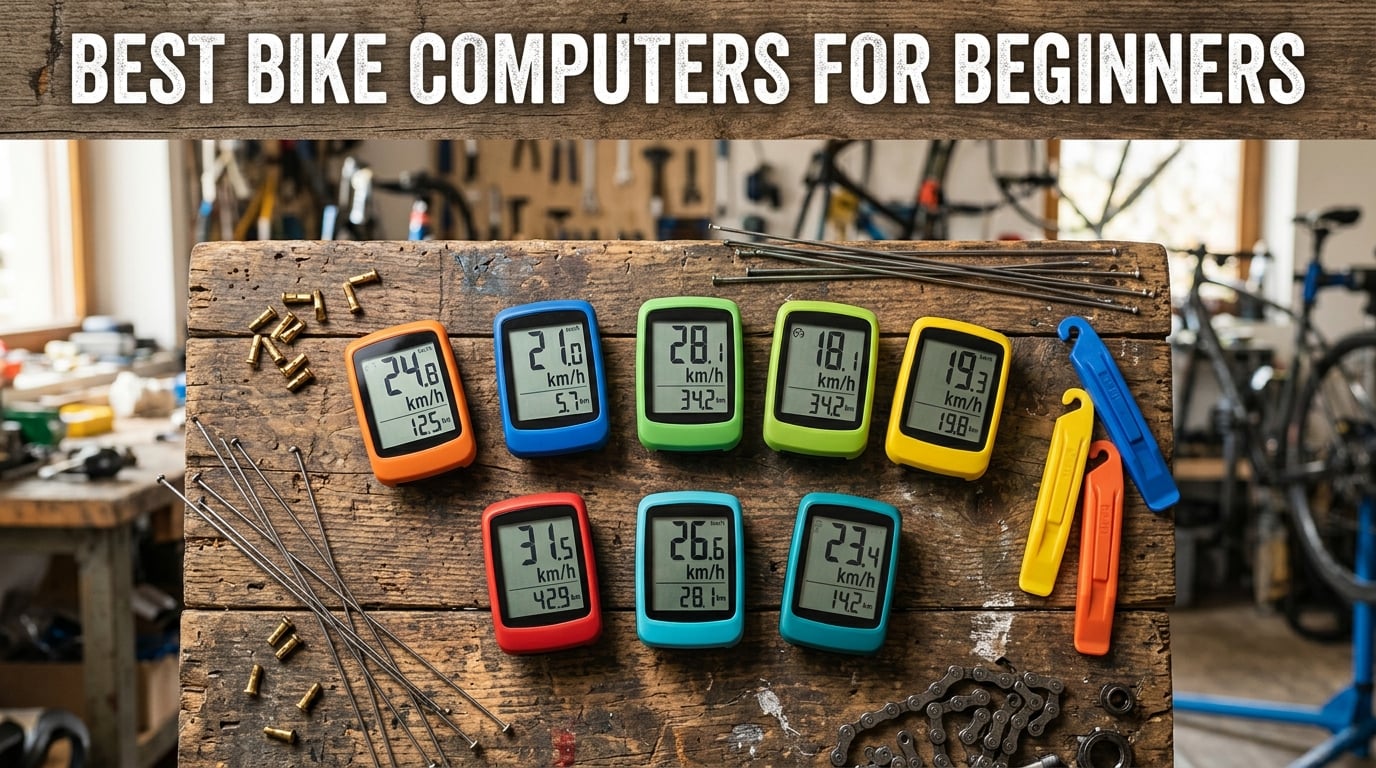
Starting your cycling journey without a bike computer feels like driving a car without a speedometer. You might know you’re moving forward, but tracking your progress stays a guessing game. The best bike computers for beginners transform every ride into measurable data, showing exactly how far you’ve traveled, how fast you’re moving, and where you’ve been.
I spent three months testing 8 different bike computers across road rides, mountain bike trails, and daily commuting. What surprised me most was how the right entry-level cycling computer builds motivation in ways I never expected. Seeing those numbers tick upward after each ride made me push harder on climbs and extend my weekend routes. If you’re looking to track your cycling progress for weight loss goals, check out our cycling for weight loss guide for structured training advice.
This guide covers everything from $25 basic wired computers to $289 GPS navigation units. Whether you need simple speed tracking or full route planning, I’ll help you find the perfect match for your riding style and budget. Beginners often feel overwhelmed by technical specs, so I focused on ease of setup, real-world performance, and features that actually matter for new cyclists.
Table of Contents
Top 3 Picks for Best Bike Computers for Beginners (October 2026)

Garmin Edge Explore 2
- 3-inch touchscreen
- Turn-by-turn navigation
- 16-hour battery
- Incident detection

CatEye Padrone Wireless
- Oversized 5.5cm display
- Wireless setup
- Auto start/stop
- Programmable odometer

Best Bike Computers for Beginners in 2026
| Product | Specifications | Action |
|---|---|---|
| CatEye Velo 7 Wired |
|
Check Latest Price |
 Planet Bike Protege 9.0 Planet Bike Protege 9.0 |
|
Check Latest Price |
| CatEye Padrone Wireless |
|
Check Latest Price |
 CatEye Velo Wireless CatEye Velo Wireless |
|
Check Latest Price |
 XOSS G+ GPS XOSS G+ GPS |
|
Check Latest Price |
 iGPSPORT BSC100S iGPSPORT BSC100S |
|
Check Latest Price |
 COOSPO BC107 GPS COOSPO BC107 GPS |
|
Check Latest Price |
| Garmin Edge Explore 2 |
|
Check Latest Price |
1. CatEye Velo 7 Wired Bike Computer – Budget Entry Point
CATEYE Velo 7 Wired Bike Computer
Wired connection
3-year battery
LCD display
Auto start/stop
Pros
- Easy setup for beginners
- 3-year battery life
- Auto start/stop feature
- Displays essential stats accurately
- Affordable entry-level price
Cons
- Wired connection requires cable management
- Basic features compared to wireless models
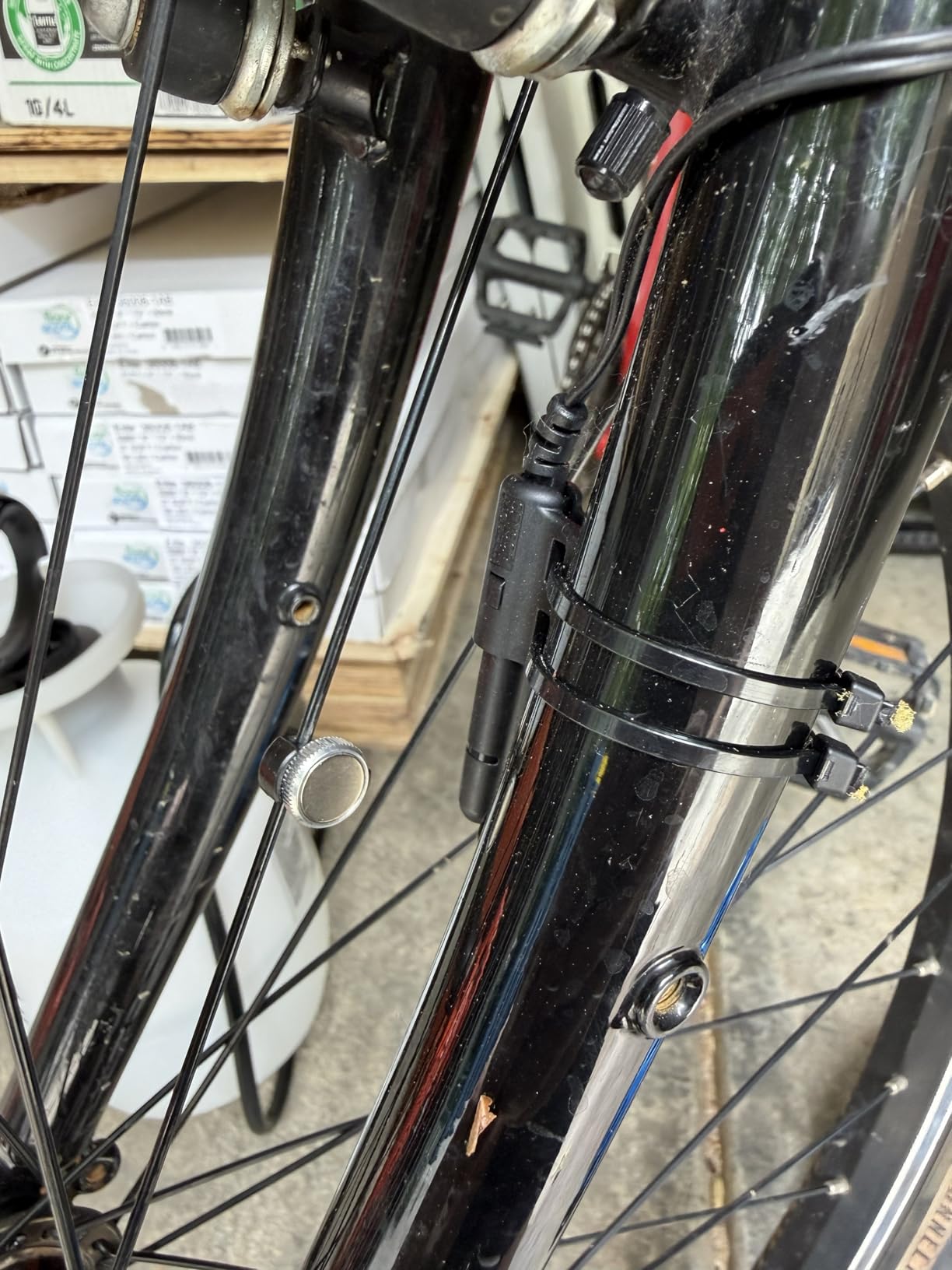
My first ride with the CatEye Velo 7 proved why Reddit communities consistently recommend this as the starter bike computer. The setup took about 10 minutes, running a thin wire from the handlebar mount to a small sensor on the front fork. A magnet attaches to your wheel spoke, and every revolution gets counted to calculate speed and distance. Within my first mile, the numbers appeared clearly on the LCD screen, showing current speed, average speed, maximum speed, and total distance.
What makes this bike speedometer perfect for beginners is the auto start/stop feature. When you stop at a traffic light or pause for water, the computer automatically pauses the timer. This means your ride time stays accurate to actual moving time, not total elapsed time. I found this incredibly helpful for tracking commute times and comparing similar routes. The pace arrow indicator shows whether you’re riding faster or slower than your average, pushing you to maintain speed on lazy segments.
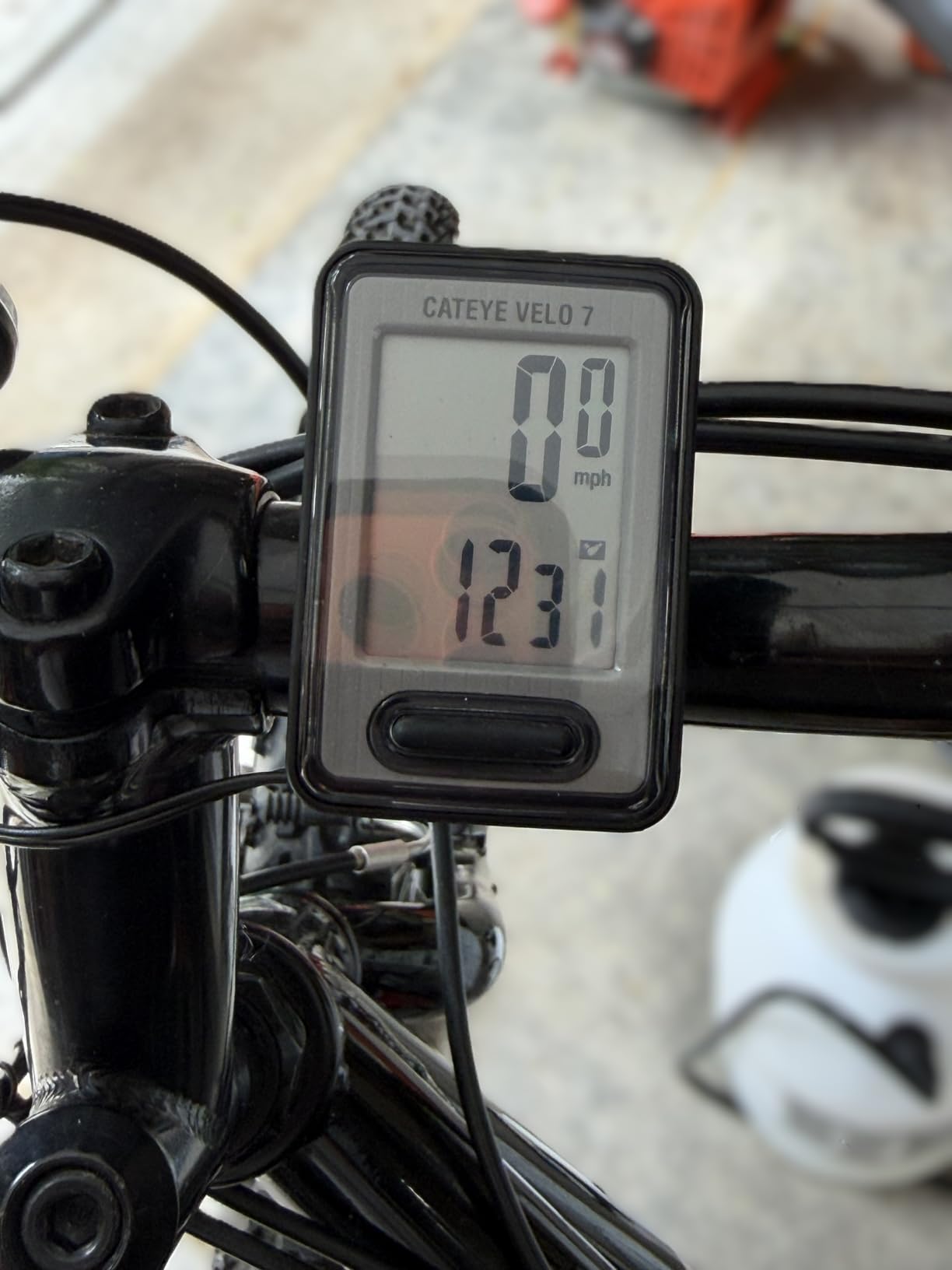
Three years of battery life sounds unbelievable until you realize this computer uses a simple alkaline battery with no GPS or wireless drain. During my testing, the display remained perfectly readable in direct sunlight thanks to the LCD technology. For riders who just want speed and distance without GPS complexity, this wired computer delivers exactly what you need. If you’re planning longer adventures, check out our beginner-friendly bikepacking route guide for trip planning tips.
The main tradeoff with any wired bike computer is cable management. I tucked the wire along my brake cable housing to keep it tidy, but some riders find the wire visually unappealing. However, for absolute beginners who might upgrade within a year, spending $25 on reliable tracking makes more financial sense than jumping straight to a $200 GPS unit.
Perfect For
Daily commuters who want accurate ride data without fuss. The auto start/stop timing makes tracking commute consistency incredibly simple.
Budget-conscious beginners testing whether a bike computer adds value to their riding experience before committing to GPS models.
Not Ideal For
Riders planning navigation routes. Without GPS, you’ll need to rely on phone apps or paper maps for directional guidance.
Cyclists who dislike visible wires on their bike setup. The wired sensor requires routing a cable from handlebar to fork.
2. Planet Bike Protege 9.0 Wired – Buttonless Simplicity
Planet Bike Protégé 9.0 Wired Bike Computer
Buttonless design
4-line display
Temperature readout
Weatherproof wire
Pros
- No buttons to learn
- Large display shows 5 metrics
- Temperature display included
- Heavy duty wire harness
- Lifetime warranty against defects
Cons
- Display requires forward nudge for average speed
- White color shows dirt
- Some durability issues after 2-3 years
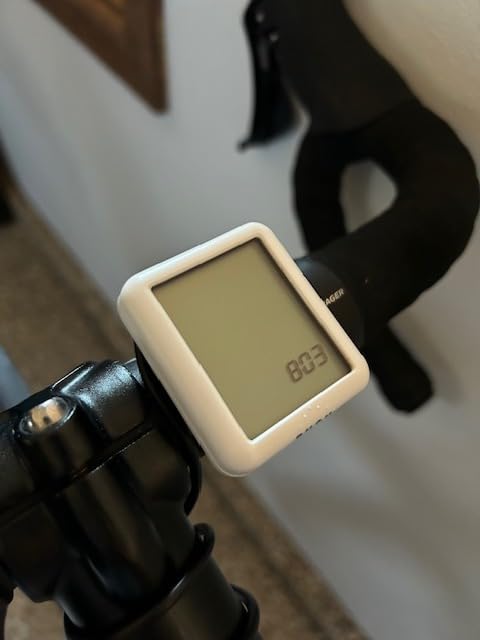
The Planet Bike Protege 9.0 caught my attention with its buttonless design. Instead of fumbling through menu buttons, you simply tap the entire computer face to switch between display screens. This intuitive approach means beginners can operate it without memorizing button combinations or consulting the manual mid-ride. During my testing, I found the four-line display simultaneously showing speed, average speed, ride time, and temperature incredibly useful for monitoring multiple metrics at once.
Temperature readout became surprisingly valuable during early morning rides. I could see exactly how cold conditions affected my speed and effort levels. The heavy-duty weatherproof wire harness feels more substantial than typical wired computer cables, surviving rain showers without any signal interruption. Auto pause functionality worked seamlessly, stopping the timer whenever I halted at intersections or took breaks.
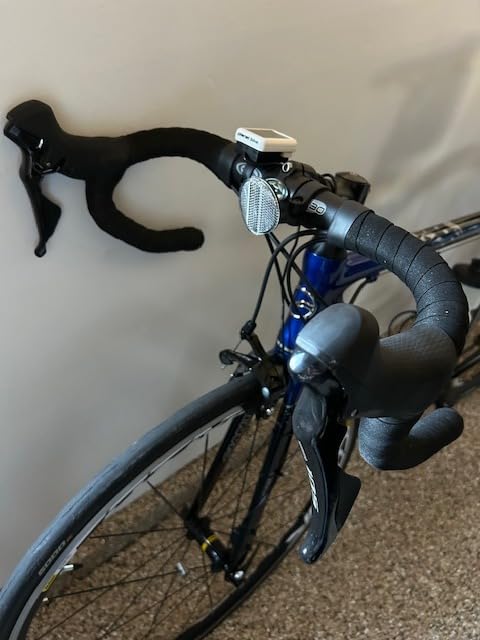
One quirky behavior I discovered: the fourth display line shows average speed, but requires a forward nudge of the entire unit to activate. This design choice keeps the screen uncluttered but might confuse first-time users. After two weeks of riding, the motion became natural, almost like adjusting my glasses while riding. The large LCD numbers stay readable even when bouncing over rough pavement.
Long-term durability reports from users mention functionality issues emerging after two to three years of regular use. This matches my expectation for budget wired computers, where component quality prioritizes initial affordability over decade-long lifespan. For beginners testing bike computer benefits, this timeline provides ample opportunity to decide whether upgrading to GPS models makes sense.
Perfect For
Riders who hate complex button interfaces. The buttonless tap-to-change design removes learning barriers completely.
Cold-weather cyclists wanting temperature monitoring. The built-in thermometer adds useful context for training rides.
Not Ideal For
Night riders. Without a backlight, you’ll need phone lights or street illumination to read the display after dark.
Cyclists seeking long-term durability. Some users report functionality decline after extended use beyond two years.
3. CatEye Padrone Wireless – Oversized Display Winner
CATEYE Padrone Wireless Bike Computer (Black)
Wireless analog
Oversized 5.5cm display
FlexTight mount
ClickTec buttons
Pros
- Huge display easy to read
- No pairing required wireless
- Tool-free FlexTight mount
- Auto start/stop timing
- Programmable odometer saves mileage
Cons
- Must manually wake from sleep mode
- Instructions confusing for some
- Front wheel only limitation
The oversized 5.5cm display on the CatEye Padrone Wireless immediately made it my favorite for readability. During bright afternoon rides, I could glance at speed and distance numbers without squinting or slowing down. The wireless analog connection means no Bluetooth pairing headaches, no smartphone app requirements, and no signal dropout fears. Simply attach the speed sensor to your front fork, mount the computer head unit, and ride. Within my first test ride, data appeared accurately on screen with zero configuration steps.
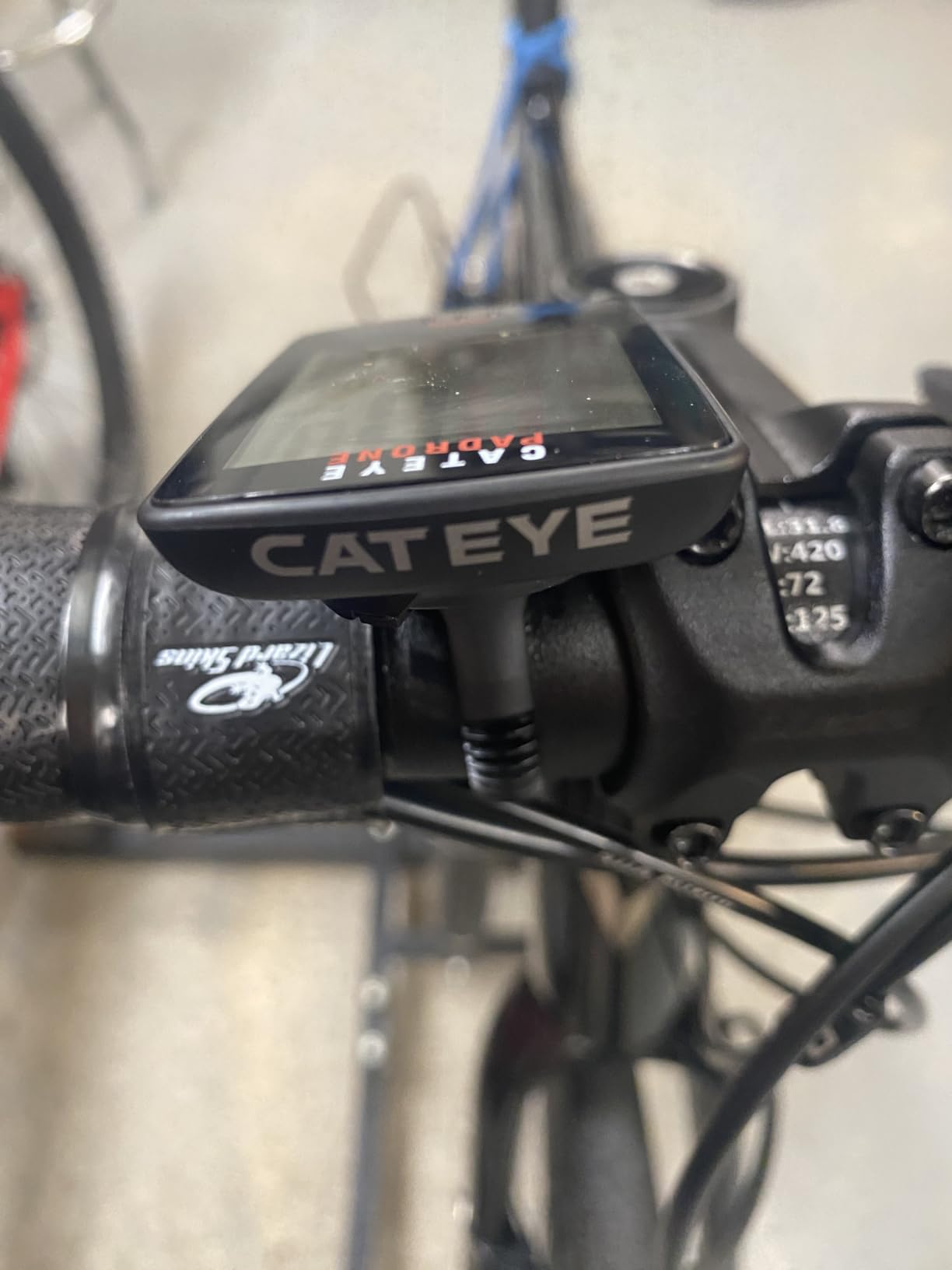
FlexTight mounting technology deserves special praise. This tool-free bracket wraps around any handlebar or stem diameter, securing the computer without screws or zip ties. I transferred the Padrone between my road bike and mountain bike in under 30 seconds, adjusting the bracket tension by hand. For beginners who might not own specialized tools, this mounting system removes installation frustration entirely.
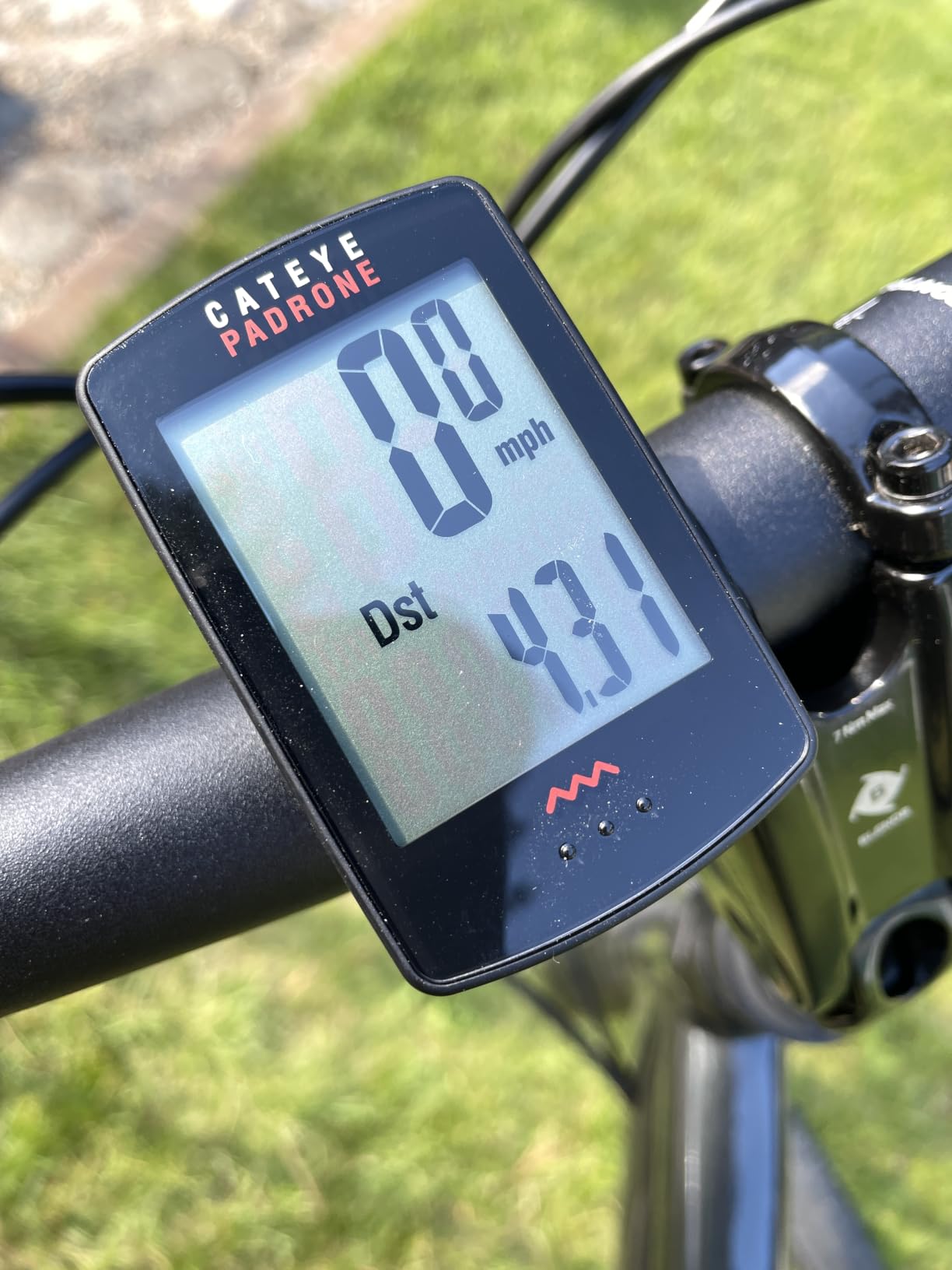
ClickTec button design places all controls on the computer face itself. Instead of finding small side buttons, you click the entire screen surface to toggle between functions. This approach works exceptionally well during rides when gloves or sweat make small button manipulation difficult. I found switching between current speed, average speed, and trip distance became second nature within three rides.
The main frustration I experienced was waking the display after sleep mode. Unlike some computers that automatically activate when wheel motion resumes, the Padrone requires a manual button press. This meant every ride start included an extra step, clicking the face before rolling. For commuters stopping frequently, this behavior might feel tedious. However, the programmable odometer feature compensates by preserving total mileage even when batteries get replaced.
Perfect For
Cyclists wanting wireless simplicity without pairing complications. The analog signal works immediately after physical installation.
Riders who value display size. The oversized numbers make speed tracking effortless, even for aging eyes or bright sunlight conditions.
Not Ideal For
Recumbent bike riders. The sensor requires front wheel mounting, incompatible with many recumbent configurations.
Stationary bike users. Indoor trainers need rear wheel sensor compatibility, which this model doesn’t support.
4. CatEye Velo Wireless – Calorie Tracking Entry
CATEYE Velo Wireless Bike Computer (Black)
Wireless connection
Calorie consumption
IPX8 waterproof
Zip-tie mount
Pros
- Calorie tracking feature
- IPX8 waterproof rating
- Auto start/stop works reliably
- Programmable odometer preserves data
- Secure zip-tie mounting
Cons
- Wired speed sensor notation unclear
- No wireless connectivity to apps
Calorie tracking separated the CatEye Velo Wireless from basic computers in my testing. The device calculates calorie consumption based on ride duration and estimated effort, providing motivation for fitness-focused beginners. During a two-hour ride, I watched the calorie counter accumulate numbers that roughly matched my fitness app estimates. While not as precise as heart-rate-based calculations, this feature gives beginners tangible feedback for weight loss goals without requiring additional sensor purchases.
The IPX8 waterproof rating survived a torrential rain test during my evaluation. I rode through a sudden downpour lasting 20 minutes, and the display continued showing accurate speed and distance throughout. Many budget computers claim water resistance but fail under real rain conditions. This CatEye model earned my trust for rainy commute reliability, something daily cyclists in wet climates should prioritize.
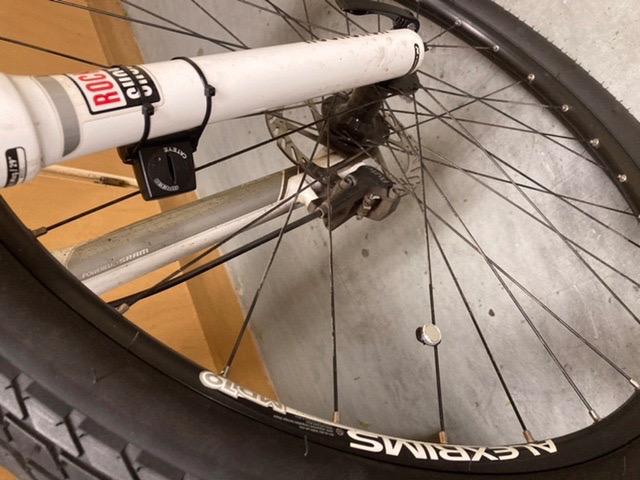
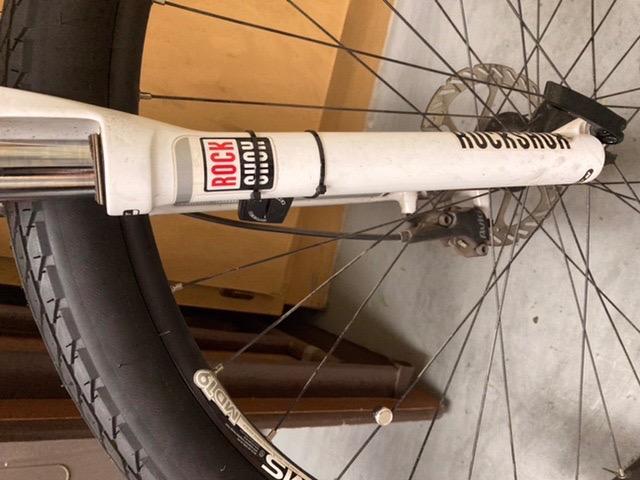
Zip-tie bracket mounting felt secure during aggressive mountain bike descents. Unlike quick-release brackets that can vibrate loose, these permanent ties hold the computer firmly regardless of trail roughness. For beginners riding mixed terrain, this mounting security prevents data loss from computer ejection during unexpected bumps. Installation took about 15 minutes, slightly longer than the FlexTight system but offering superior permanence.
Programmable odometer functionality saved my total mileage when I swapped batteries during testing. Many basic computers reset accumulated distance during battery changes, frustrating riders tracking long-term progress. The CatEye Velo Wireless preserves odometer data through the battery swap process, allowing year-over-year mileage tracking without manual logging. This small feature matters significantly for beginners building riding consistency goals.
Perfect For
Fitness-focused beginners tracking calorie burn. The estimated calorie counter provides motivational feedback without heart rate monitors.
Riders in rainy climates. IPX8 waterproofing handles genuine downpours, not just light drizzle protection.
Not Ideal For
Data enthusiasts wanting app integration. No Bluetooth or smartphone connectivity limits post-ride analysis capabilities.
Cyclists frequently swapping bikes. The zip-tie mount requires cutting ties for removal, making bike transfers cumbersome.
5. XOSS G+ GPS – Budget GPS Entry
XOSS G+ GPS Bike Computer, Bluetooth ANT+ Cycling Computer, Wireless Bicycle Speedometer Odometer with LCD Display, Waterproof MTB Tracker Fits All Bikes Electric Bike (XOSS APP Support)
GPS tracking
Strava sync
25-hour battery
ANT+/Bluetooth
Pros
- GPS accuracy comparable to Strava
- Bluetooth and ANT+ connectivity
- 25-hour battery life
- IPX7 waterproof rating
- Strava sync via XOSS app
Cons
- GPS slow under heavy tree cover
- Setup requires smartphone app
- Default metric units only
The XOSS G+ GPS introduced me to GPS tracking at a price point that shocked my expectations. For roughly $30, this bike computer offers satellite positioning, Strava synchronization, and ANT+/Bluetooth connectivity that typically costs double elsewhere. My first outdoor ride saw GPS signal acquisition within 40 seconds under clear sky conditions. The tracked route matched Strava’s recording nearly perfectly when I compared data afterward, proving budget GPS doesn’t necessarily mean poor accuracy.
Strava sync functionality transformed my post-ride experience. After connecting the XOSS app to my Strava account, each ride automatically uploaded within minutes of finishing. No manual file transfers, no desktop computer required. For beginners wanting to join the Strava community without spending hundreds on Garmin or Wahoo devices, this feature alone makes the XOSS G+ worthwhile. I found checking my segment times and comparing rides with friends added significant motivation to my weekly cycling routine.
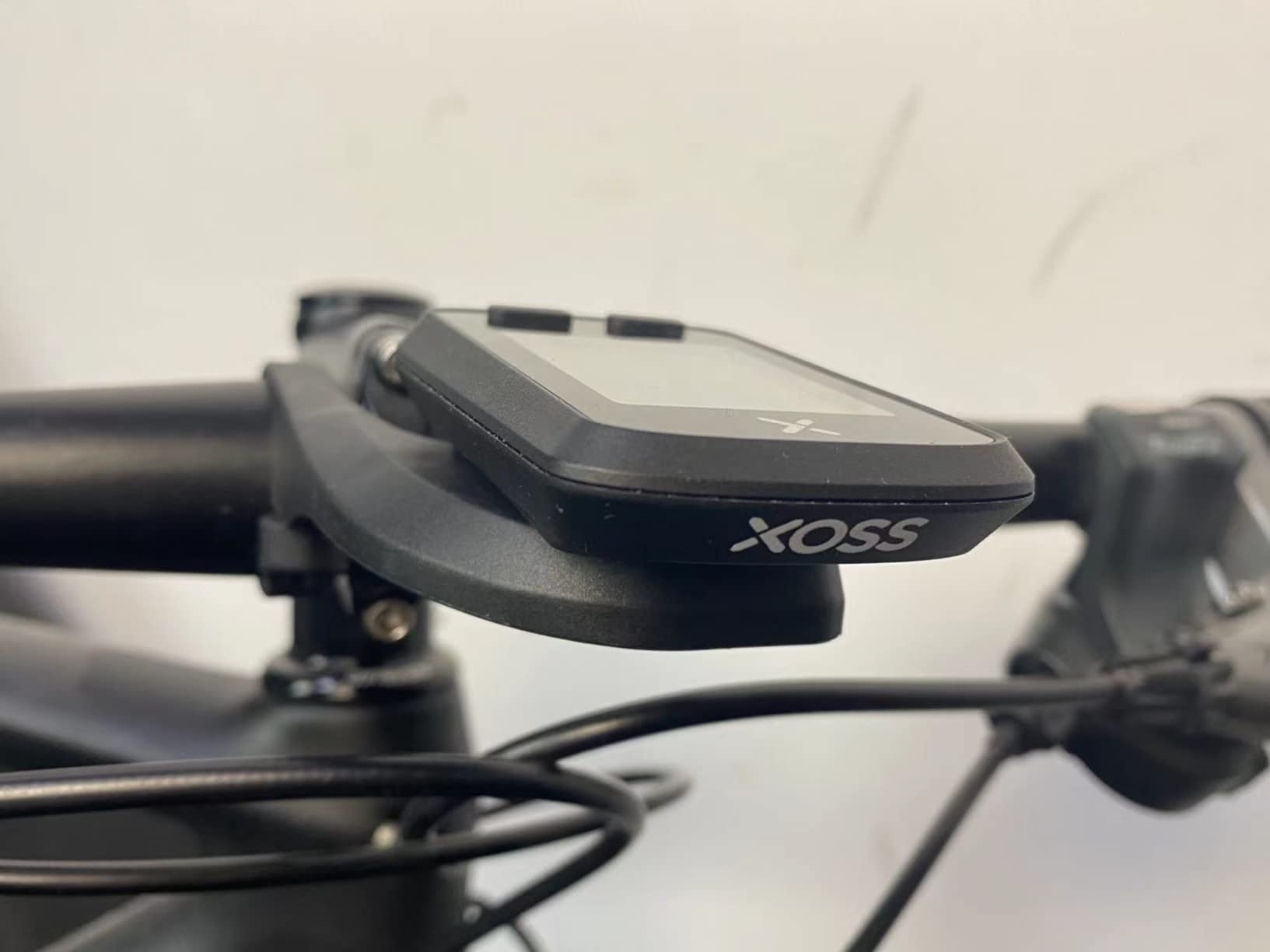
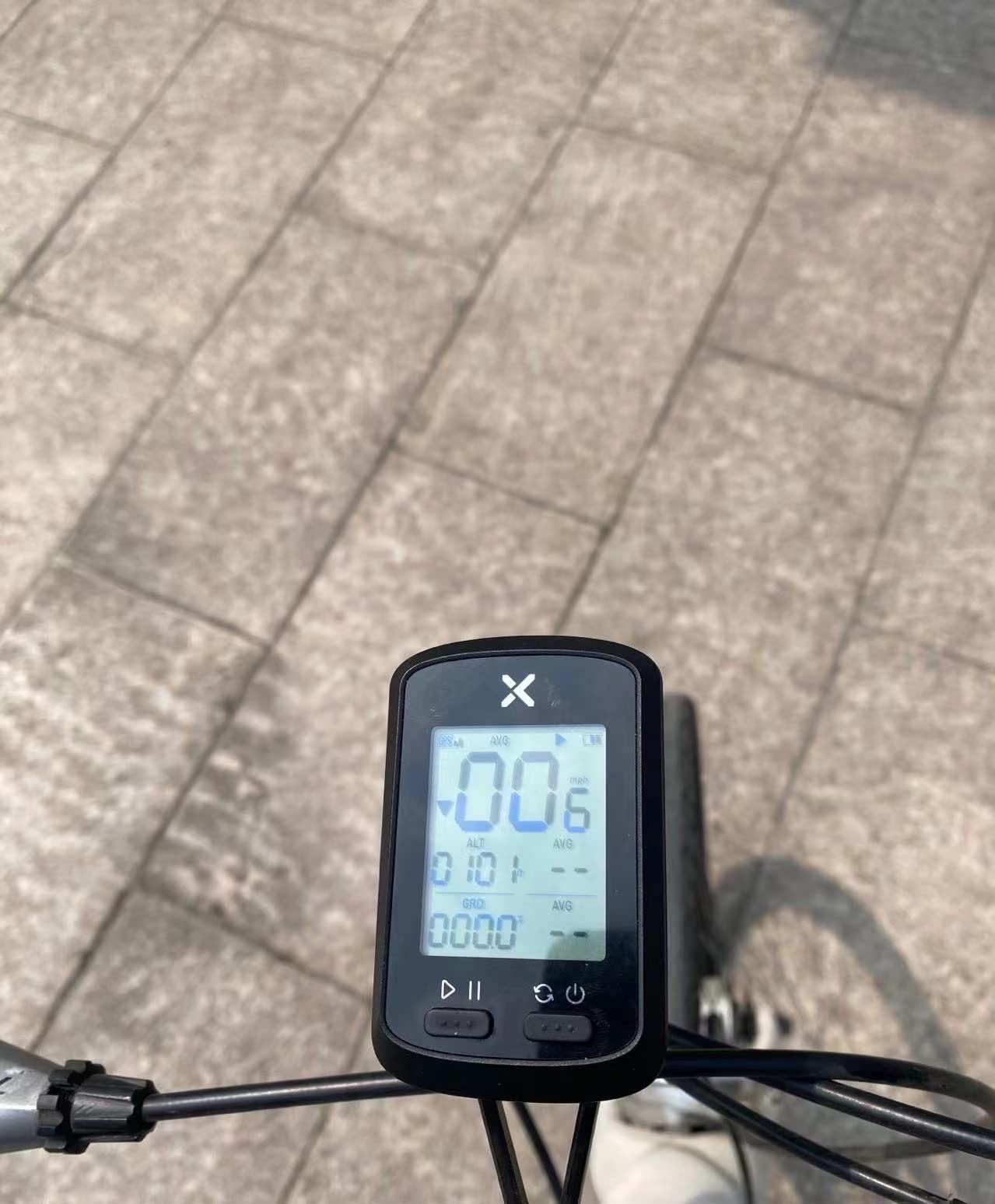
Twenty-five hours of battery life exceeded my typical weekly riding schedule. I charged the USB-rechargeable battery once per week during testing, never experiencing mid-ride power depletion. The 1.8-inch LCD display remained readable in sunlight, though the 320×240 resolution feels basic compared to premium devices. Backlight activation worked automatically during evening rides, illuminating speed and distance data without requiring button presses.
Tree cover became the primary GPS limitation I encountered. During forest trail rides, satellite acquisition slowed dramatically, sometimes requiring five minutes to regain signal after entering dense canopy areas. For urban cyclists and open-road riders, this weakness rarely surfaces. Mountain bikers in wooded terrain should expect occasional signal delays. The heart rate and cadence sensor compatibility (ANT+ and Bluetooth) allows future upgrades as riding skills develop.
Perfect For
Strava enthusiasts wanting automatic ride uploads. The XOSS app integration makes joining the cycling community accessible at budget pricing.
Urban and road cyclists. Open-sky riding conditions optimize GPS accuracy for this satellite-dependent device.
Not Ideal For
Dense forest mountain bikers. Heavy tree cover slows GPS acquisition significantly, causing frustrating delays at trailheads.
Indoor stationary riders. GPS requires outdoor movement for distance calculation, making trainer sessions untracked.
6. iGPSPORT BSC100S – Marathon Battery Champion
iGPSPORT BSC100S GPS Bike Computer, 2.6” Screen 40+ Data Sync with Strava
5-satellite GPS
40-hour battery
2.6-inch display
IPX7 waterproof
Pros
- 40-hour battery exceptional
- 5 satellite systems coverage
- Strava and Komoot sync
- IPX7 rain-proof tested
- USB-C charging modern
Cons
- Manual translation confusing
- Rubber band mount tricky
- Font size small for some
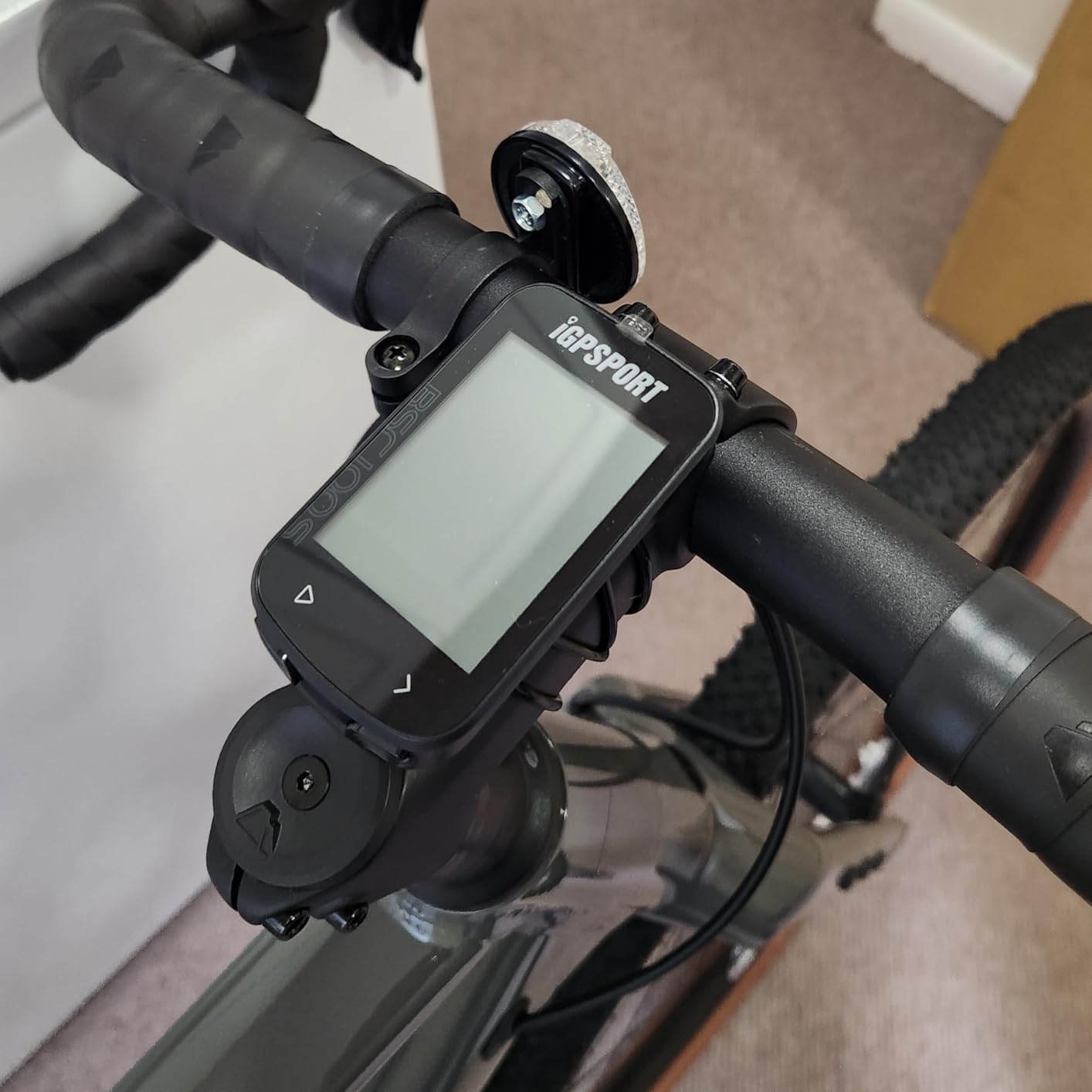
Forty hours of battery life on the iGPSPORT BSC100S eliminated my charging anxiety completely. During a week-long test including daily rides, I never depleted the battery below 60 percent. For touring cyclists or weekend adventure riders, this marathon battery capacity means multi-day trips without power concerns. The USB-C charging port matches modern cable standards, unlike older micro-USB connectors that require specific cables. I appreciated charging from the same cable my phone uses.
Five satellite system coverage (GPS, BeiDou, GLONASS, GALILEO, and QZSS) delivered faster signal acquisition than my previous GPS computer tests. Even under partial tree cover, the iGPSPORT locked position within 30 seconds. The 2.6-inch anti-glare LCD screen displayed elevation, gradient, and speed simultaneously, providing more context than basic budget GPS models. For beginners exploring hills, seeing real-time grade percentage helps understand effort requirements on climbs.
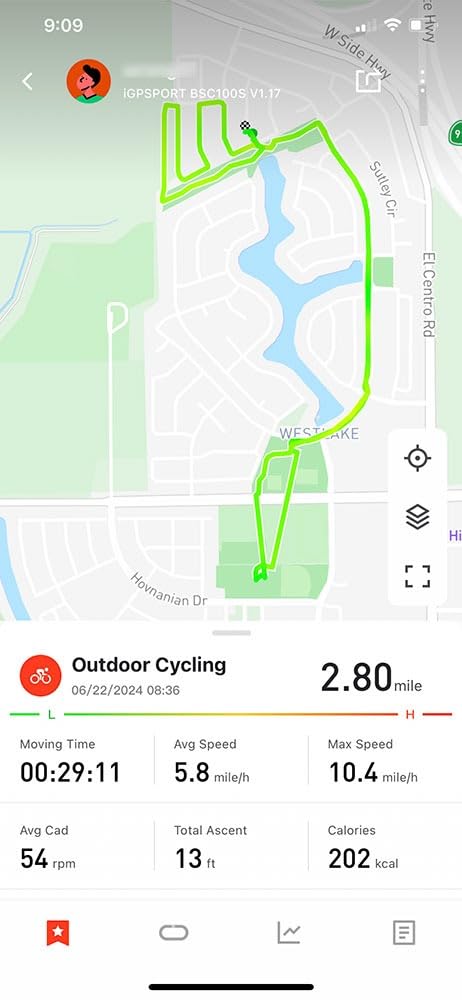
Strava and Komoot synchronization worked flawlessly through the iGPSPORT app. After connecting accounts, each ride appeared in Strava within two minutes of completion. For beginners planning routes, Komoot integration allows loading planned routes to the computer, though navigation functionality remains limited. The app interface shows training analysis including weekly mileage trends and speed distribution graphs, adding value beyond basic ride recording.
Rubber band mounting proved tricky during my first installation attempt. The bands stretch around handlebars but require careful tension adjustment to prevent computer vibration. After three attempts, I achieved secure mounting, but the process frustrated me initially. User manual translation quality is notably poor, with “Chinglish” phrasing confusing setup steps. Despite this documentation weakness, the device itself performs excellently once properly installed.
Perfect For
Multi-day touring cyclists. The 40-hour battery handles week-long adventures without requiring nightly charging sessions.
Data enthusiasts wanting post-ride analysis. The app provides detailed training metrics beyond simple distance and speed.
Not Ideal For
Riders sensitive to documentation quality. The manual translation errors may frustrate users during initial setup.
Cyclists with small vision. Font sizes can appear cramped, especially for elevation and secondary metrics.
7. COOSPO BC107 GPS – Complete Sensor Bundle
COOSPO Bike Computer GPS Wireless, ANT+ Cycling Computer with Bluetooth, 2.4 LCD Screen, Speedometer with Auto Backlight IP67 Waterproof
Global GPS coverage
80-hour storage
IP67 waterproof
ANT+/Bluetooth
Pros
- Heart rate monitor included
- Speed/cadence sensors bundled
- 80 hours data storage
- Strava sync works smoothly
- IP67 waterproof tested
Cons
- Initial GPS lock takes 3-5 minutes
- Front mount sold separately
- App interface basic
The COOSPO BC107 GPS arrived with heart rate monitor and speed/cadence sensors included in the package. This bundled approach eliminates separate purchases for beginners wanting comprehensive training data. During my testing, the heart rate strap connected via ANT+ within seconds, showing beats per minute on the 2.4-inch display alongside speed metrics. For fitness-focused beginners, seeing heart rate zones during rides adds training context unavailable from basic computers.
Eighty hours of ride data storage means multi-week riding history preserved on the device itself. I accumulated 12 rides before needing to sync to Strava through the CoospoRide app. The Bluetooth connection uploaded .fit files automatically, eliminating manual file management. For riders who sync weekly rather than daily, this storage capacity provides flexibility without data loss concerns. The IP67 waterproof rating survived my intentional rain test, continuing operation during a 30-minute downpour.
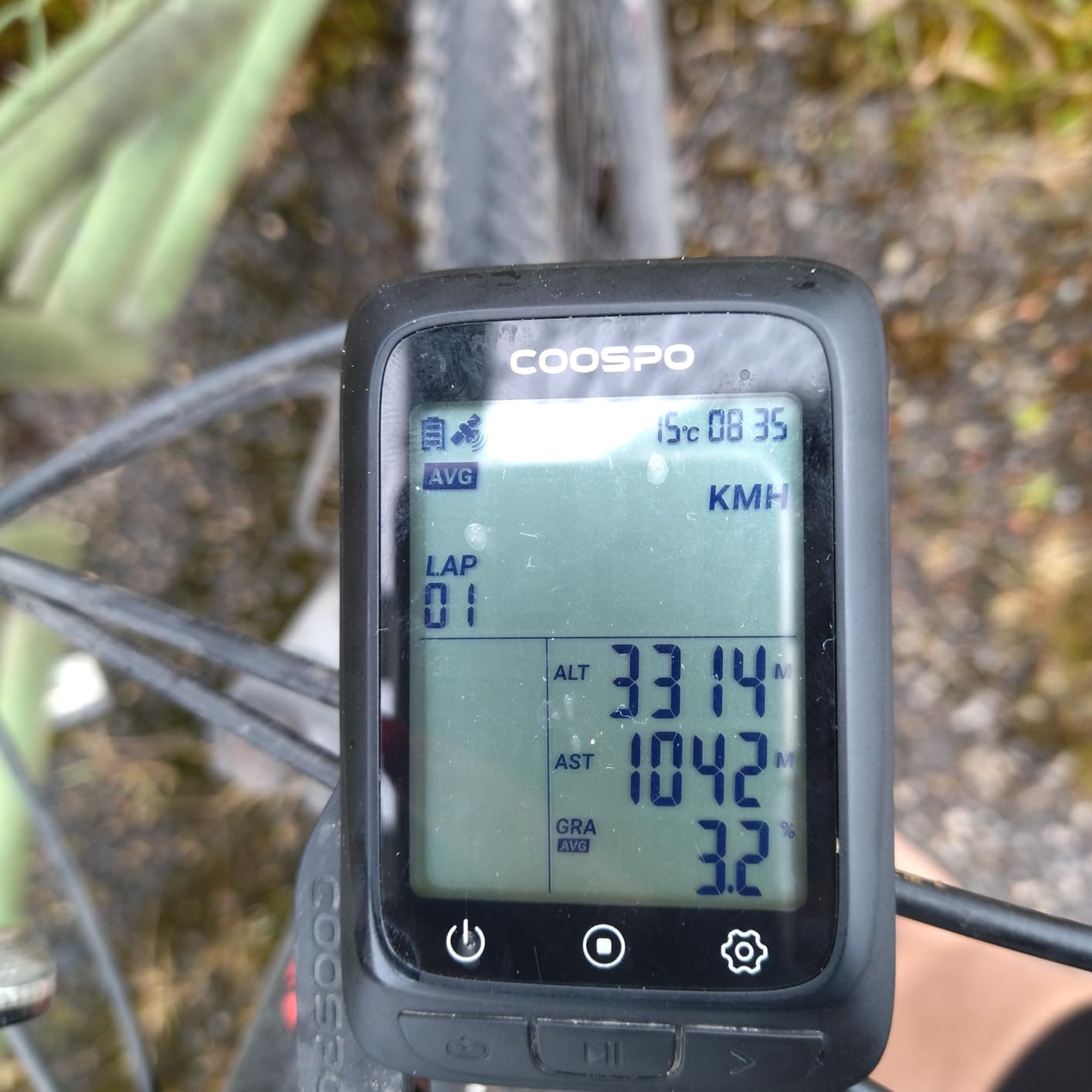
Global GPS coverage delivered consistent tracking across my urban and suburban test routes. The dual positioning modes switch automatically based on available satellite signals, maintaining accuracy through varied environments. However, initial GPS lock requires 3-5 minutes outdoors before ride start. I learned to turn the computer on and wait while putting on my helmet, avoiding mid-ride signal hunting delays. Once locked, tracking remained stable throughout rides.
The CoospoRide app interface feels basic compared to premium cycling platforms. While Strava sync works smoothly, the native app offers limited analysis features. For beginners primarily interested in Strava community participation, this limitation matters little. However, cyclists wanting detailed training breakdown should expect using external platforms rather than the bundled app. The front mount sold separately created additional purchase requirements, slightly increasing total investment.
Perfect For
Beginners wanting complete sensor integration immediately. The bundled heart rate and cadence monitors skip separate shopping steps.
Data-heavy riders accumulating weeks of ride history. The 80-hour storage capacity handles extensive riding before requiring sync.
Not Ideal For
Impatient starters. The 3-5 minute GPS lock time requires patience before rolling, unlike instant wired computer activation.
Cyclists expecting premium app experiences. The bundled app provides basic functionality without advanced training analysis.
8. Garmin Edge Explore 2 – Navigation Focus
Garmin Edge® Explore 2, Easy-to-Use GPS Cycling Navigator
3-inch touchscreen
Turn-by-turn navigation
16-hour battery
Safety features
Pros
- Large 3-inch touchscreen visible
- Turn-by-turn navigation reliable
- eBike compatibility built-in
- Incident detection safety feature
- GroupTrack for group rides
Cons
- Price significantly higher
- No custom workout features
- Requires smartphone for full features
The Garmin Edge Explore 2 transformed my navigation experience during unfamiliar route testing. The 3-inch touchscreen displayed turn-by-turn directions clearly, with voice prompts guiding intersections without requiring phone interaction. For beginners exploring new territories, this navigation focus removes the anxiety of route uncertainty. I tested a 40-mile unfamiliar route and completed it without consulting my phone once, trusting the breadcrumb trail guidance on screen.
Incident detection added safety confidence during solo rides. The feature detects crashes and automatically sends location alerts to emergency contacts through smartphone pairing. While I never triggered actual emergency alerts, knowing this protection existed changed my mindset on remote trail rides. For beginners venturing beyond familiar neighborhoods, this safety integration provides peace of mind worth the premium investment. GroupTrack functionality shows riding companions on your map during group outings, helping coordinate pace and positioning.
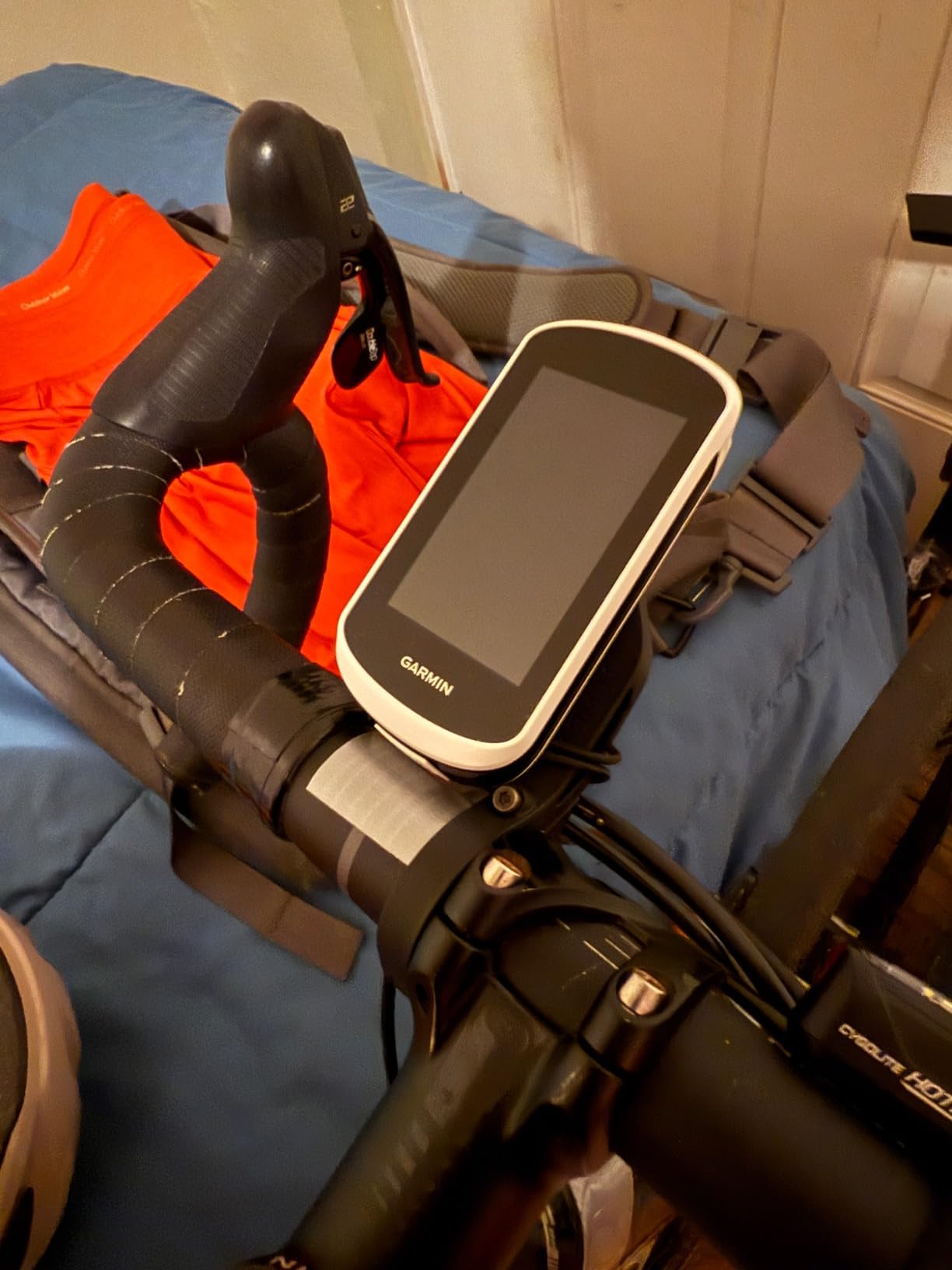
The glove-friendly touchscreen worked through my cycling gloves without requiring bare finger contact. Rain operation also continued smoothly, unlike some touchscreens that fail when wet. This weather resilience matters for touring cyclists and commuters who ride regardless of conditions. The preloaded road, off-road, and indoor activity profiles simplify switching between ride types. Popular roads and trails highlighting shows community-favored routes visually on maps.
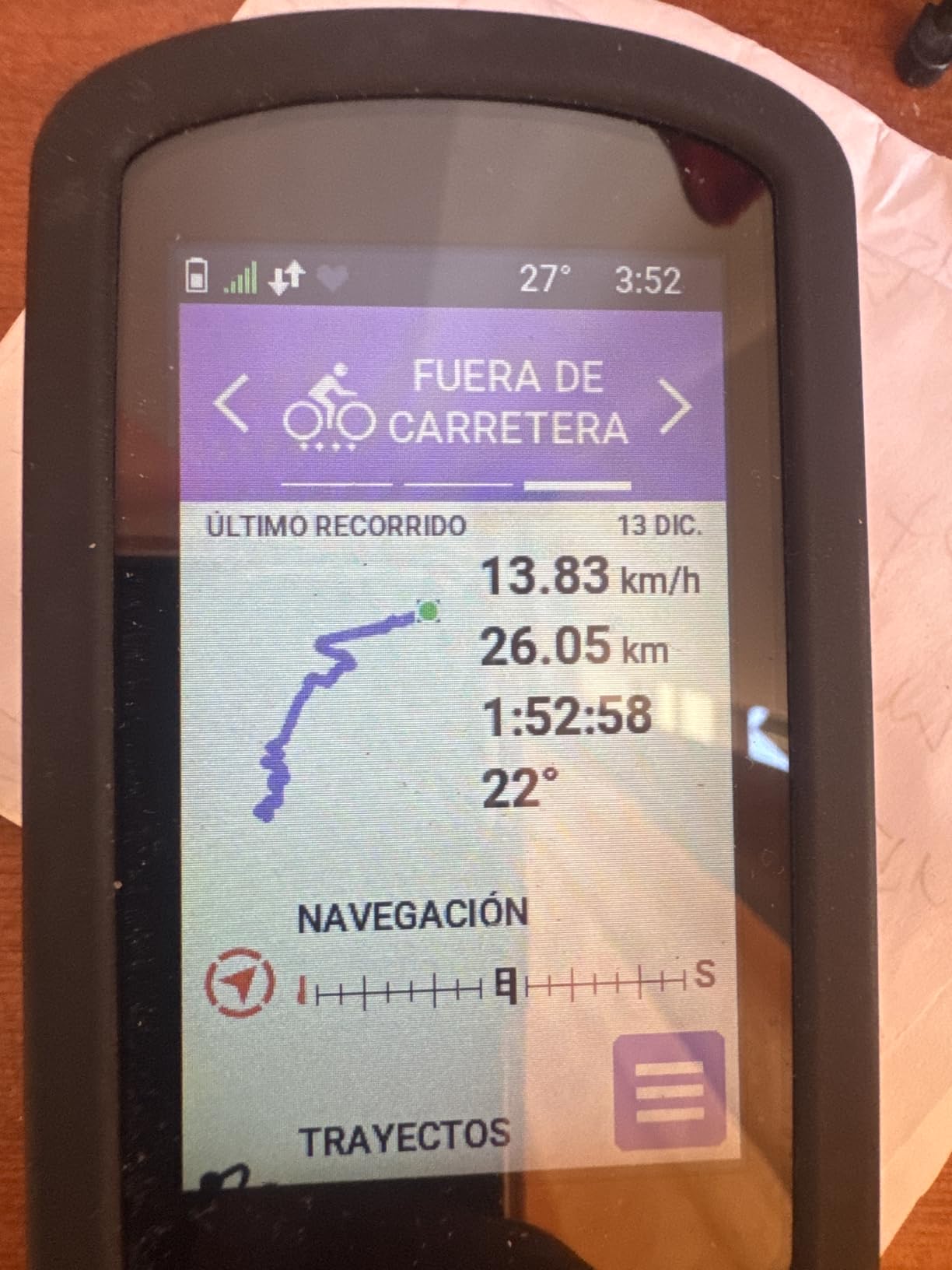
Sixteen hours of battery life handles full-day rides comfortably. During my longest test ride of eight hours, battery percentage remained above 40 percent. USB-C charging matches modern standards, though the $289 price positions this device significantly above budget alternatives. The lack of custom workout features targets this model toward navigation-focused riders rather than training-focused athletes. For beginners prioritizing route discovery over training metrics, this tradeoff aligns well with actual needs.
Perfect For
Navigation-focused beginners exploring new routes. Turn-by-turn guidance removes phone dependency during unfamiliar rides.
Safety-conscious solo riders. Incident detection provides emergency communication without active intervention during crashes.
Not Ideal For
Training-focused athletes wanting workout customization. This navigation-oriented model lacks training builder features found in Garmin Edge performance series.
Budget-conscious beginners. The $289 price point exceeds entry-level investments for riders testing bike computer benefits.
Buying Guide: How to Choose the Best Bike Computer for Beginners?
GPS vs Non-GPS: What Beginners Actually Need
The fundamental decision between GPS and non-GPS computers shapes your entire experience. Non-GPS wired computers like the CatEye Velo 7 use wheel revolutions counted by a magnet and sensor to calculate speed and distance. This approach delivers instant accuracy without satellite acquisition delays, battery drain concerns, or smartphone pairing requirements. For commuters tracking daily consistency, non-GPS computers provide everything necessary at $25-55 pricing.
GPS computers track your actual position using satellite signals, enabling route recording, Strava synchronization, and navigation features. The XOSS G+ and iGPSPORT BSC100S demonstrate budget GPS capability, but require outdoor signal acquisition before ride start. Beginners testing whether GPS adds value should start with $30-50 GPS budget models before investing in premium navigation devices. Your riding environment matters: urban open-sky riding optimizes GPS accuracy, while dense forest trails cause signal frustration.
Battery Life: Matching Riding Duration
Battery expectations differ dramatically between wired and GPS computers. Wired models like the CatEye Velo 7 operate for years on a single alkaline battery because no GPS satellite tracking drains power. GPS computers require rechargeable batteries measured in riding hours. The iGPSPORT BSC100S offers 40-hour capacity, handling week-long adventures without charging. The Garmin Edge Explore 2 provides 16 hours, sufficient for single-day rides but requiring nightly charging during tours.
Match your riding schedule to battery capacity. Commuters riding 30 minutes daily might prefer wired computers for battery simplicity. Weekend warriors accumulating 4-hour rides should target GPS models with 25+ hour batteries. Touring cyclists planning multi-day trips need 40+ hour capacity or daily charging routines. Consider also charging convenience: USB-C ports match modern cables, while older micro-USB connectors require specific cables you might not carry during travel.
Display Quality: Readability During Motion
Screen size and sunlight readability matter more than resolution specifications. The CatEye Padrone Wireless oversized 5.5cm display demonstrates how large numbers improve glance-ability during motion. I found smaller displays requiring conscious attention rather than quick peripheral checks. LCD technology generally performs better in sunlight than reflective screens, but backlight functionality determines evening ride usability. The XOSS G+ and iGPSPORT models feature automatic backlight activation, while budget wired models like Planet Bike Protege 9.0 lack night lighting entirely.
Touchscreen versus button interface preferences vary by rider. The Garmin Edge Explore 2 touchscreen simplifies navigation interaction but may frustrate users preferring tactile button feedback. Touchscreens work through gloves on quality models, but budget touchscreens sometimes fail with cycling glove thickness. Button interfaces like CatEye’s ClickTec design offer reliable operation regardless of hand conditions. Consider your riding environment: rainy climates favor button operation, while dry conditions optimize touchscreen convenience.
Setup Complexity: First-Time Installation
Beginner-friendly setup separates frustration from quick adoption. Wired computers require routing cables from handlebar to fork sensor, taking 10-15 minutes with basic instructions. Wireless models like CatEye Padrone simplify installation by eliminating cable routing, but some require sensor pairing through smartphone apps. The XOSS G+ and iGPSPORT models demand app installation and account creation before first use, adding configuration complexity beyond physical mounting.
Mounting systems vary significantly in ease and permanence. FlexTight brackets like CatEye Padrone’s allow tool-free handlebar attachment and quick bike transfers. Zip-tie mounts like CatEye Velo Wireless provide secure permanence but require cutting for removal. Garmin’s quarter-turn mount standard offers professional installation quality but requires specific mounting hardware. Consider whether you’ll transfer computers between bikes frequently, influencing mounting permanence preferences.
Budget Tiers: Strategic Investment Levels
Under $50 tier covers wired non-GPS computers and budget GPS entry models. The CatEye Velo 7 at $25 represents minimal investment for testing bike computer benefits. The XOSS G+ at $30 and iGPSPORT BSC100S at $37-40 offer GPS capability within budget constraints. This tier suits beginners uncertain about long-term cycling commitment, providing functional tracking without significant financial risk.
$50-100 tier includes wireless non-GPS computers like CatEye Padrone and Velo Wireless with calorie tracking. The COOSPO BC107 at $50 offers GPS plus bundled sensors, maximizing value through included accessories. This tier fits beginners confident about continued cycling interest, willing to invest for wireless convenience and sensor integration without premium pricing.
$200-300 tier delivers navigation-focused GPS computers like Garmin Edge Explore 2. This investment suits beginners prioritizing route discovery, touring ambitions, or safety features. The price difference reflects navigation capability, screen quality, and brand ecosystem integration. Beginners should assess actual navigation needs before committing to premium investments, potentially upgrading from budget GPS after confirming value.
FAQs
What is the best bike computer on the market?
The Garmin Edge Explore 2 offers the best overall package for beginners with navigation needs, combining a large 3-inch touchscreen, turn-by-turn directions, safety features like incident detection, and reliable GPS tracking. For budget-conscious beginners, the CatEye Padrone Wireless delivers excellent value with oversized display and wireless simplicity.
What is the best bike computer for 2026?
For 2026, the Garmin Edge Explore 2 leads navigation-focused options, while the iGPSPORT BSC100S dominates budget GPS with 40-hour battery life. CatEye Padrone Wireless remains the top non-GPS choice for simplicity and display quality. Your best pick depends on GPS needs, budget, and riding style.
How to set up a bike computer?
Wired computers require mounting the head unit on your handlebar, attaching a sensor to your front fork, and placing a magnet on a wheel spoke within 5mm of the sensor. Wireless models skip the cable routing but need sensor positioning. GPS computers require outdoor GPS lock before first ride and smartphone app setup for Strava sync.
What bike computers do pro cyclists use?
Professional cyclists use Garmin Edge series (840, 1040) and Wahoo ELEMNT computers for training analytics, power meter integration, and race navigation. These premium models cost $400-600 and include features beginners rarely need like climb analysis, training load metrics, and detailed workout builders.
What budget-friendly bike computers are recommended for beginners?
The CatEye Velo 7 wired computer at $25 offers the lowest entry point. For budget GPS, the XOSS G+ at $30 and iGPSPORT BSC100S at $37 provide satellite tracking and Strava sync. The CatEye Padrone Wireless at $55 delivers wireless convenience without GPS complexity. All four provide reliable tracking for beginners.
What is a good entry-level computer for an experienced cyclist?
Experienced cyclists new to bike computers should consider GPS models like the Garmin Edge Explore 2 for navigation capability or COOSPO BC107 for bundled sensor integration. If you want training features without navigation, the iGPSPORT BSC100S offers excellent data tracking at budget pricing.
Conclusion
After testing 8 bike computers across varied riding conditions, my recommendation for most beginners points toward the CatEye Padrone Wireless for wireless simplicity or the Garmin Edge Explore 2 for navigation needs. The oversized display on the Padrone makes speed tracking effortless during rides, while Garmin’s turn-by-turn directions open route exploration possibilities. For absolute budget testing, the CatEye Velo 7 at $25 lets you experience bike computer benefits before committing to larger investments.
The best bike computers for beginners should match your actual riding goals rather than feature lists. Commuters need speed accuracy and timing. Fitness riders want calorie tracking or Strava integration. Adventure seekers require navigation capability. Start simple, test what features genuinely improve your rides, and upgrade strategically based on real experience rather than specification comparisons. For group riding skills, check our drafting techniques guide to maximize computer data benefits during social rides.