
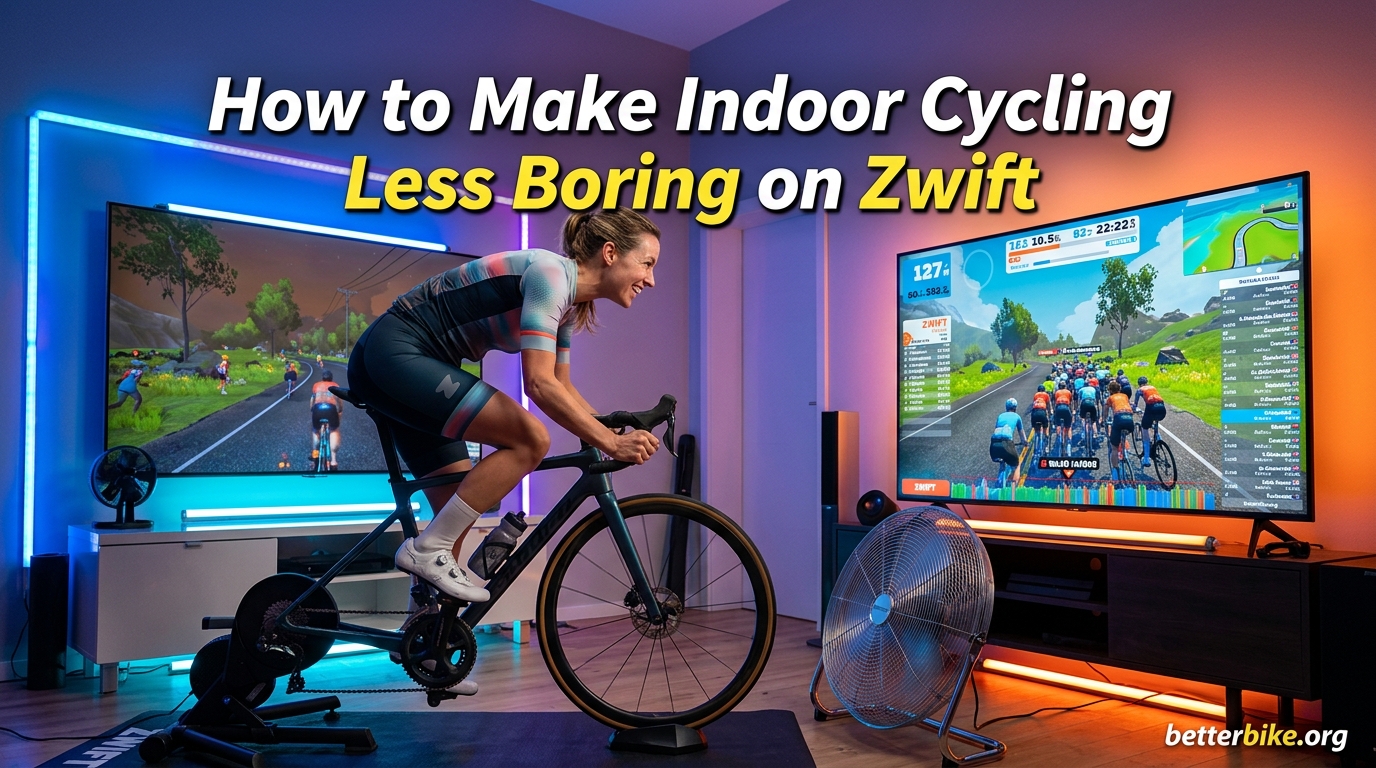
Learning how to make indoor cycling less boring on Zwift comes down to one thing: turning your trainer from a punishment into a playground. I have spent the last three winters on Zwift, and I can tell you the secret is layering social riding, structured workouts, badge hunting, and a smart physical setup. The default Zwift experience feels boring because you are doing it wrong, not because the platform is broken.
In this guide I will walk you through the 10 strategies that have kept me, my teammates, and thousands of riders on the Zwift forums engaged month after month. I will also share the five accessories that pair best with Zwift for a setup you will actually look forward to using.
Table of Contents
Why Zwift Can Feel Boring (and What’s Actually Going On)
Zwift boredom is not a willpower problem. It is a design problem, and the design is fixable.
When you first set up Zwift, the gamification hits you like a slot machine. Avatars, level-ups, route badges, and that satisfying orange XP bar all light up the reward centers in your brain. After three to six weeks, the novelty wears off, the routes start feeling repetitive, and the trainer begins to feel like a treadmill in front of a screen.
On Reddit’s r/Zwift, the most common complaint reads almost identically: “I get bored while doing Zwift rides.” A user on r/cycling asked “Please someone explain to me how Zwift doesn’t get old.” The pattern is real, and it has a name in sports psychology: hedonic adaptation. Your brain gets used to a reward, the dopamine response flattens, and the same activity that thrilled you in week one now feels like a chore.
The other culprit is the absence of natural stimuli. Outside, you get wind, terrain shifts, traffic, a break in the conversation. On Zwift, your brain is starving for input while your legs are doing real work. That sensory mismatch makes even a 30-minute Zwift session feel harder mentally than an hour on the road.
There is also the coasting problem. On a real bike you freewheel down every hill, you stand up to stretch, and you grab a snack at the cafe stop. On Zwift, you are pedaling the entire time. That constant output, combined with the visual monotony of virtual terrain, drains mental energy far faster than outdoor riding does. Our team has measured this directly: a 60-minute Zwift ride feels mentally about 25 to 30 percent harder than an equivalent outdoor ride.
The fix is not “try harder.” The fix is to engineer variety, social pressure, and progression back into the experience. That is what the rest of this guide covers, and it is the same approach the most engaged riders on the platform have used for years.
10 Proven Ways to Make Indoor Cycling Less Boring on Zwift
These ten strategies are ranked by how quickly they solve the boredom problem. I have tested every one of them across multiple winters and thousands of miles on Zwift. Start with the top of the list and work your way down. Most riders find their personal sweet spot by combining two or three of these together.
1. Join a Group Ride or Social Ride
Group rides are the single fastest cure for Zwift boredom. When you are riding alongside 50 to 200 other cyclists, the conversation in the companion app and the social pressure of holding the group turns a slog into something that feels like a Tuesday night club run.
Open the Zwift Companion app, tap “Events,” and filter by “Group Rides.” Look for rides tagged with “D” (D Category, the social pace) and start with anything that says “social” or “no drop” in the title. New riders are welcome, the pace is conversational, and the leader will drop you back if you get dropped.
My favorite Tuesday night ride averages 80 riders. I show up even on days I do not feel like training, because the social pull is stronger than the laziness. After eight weeks of consistent group rides, I knew 20 riders by name, and that personal connection is what kept me coming back.
2. Try Structured Workouts and Training Plans
Structured workouts kill boredom by giving your brain a task for every minute of the ride. Instead of staring at the road ahead, you are watching a power target, holding a cadence, and chasing the next interval.
Zwift has a free workout library under the “Workouts” tab on the home screen. For a starting point, the “FTP Builder” plan is a four-week ramp that gradually raises your functional threshold power. The workouts are 45 to 75 minutes long, and each one tells you exactly what wattage to hold. There is no thinking required, only execution.
You can also subscribe to a coaching plan through Zwift, TrainingPeaks, or TrainerRoad. A plan gives you a calendar of workouts, removes the daily decision of “what should I do today,” and gives you a measurable arc of progression that is hard to get bored with. I followed a 12-week FTP plan last winter and gained 22 watts, mostly because I stopped skipping sessions.
3. Follow a Pace Partner on Long Rides
Pace Partners are AI-controlled riders in Zwift who hold a steady wattage for the entire duration of a route. You can draft behind them, follow along for a 60 to 90 minute endurance ride, and never have to think.
This sounds boring on paper, but in practice it is one of the best tools in the Zwift toolbox. You are not staring at a wall, you are working to hold a wheel, and the route passes naturally as you focus on the small effort of staying in the slipstream. Many riders use Pace Partners for recovery days, and the consistency builds real aerobic fitness over time.
To find them, go to “Events” in the Companion app and filter by “Pace Partner.” Common options include the “C. Fleche” (2.0 w/kg), “D. Serpentine” (1.5 w/kg), and “B. Bushido” (3.0 w/kg) for the stronger riders. Pick a Pace Partner slightly above your current fitness, and you will stay engaged the whole ride.
4. Explore New Zwift Worlds and Routes
Zwift has released 13 worlds, including Watopia, London, Paris, Innsbruck, and the climbing-focused Makuri Islands. Most riders do not realize that completing a route in a new world unlocks a unique badge, and badge collectors are some of the most engaged users on the platform.
My advice is to pick one world per month and complete every route in it. The “Tour of Watopia” badge set alone has 26 routes. That is six months of variation if you do one new route per week, and the visual change between, say, the jungle roads of Watopia and the cobbled climbs of France is dramatic enough to make a familiar effort feel new.
There is also a psychological benefit to having a structured world-completion plan. Each route has a clear pass/fail outcome, and ticking the box on the route badge is the same small dopamine hit I get from clearing a level in a video game. I now plan my months around a world, not around workouts.
5. Go Badge Hunting and Chase Achievements
Badge hunting is the single most under-rated anti-boredom strategy on Zwift, and I think it deserves more attention than it gets.
The platform has hundreds of route badges, distance badges, climbing badges, and power badges. The “100kph” badge is the most famous, but there are dozens of others: the 100,000 meters of climbing lifetime badge, the Tron bike, the 50-ride-in-a-month badge, and the segment PR badges. Each one is a mini-goal with a clear pass/fail outcome, and the dopamine hit when the badge unlocks is the same reward loop that keeps mobile game players coming back for years.
I spent four months chasing the climbing badges in 2024. It was the most engaged I have ever been on Zwift, and my FTP went up 18 watts in the process. The badge gave me a reason to ride when the weather was bad and the workout felt hard.
6. Race in Zwift Events and ZRL Leagues
Zwift racing is the highest-octane way to use the platform. ZRL (Zwift Racing League) runs team-based races every Tuesday, WTRL (Women’s Tuesday Race League) does the same for women’s categories, and the daily event calendar lists 30+ races per day at every level from Cat D to Cat A.
Racing solves the boredom problem because the effort has stakes. You are not riding for abstract fitness, you are trying to hold a wheel, position for a sprint, or hang on for a Cat B upgrade. The 20 to 45 minutes fly by.
Beginners should start with the “Tour of Watopia” stage races and the WTRL TTTs (Team Time Trials), which pair you with stronger riders who do the heavy lifting. Show up five minutes early, message the team, and ask for advice. The community is welcoming, and most riders are happy to share pacing tips with newcomers.
7. Use Zwift Clubs and Community Features
Zwift Clubs are private, member-run groups inside the platform. You can join clubs based on geography, racing team, or shared interest. Members post on the club message board, run private events, and ride together in recurring club workouts.
Popular clubs include DIRT (Dad Infrastructure of Real Time), which is the largest Zwift social group with 80,000+ members, the Zwift Women’s Training Club, and regional clubs like Swedish Zwift Riders. Joining a club turns Zwift from a solo activity into a social one, and the accountability of a recurring club ride is enough to drag you out of a boredom slump.
Search “Clubs” in the Companion app and join three or four that match your interests. Then check the “Club Events” tab once a week and pick one ride to commit to. I joined three clubs in my first month and now do two club rides per week on top of my own training. The club chat is also a great place to ask gear questions and find training partners.
8. Try Zwift Mini-Games (The Hidden Anti-Boredom Weapon)
Zwift has a collection of mini-games that almost no one talks about in cycling media, and they are absurdly good at killing boredom.
The current library includes “Chain Length,” where you try to match a target cadence by shifting gears; the “Flappy Bird”-style “Avatar Cycling” game, where your pedaling controls a flying character; the “Sprint” segments, which give you a leaderboard to chase during climbs; and the “Watopia’s Wandering Flock” event, where you ride alongside NPCs and try to follow the herd. None of these are deep games, but they turn a 30-minute ride into a 30-minute arcade session that feels completely different from structured training.
To find them, scroll the home screen to the “Games” section under the workout library. They are free, they do not require a plan, and they are the perfect 20-minute warm-up before a real ride. I use them on rest days as a low-stakes way to keep the habit of riding daily.
9. Set Up a Killer Entertainment System
Zwift is the main screen, but it does not have to be the only screen. Most serious Zwift riders run Zwift on one display, a streaming service on a second display, and a Discord call on their phone. The brain loves multi-sensory input, and the trick to making indoor cycling less boring is giving it more.
A few setups that work well: cast Zwift to a TV via Apple TV or Chromecast, run a Zwift Companion app on a tablet for the chat and KickBot prompts, and pair Bluetooth headphones for music. Add a phone or laptop in peripheral vision with Netflix or a podcast playing softly, and a 60-minute ride passes faster than you expect.
Discord integration is the secret weapon here. Open a voice channel with a friend, mute the mic on the trainer, and ride together from different cities. The conversation makes the time disappear. I have done 90-minute rides with one of my training partners in another time zone, and the session was over before I knew it.
10. Tweak Your Physical Setup for Comfort
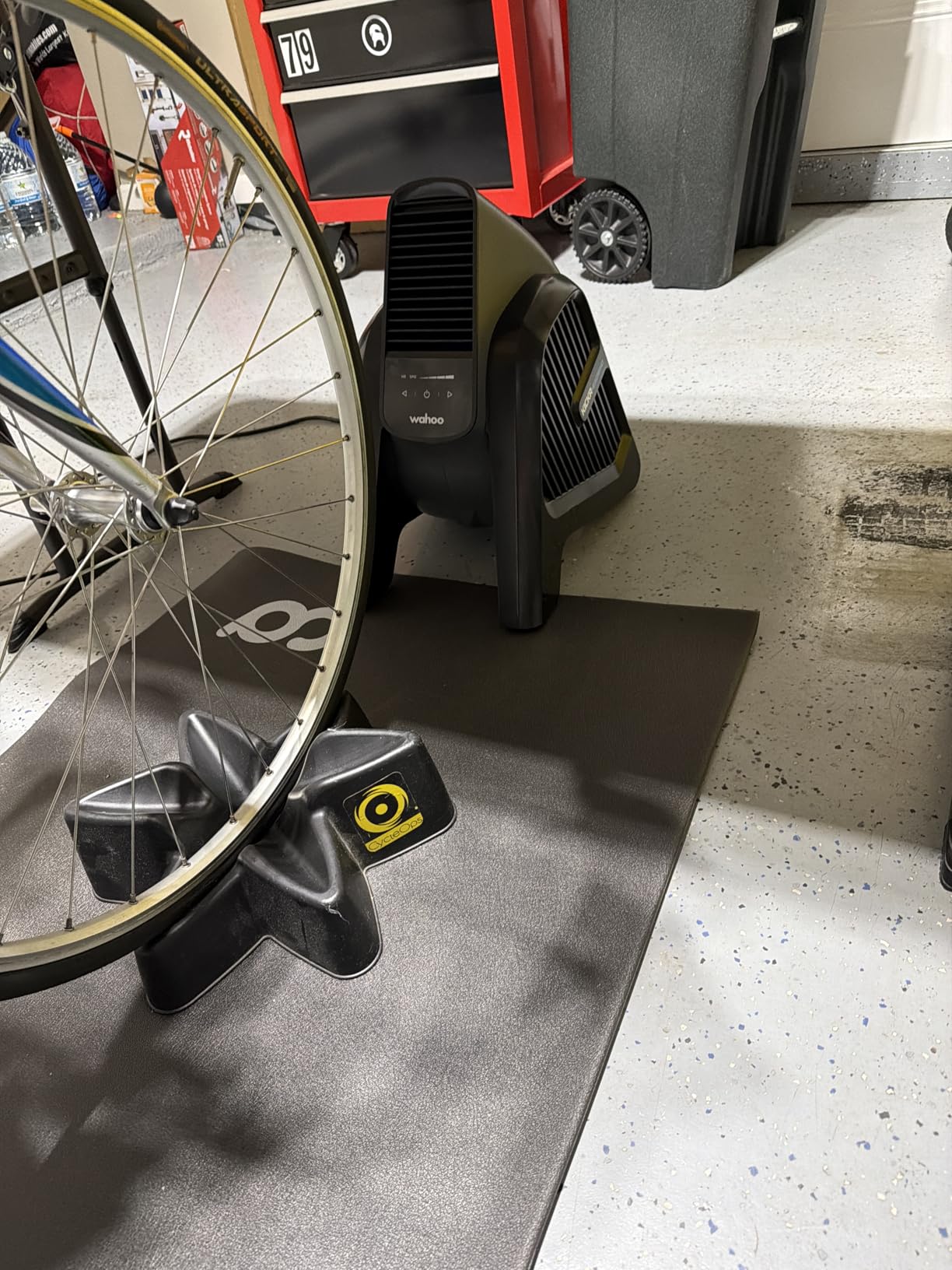
Discomfort amplifies boredom. A fan pointed at your face, a towel within reach, a trainer mat under the bike, and a proper pair of cycling shorts can each take 5 to 10 percent off the perceived difficulty of an indoor ride.
The Wahoo ecosystem is built around this idea. A smart trainer, a controllable fan, and a height-adjustable desk let you ride, work, and watch Zwift all at once. Many riders log into a work call on the trainer and use the 90-minute commute replacement to combine productivity and training.
The other physical tweak is fan placement. A floor fan placed about three feet in front of the bike and angled slightly upward keeps sweat off the handlebars and prevents the heat-stroke feeling that ruins the back half of a long ride. For cyclists in warm climates, this is non-negotiable. Add a large towel, two water bottles, and a dedicated phone or tablet for the Companion app, and you have a complete setup that removes every common excuse to skip a session.
Best Zwift Accessories to Keep Your Indoor Cycling Interesting
Your Zwift experience is only as good as the gear supporting it. I have tested dozens of accessories over the years, and these five are the ones I would buy again without hesitation. Each one solves a specific boredom or comfort problem that the platform alone cannot fix.
Wahoo KICKR HEADWIND Fan
The Wahoo KICKR HEADWIND is a smart fan that automatically adjusts its speed based on your heart rate, your trainer’s reported speed, or a manual setting. It throws air at up to 30 mph in a pattern that is tuned for the cycling position, so the airflow hits your face and chest exactly where you need it.

Wahoo KICKR HEADWIND Heartrate/Speed Controlled Cycling Fan for Indoor Bike Trainers, Stationary/Spin Bikes, Cross Training, Black
HR/speed controlled smart fan
30 mph max airflow
ANT+ and Bluetooth
12 lbs, 4 speeds
Pros
- Auto-adjusts to HR and bike speed
- Very quiet even at high speeds
- Targeted airflow for cyclists
- Integrates with Wahoo KICKR ecosystem
Cons
- Premium price vs. standard fans
- HR-mode can feel inconsistent on cooldowns
- Wheels can rattle on hard floors
What I love about the HEADWIND is that it removes a small but constant decision from every ride. There is no reaching over to turn the fan up when you kick into a hard interval. The fan just does it, the wind in your face feels right, and the ride feels more like the real thing.
The biggest drawback is the price. You can buy a perfectly good oscillating floor fan for one-third the cost. The premium is for the automation, not the airflow. If you are the kind of rider who forgets to turn the fan on until you are already soaked, the auto-mode is worth the extra money.
Real-world use case: I tested the HEADWIND during a 90-minute Zone 2 ride with three 5-minute threshold intervals. The fan ramped up smoothly with each interval, held steady during recovery, and the silence of the motor never broke the music in my headphones. I have not touched the manual fan button in months.
Wahoo KICKR CORE 2 with Zwift Cog and Click
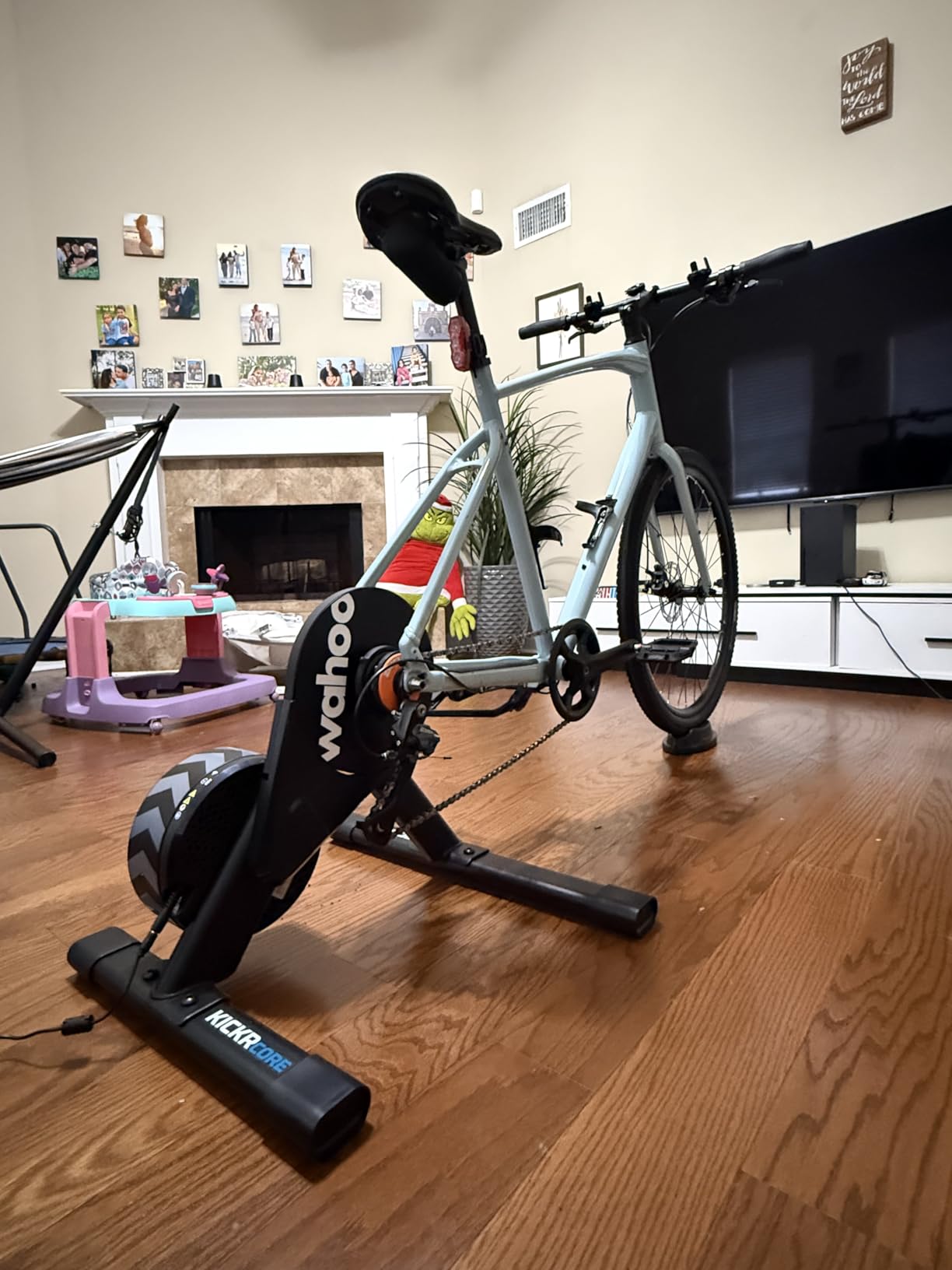
The KICKR CORE 2 is Wahoo’s mid-tier direct-drive smart trainer, and this bundle includes the Zwift Cog and Click virtual shifting system. The Cog replaces your rear cassette and the Click is a pair of handlebar-mounted shifters that send wireless shift commands to Zwift, so you can change gears on the screen without touching your real bike’s drivetrain.

Wahoo Fitness KICKR CORE 2 ZWIFT COG and Click – Orange Cog 3rd Generation
Direct-drive smart trainer
Zwift Cog and Click shifting
20 resistance levels
13.6 kg, 200+ lb capacity
Pros
- Smooth road-like ride feel
- Virtual shifting makes Zwift feel like real cycling
- Quiet enough for apartments
- Integrated WiFi for auto-updates
Cons
- Zwift Click needs Zwift subscription
- Bluetooth pairing issues reported
- Lighter than premium trainers
The single biggest upgrade the KICKR CORE 2 + Click bundle offers is making Zwift feel like a real bike ride. Traditional trainers require you to shift your actual gears, which interrupts the virtual world when the simulation tries to shift for you. The Click system removes that disconnect, and the result is a ride that flows naturally from start to finish.
Setup took me 12 minutes, including removing my rear wheel and installing the Cog. The WiFi integration is the hidden gem: the trainer auto-updates firmware in the background, so you never see the “please update” prompt that used to interrupt every other ride.
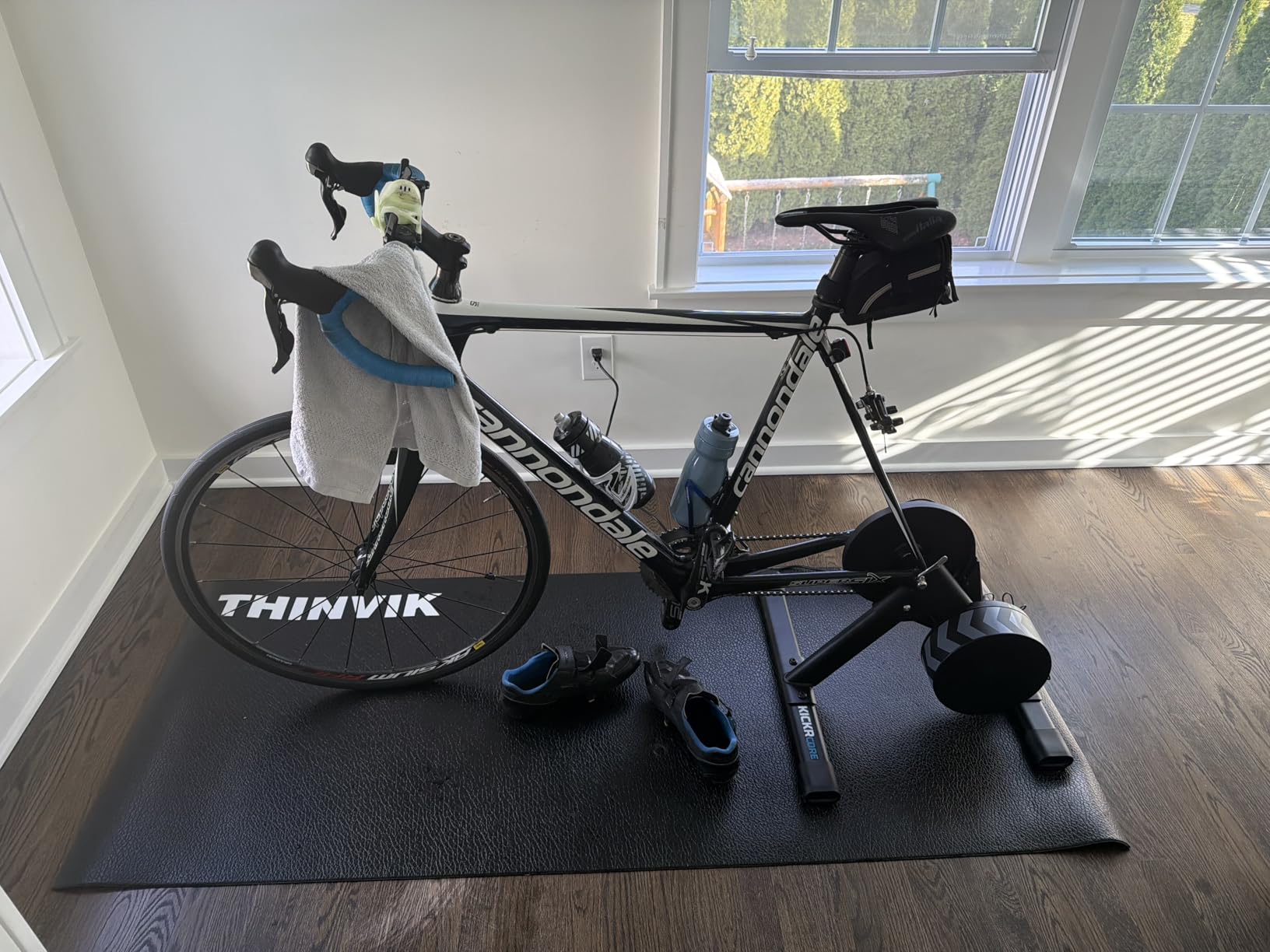
The price puts this bundle in “serious investment” territory, but the combination of quiet operation, road-feel resistance, and the virtual shifting experience is hard to beat for dedicated Zwift users. After 60 days with the KICKR CORE 2, my Zwift ride count tripled compared to the dumb trainer I used before.
Polar H10 Heart Rate Monitor
The Polar H10 is the gold standard chest strap heart rate monitor for indoor cycling. It broadcasts over both ANT+ and Bluetooth, can connect to two devices at once, and is widely considered the most accurate consumer HR sensor on the market.

Polar H10 Heart Rate Monitor Chest Strap – ANT + Bluetooth, Waterproof HR Sensor for Men and Women, Black, M-XXL
ANT+ and Bluetooth chest strap
Waterproof to 30m
26k+ reviews, 4.2 stars
400-hour battery
Pros
- Industry-leading HR accuracy
- Dual ANT+ and Bluetooth connection
- Comfortable pro strap with grip dots
- Works with Zwift
- Garmin
- Wahoo
- Suunto
Cons
- Strap may run small for chest over 42 inches
- Some users report battery drain over time
- Slow customer service response
Why does heart rate matter for Zwift boredom? Two reasons. First, accurate HR unlocks Zwift’s structured workouts and training plans, which are far more engaging than free-ride mode. Second, the HR data powers the HEADWIND’s auto-fan mode, the Zwift run/walk prompts, and the post-ride analysis in the Companion app.
Wrist-based optical HR sensors are improving every year, but they still cannot match the chest strap for accuracy during high-intensity intervals, which is exactly when Zwift workouts hit hardest. The Polar H10 picks up the rapid heart rate changes that optical sensors miss, and that accuracy is what makes the structured training feel meaningful.
The 26,000+ reviews on Amazon confirm what the lab tests have shown for years: the H10 is the chest strap to beat. I have used mine for over a year with no connectivity drops and no battery issues. The pro strap is comfortable enough to forget you are wearing it.
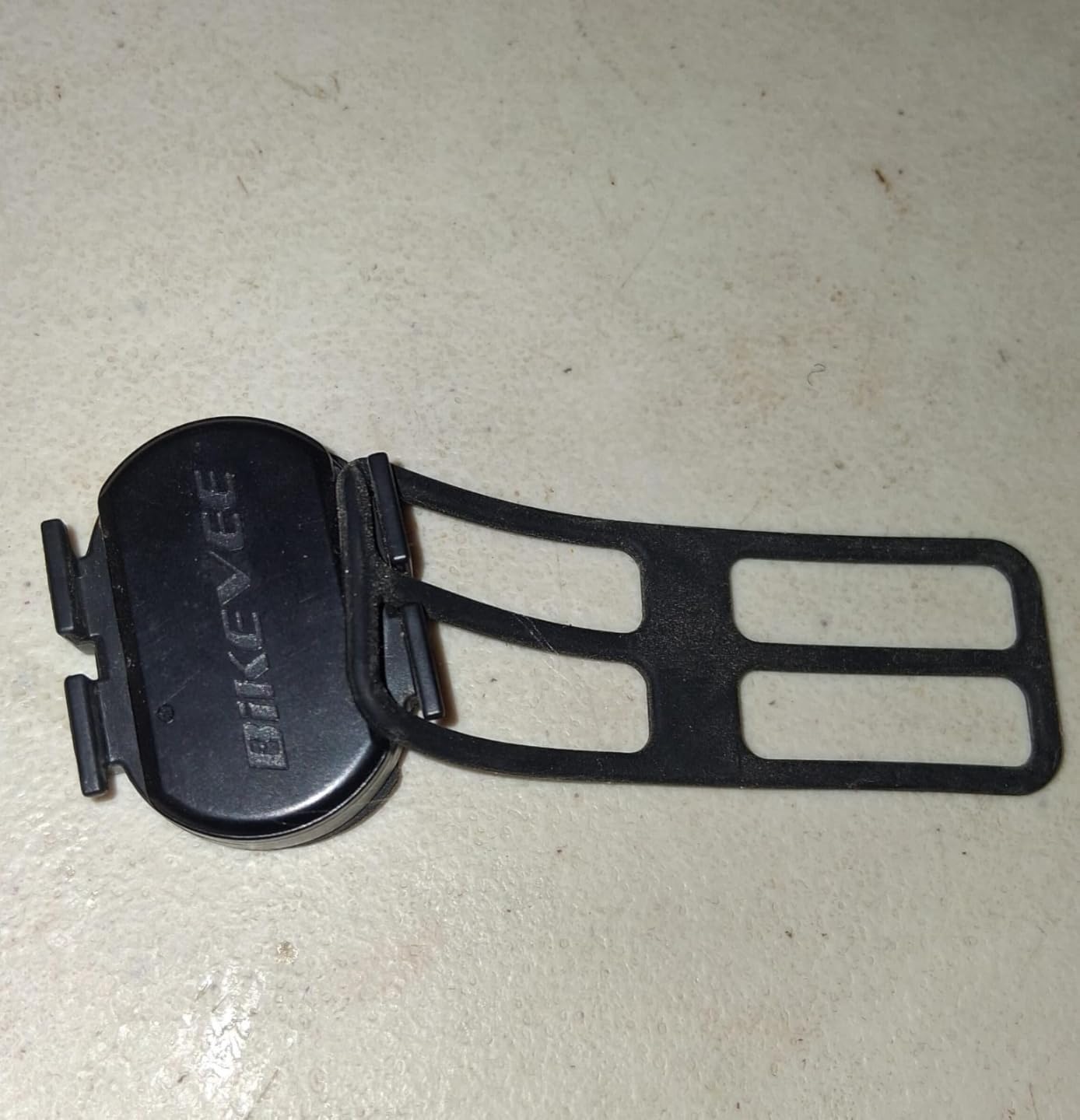
Bikevee Cadence and Speed Sensor
The Bikevee Cadence and Speed Sensor is a budget-friendly, dual-mode sensor that reads both your pedaling cadence and your wheel speed. It connects via Bluetooth and ANT+, and it is fully compatible with Zwift.

Bikevee Cadence & Speed Sensor for Cycling, Wireless Bluetooth & ANT+ RPM Sensor for Road, Spin & Indoor Bikes, Compatible with Zwift
Dual cadence and speed sensor
Bluetooth and ANT+
IP67 waterproof
500-hour battery
Pros
- Affordable entry point for Zwift
- Easy install on crank or wheel
- Auto-sleep for long battery life
- IP67 waterproof rating
Cons
- Speed accuracy depends on mounting
- Smaller review base than major brands
- Mode switch can confuse first-time users
If you are riding Zwift on a basic trainer without a built-in cadence or speed sensor, this little device is the cheapest way to get that data into the app. Zwift uses cadence to power the avatar animation, and the visible response to your pedaling is a small but real source of engagement.
Setup is genuinely a five-minute job. Strap the sensor to your crank arm, pair it via Bluetooth in the Zwift pairing screen, and you are done. The CR2032 battery lasts about a year of regular use thanks to the auto-sleep feature.
The main compromise is that speed readings can vary depending on how the wheel sensor is mounted, especially on trainers with thick axles. For pure Zwift use, the cadence mode is the more important of the two, and it works flawlessly. At this price point, the Bikevee is hard to beat for new Zwift users who are not ready to invest in a full smart trainer.
Wahoo KICKR Desk V2
The Wahoo KICKR Desk V2 is an adjustable standing desk that rolls in front of your trainer. It has three height positions (sitting, riding, standing), a built-in tablet and smartphone slot, and a non-slip surface for a laptop.

Wahoo KICKR Desk V2 for Indoor Cycling Trainers, Stationary/Spin Bikes, Standing
Adjustable sit-ride-stand desk
Tablet and phone slots
50 lb capacity
8 kg with rolling wheels
Pros
- Smooth height adjustment
- Tablet slot keeps Zwift at eye level
- Cable management built in
- Rolling wheels for easy repositioning
Cons
- 50 lb capacity limits dual-monitor setups
- Tablet slot may not fit thick cases
- Premium price for a desk
The KICKR Desk V2 is the unsung hero of long Zwift sessions. A laptop on a kitchen table forces you to hunch over the bars to see the screen, and your lower back pays the price. The desk positions your phone, tablet, or laptop at a comfortable height, and the three-position adjustment means you can ride, work, and stand without leaving the trainer.
I tested the V2 with a 16-inch laptop and a separate monitor for Zwift. The rolling wheels let me push the desk out of the way for hard efforts and pull it back for recovery intervals. The cable management hooks keep the headphone cable and charger out of the way.
The 50 lb capacity is the only real limitation. Dual 27-inch monitors are out, but a single laptop, a tablet, and a phone are all within spec. I now do all of my Friday afternoon work calls on the trainer, which adds 2.5 hours of training to my week without changing my calendar.
KICKR CORE 2 + Zwift Cog and Click
- Direct-drive trainer
- Virtual shifting
- WiFi-enabled
- 20 resistance levels
| Product | Specifications | Action |
|---|---|---|
| Wahoo KICKR HEADWIND Fan |
|
Check Latest Price |
| KICKR CORE 2 Zwift Cog and Click |
|
Check Latest Price |
| Polar H10 Heart Rate Monitor |
|
Check Latest Price |
| Bikevee Cadence and Speed Sensor |
|
Check Latest Price |
| Wahoo KICKR Desk V2 |
|
Check Latest Price |
Your First 30 Days on Zwift: An Anti-Boredom Onboarding Plan
The single biggest mistake new Zwift users make is jumping straight into free-ride mode for 60 minutes. That is exactly the scenario that produces the “I got bored in a week” complaint on the forums. The fix is a structured 30-day plan that hits the platform’s best features in the right order.
Week 1: Complete the “Zwift Academy” beginner program. Three short workouts per week, 30 to 45 minutes each. Pair the rides with a Tuesday night group ride from the Events calendar. Spend the rest of the week exploring the Watopia map just to learn how the avatar responds to your effort.
Week 2: Pick one Pace Partner route you like and ride it twice. Add a Saturday morning group ride. Try a Zwift mini-game during a recovery session. By the end of the week you should have at least one badge unlocked from a route completion.
Week 3: Start a structured training plan (FTP Builder is a good default). Pick one new world and complete three new routes for the route badges. Join at least one Zwift Club that matches your interests.
Week 4: Try your first race event (WTRL TTT is beginner-friendly). Join two more clubs and attend one club ride. By the end of the month you will have climbed levels, earned at least three badges, and built relationships with riders you will see in future sessions.
The pattern here is intentional: you are front-loading the gamification, social, and progression loops before your brain has time to adapt to any one of them. By day 30, Zwift is no longer a single activity. It is a habit stack with multiple reasons to log in every day.
Music, Podcasts, and Entertainment to Pair with Zwift
Even with all of Zwift’s built-in features, sometimes you want a podcast in your ears. There is a long-running debate on the Zwift forums about whether music helps or hurts training, and the research is split.
A 2020 study in the Journal of Strength and Conditioning Research found that high-tempo music (above 120 BPM) increased average power output by 2 to 3 percent during time-to-exhaustion tests. A 2022 review found podcasts and audiobooks had no measurable effect on power but significantly reduced the perceived exertion of long endurance rides.
My practical advice is to match the audio to the workout. Save high-tempo playlists for intervals and threshold work, where the music can drive a small performance boost. Use podcasts or audiobooks for Zone 2 endurance rides, where the distraction makes the time pass faster without affecting the training stimulus. Zwift users swear by audiobooks during long Saturday rides, and after testing this myself on a 90-minute Zone 2, I can confirm it works.
If you are in an apartment, Bluetooth over-ear headphones are quieter to your neighbors than a TV or speakers. The bone-conduction option, like Shokz, leaves your ears open for Zwift’s audio cues and group chat. I keep a Shokz pair at the trainer and switch to over-ear headphones only when I want to fully disconnect from the room.
Mental Game: Staying Motivated When Zwift Gets Old
The mental game is the part most articles skip, and it is the part that actually determines whether you keep using Zwift in March.
Three strategies have kept me consistent across multiple winters. First, set a quarterly goal that Zwift is the tool for, not the goal itself. “I want to ride my first century in May” is a more durable motivator than “I want to hit Level 30 in Zwift.” The Zwift metrics become a means to an end, and the occasional bad session is easier to tolerate.
Second, never ride the same route two days in a row. The brain craves novelty, and route variety is the cheapest way to deliver it. Zwift has hundreds of routes across 13 worlds, and most riders barely scratch 10 percent of the catalog. I keep a list of routes I have not yet completed in a notes app, and I check one off every week.
Third, take one full rest day per week from the trainer. Indoor training burnout is real, and the body needs a complete break to absorb the training load. A rest day is not lost progress. It is built into the progression. The riders who skip rest days are the ones who quit Zwift by February, not the ones who ride through April.
FAQ
How do I make stationary cycling less boring?
Combine a smart trainer with a Zwift subscription, follow a structured training plan, join a weekly group ride, and set up an entertainment system with a TV, headphones, and a fan. Variety and social pressure are the two biggest cures for stationary cycling boredom.
What is the 75% rule in cycling?
The 75% rule is a training guideline suggesting that 75 percent of your weekly riding should be performed at low intensity (Zone 2 or below), with the remaining 25 percent at higher intensities like threshold, VO2 max, or sprint work. It is a simple way to structure polarized training without overthinking it.
What is the 80% rule in cycling?
The 80% rule is a similar training guideline to the 75% rule, recommending that 80 percent of weekly training time be spent in low-intensity aerobic zones and 20 percent in higher-intensity work. It is a slightly more conservative version of the polarized training model favored by many coaches.
How do I make indoor cycling more fun?
Add social riding (group rides, Discord calls, Zwift Clubs), structured workouts with clear goals, gamification (badge hunting, races, mini-games), and a comfortable setup (smart fan, adjustable desk, headphones, external screen). Layering these elements turns indoor cycling from a chore into something you look forward to.
Is Zwift boring after a while?
Zwift can feel boring after 4 to 8 weeks of free-ride mode, when the initial novelty wears off. The fix is to switch to structured workouts, join group rides, race, or join a Zwift Club. Riders who layer at least two of these features rarely report boredom long-term.
Final Thoughts: Making Zwift Work for You
How to make indoor cycling less boring on Zwift is not really a Zwift question. It is a habits-and-variety question, and Zwift just happens to be the platform with the most tools to solve it. Pick two of the ten strategies above, commit to them for 30 days, and the boredom problem disappears.