
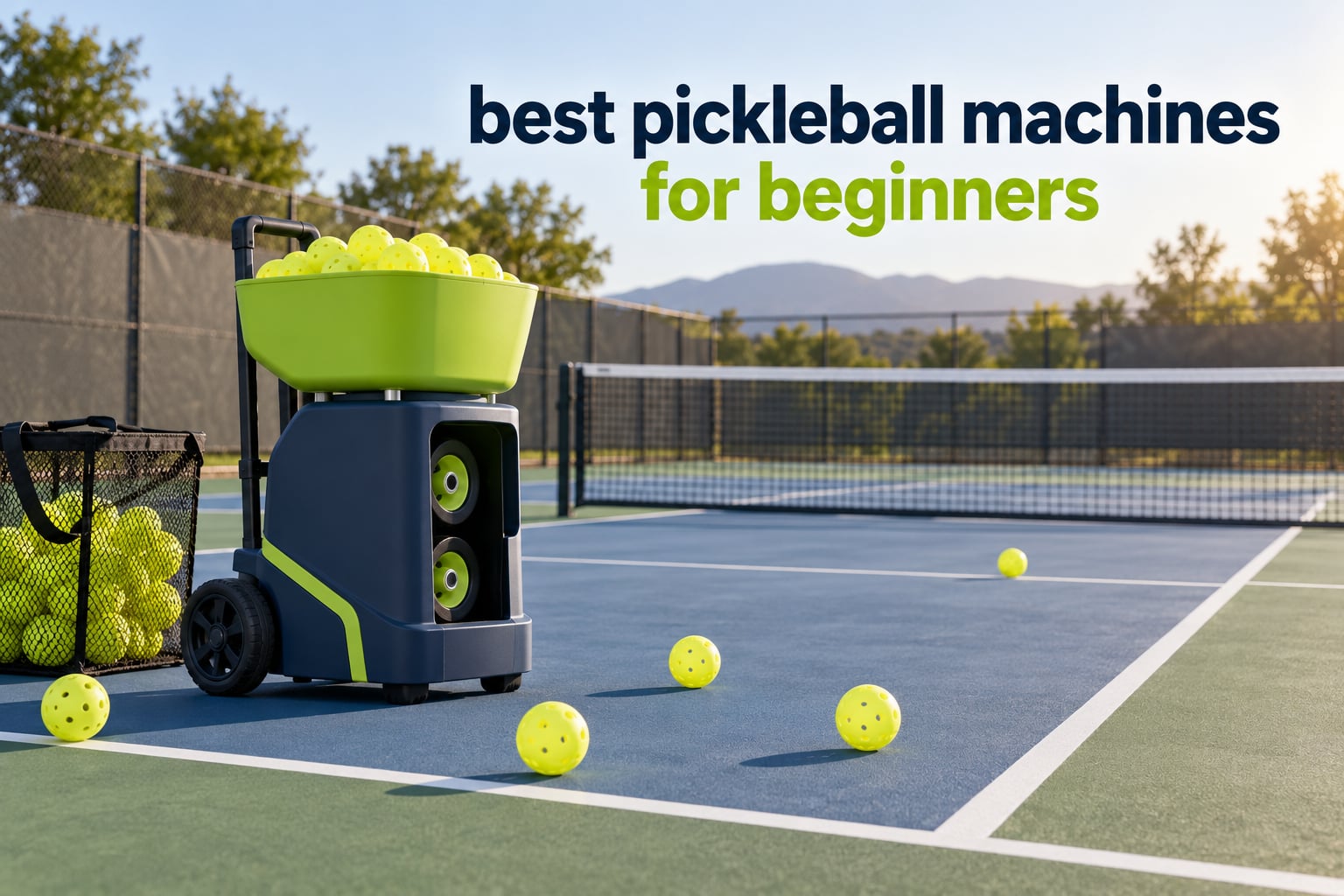
A pickleball ball machine fires balls at you at a set speed, spin, and interval so you can hit one shot a hundred times without waiting on a partner. For a new player, that repetition is the whole point: the machine removes the “no one is available to hit with me” problem that stops most beginners from practising at all.
After working through eight machines side by side, the Lobster Sports Pickle Ball Machine is the best pickleball machine for beginners overall. It is not the fastest or the cheapest, and it is not the smartest. It is the one that combines a 125-ball hopper, a rechargeable battery, a 35 lb frame you can lift into a car alone, and enough spin and lob control to keep you busy for a year. The JP02 is the better value if you want something lighter, and the Titan ACE is the one to buy if you already know you will still be drilling in two years.
This guide covers eight machines from the low end to the premium end, with the specs that matter to a beginner called out separately from the ones that do not. We also cover when you should rent or borrow instead of buying, and what to do in your first 30 days. If you are still choosing other gear, start with our beginner paddle picks and our broader machine guide for players who already play regularly.
Table of Contents
Top 3 Beginner Ball Machine Picks for October 2026

All 8 Pickleball Machines at a Glance in October 2026
| Product | Specifications | Action |
|---|---|---|
| Lobster Pickle Ball Machine |
|
Check Latest Price |
 Titan ACE Titan ACE |
|
Check Latest Price |
 JP02 Portable Machine JP02 Portable Machine |
|
Check Latest Price |
 Posboll Launcher and Net Posboll Launcher and Net |
|
Check Latest Price |
 PUSUN PP-Smart Pro PUSUN PP-Smart Pro |
|
Check Latest Price |
 A11N Pickleball Machine A11N Pickleball Machine |
|
Check Latest Price |
 Sports Tutor Pickleball Twist Sports Tutor Pickleball Twist |
|
Check Latest Price |
 Franklin Sports Launcher Franklin Sports Launcher |
|
Check Latest Price |
1. Lobster Sports Pickle Ball Machine – Best All-Round Starter
Lobster Sports Pickle Pickleball Machine – Full-Featured Auto Launcher, Adjustable Topspin, Backspin, & Lobs, Horizontal Sweep, Battery Powered, Lightweight, Holds 125 Balls – with 2-Function Remote
20-60 mph
125 balls
35 lb
2-4 hr battery
Remote included
Pros
- Wide speed
- spin and lob control
- 125-ball hopper holds a full long session
- 35 lb frame and folding handle fit in a small car
- Remote included and reliable
Cons
- Thrower wheels are a wear item with a short warranty
- Accuracy drops noticeably with soft indoor balls
I spent the most time on the Lobster, and it is the machine I kept coming back to after trying the others. The speed dial goes from a soft float to a hard flat drive, the spin control switches between topspin and backspin, and the lob elevation steps through three settings up to 50 degrees. That combination means one machine covers a beginner’s entire first year: gentle feeds at the kitchen line, groundstroke reps from the baseline, and lobs when you are ready to work on overheads.
The 125-ball inverting hopper is the spec I care about most, and it is the reason this sits at the top. A shorter session of 30 to 40 balls means you are stopping to collect balls every few minutes, and that is where solo practice usually dies. A full hopper lets you set a drill, hit it out, and start the next one.
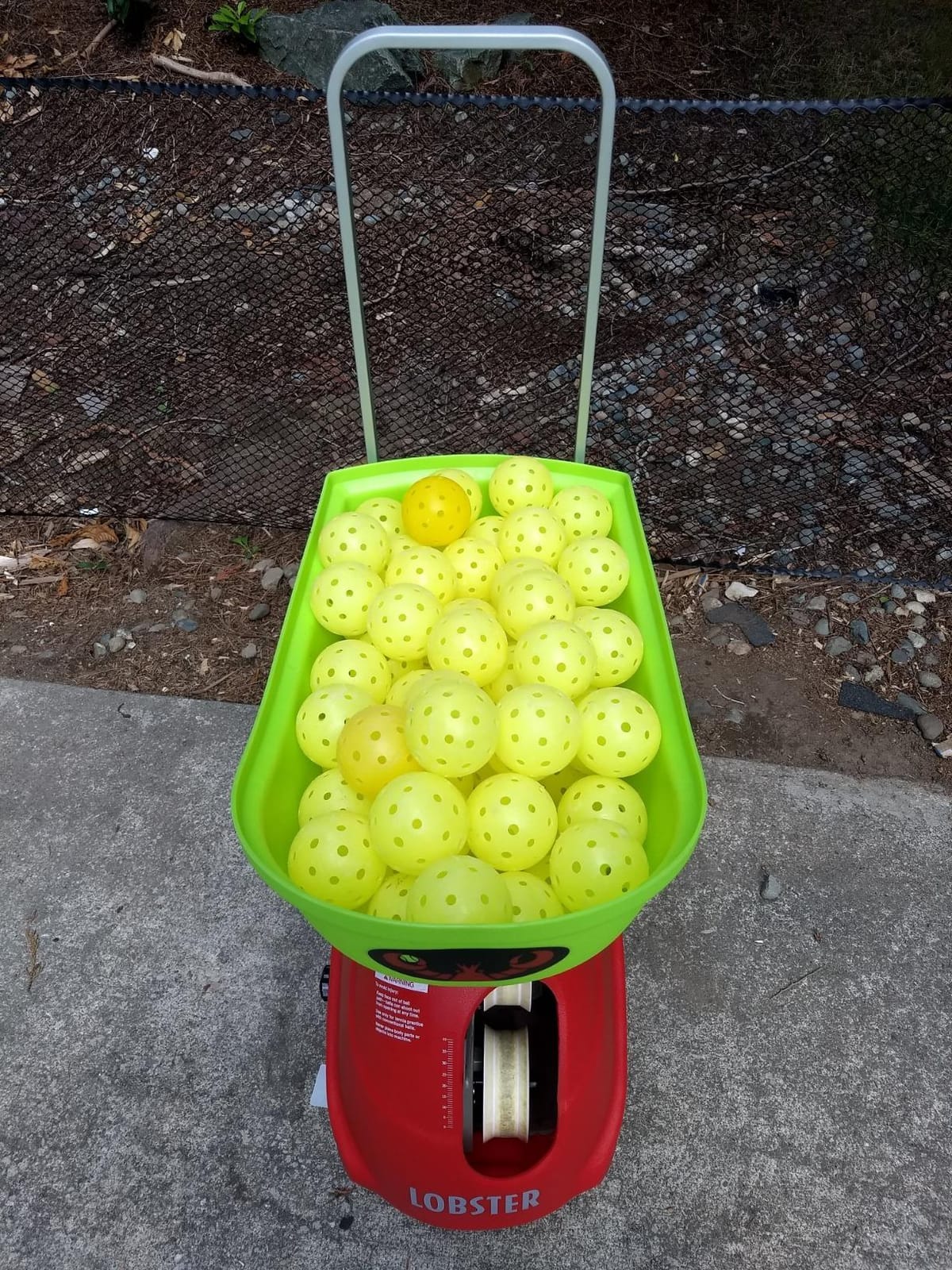
At 35 lb with a folding handle and 8-inch all-terrain wheels, it is heavy enough to feel stable and light enough that one person can move it. My one complaint on weight is that it is the heaviest of the three lighter options here, so loading it into a high sedan takes two hands.
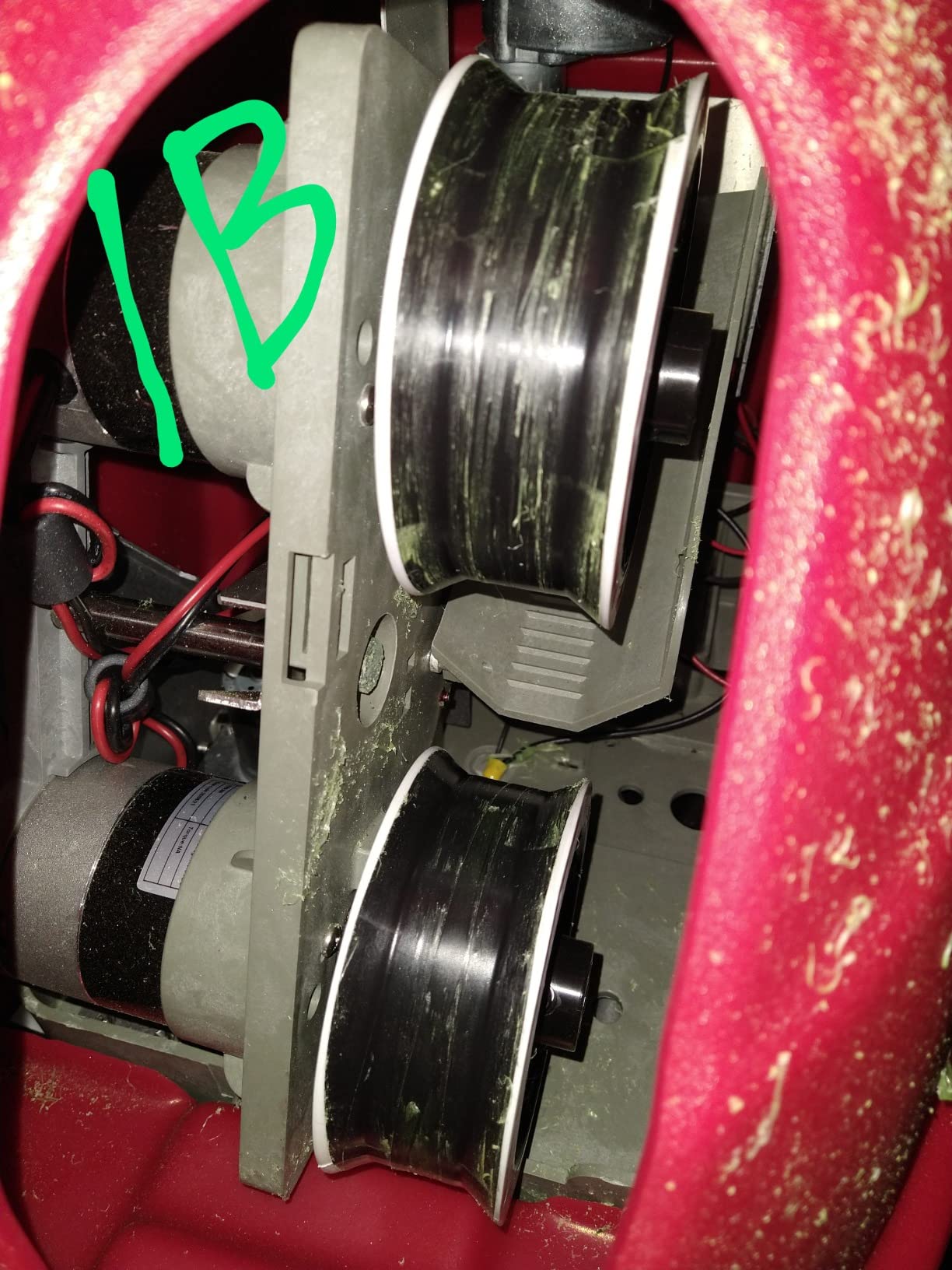
The one real durability story owners tell is about the two thrower wheels. They are wear items, and a cracked or worn pair degrades feed accuracy within weeks, which is why you should load harder outdoor balls rather than soft indoor ones. A hard 40-hole outdoor ball holds a consistent line; a soft ball skips and floats and makes the machine look broken when it is actually working as designed.
What feed consistency looks like in practice
Feed consistency is the number beginners actually feel, and it is not the same as speed. This machine repeats the same feed to the same spot once you log the setting, which is exactly what you want for stroke mechanics. Random horizontal oscillation lets you send the ball to the center, to one side, or to a random position, so you can work your forehand and backhand without moving the machine.
One owner reported a minimum feed interval closer to 5 seconds than the advertised figure on their unit. In practice that rhythm is still fine for solo groundstroke work. If you want rally-speed back-and-forth, this is not the machine, and no beginner machine in this list is.
Is a 125-ball hopper worth the extra weight
The hopper is the reason to accept the 35 lb weight. Two to four hours of battery covers most sessions, and the included charger means there is no extra purchase before your first feed. A machine that holds a full session lets you run a 100-ball block and a 50-ball block without walking over to collect anything.
Buy the Lobster if you want a single machine that handles dinks, drives, lobs, and lob-versus-drive reads without you changing anything but two dials. Skip it if your only practice space is a driveway or a small patio, because the setup takes longer than the quick-assembly units. In that situation the Posboll bundle below fits the space far better. You can also see how it compares with the machines built for league players in our full machine roundup.
2. Titan ACE – Best App-Driven Machine for Long-Term Improvement
Titan ACE Pickleball Machine with Invertible Hopper | 110-Ball Capacity, Lightweight 39 lb Design, Internal Oscillation & Free App Control for Mobile Players
110 balls
48.5 lb
App control
2-yr warranty
Battery included
Pros
- App-based drill programming is more flexible than any rival here
- Rugged build owners expect to last years
- Exceptionally long battery life and a collapsible body
- Two-year warranty
Cons
- Handheld remote sold separately
- Overwhelming variable count in the first week
- Weak outdoors in wind on an open court
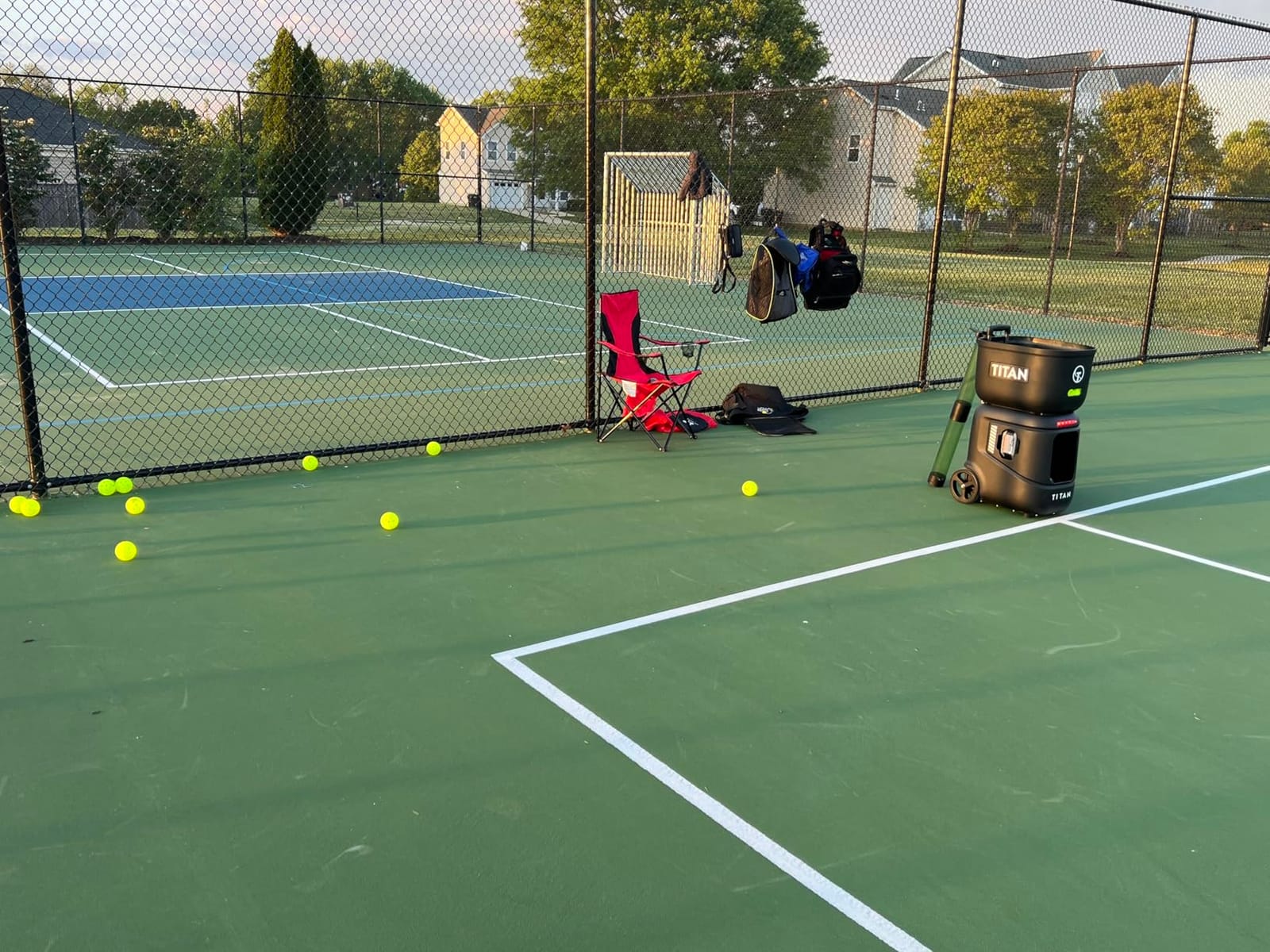
The Titan ACE is the machine in this group with the highest rating among those with a meaningful review base, and the reason is the app. You program a drill on your phone, send it to the machine, and it runs. Dinks, volleys, drives, lobs, and cross-court placements are all programmable, and over-the-air updates keep adding modes such as Rapid Fire after you buy it.
Internal oscillation means the hopper swings the feed mechanism rather than the body, so the machine stays put while it moves the ball. That keeps the placement repeatable and stops the whole unit from creeping across the court over a long session, which is a real problem on hard courts with narrower machines.
At 48.5 lb it is the second-heaviest machine here, and the collapsible 18 by 15 by 21 inch body helps more with garage storage than with lifting. The 110-ball hopper is slightly smaller than the Lobster’s, which is the one number where this machine loses ground for a beginner who wants long unbroken sessions.
Two things cost you extra or cause friction. The handheld remote is sold separately, so if you want to change drills from the court rather than walking back to your phone, budget for it. And owners consistently report that the number of settings is overwhelming in week one, which is exactly the wrong feeling for someone still learning the basic shots.
How much setup time app drills really need
The app earns its keep once you can name the shot you are working on. Program a third-shot drop landing point, run fifty of them, and you are drilling a specific landing spot rather than hitting random balls. That is how this machine earned its rating, and owners report measurable improvement in their own game within about a month of drilling alone.
The scan-to-play library lets you pull drills from QR codes and video links, which is useful if your club or coach has already published a session plan. It also means your drill library grows without you building it, which is a genuine advantage over fixed-button machines.
What the app premium buys over a manual machine
You are paying for programmable landing points, a two-year warranty, and battery life that makes it the machine most likely to still be useful when your game has moved past beginner level. That only pays off if you have dedicated court access, already know which shots you want to fix, and plan to be drilling for more than one season.
Skip it if you are buying to find out whether you enjoy solo practice. That is a trial you can run on a rented machine or a simple feeder for a fraction of the cost. Nothing about the app changes your stroke mechanics, and a beginner cannot yet tell the difference between a good feed and a well-placed one.
3. JP02 Portable Pickleball Machine – Best Value and Easiest to Carry
JP02 Portable Pickleball Machine – Swing,Spin Multiple Serve Modes Pickleball Trainer,Ball Thrower for Practice,Adjustable Speed, Elevation, and Frequency Pickleball Launcher
30 mph
22 lb folded
0-70 deg
4+ hr battery
2-yr warranty
Pros
- 22 lb folded size is genuinely easy to transport and store
- Two-wheel feed gives a gentler ball that suits beginners
- Adjustable topspin and backspin at multiple levels
- Removable lithium battery with 4+ hour runtime
Cons
- 30 mph ceiling is well below premium machines
- Brand listed as Generic so parts and support naming are unclear
The JP02 is the machine I would hand to someone who will practise on a half-court, in a driveway, or at two different courts in the same week. It folds to 14 by 12 by 19 inches at 22 lb, and the telescopic pull rod plus large wheels mean you can move it across a parking lot with one hand rather than carrying it.
The two-wheel launching system is the quiet advantage here. The manufacturer is upfront that two wheels cannot generate the heavy topspin a single-wheel machine can, and for a beginner that is a feature, not a defect. A heavy topspin ball diving at you is the fastest way to make a new player swing late and short.
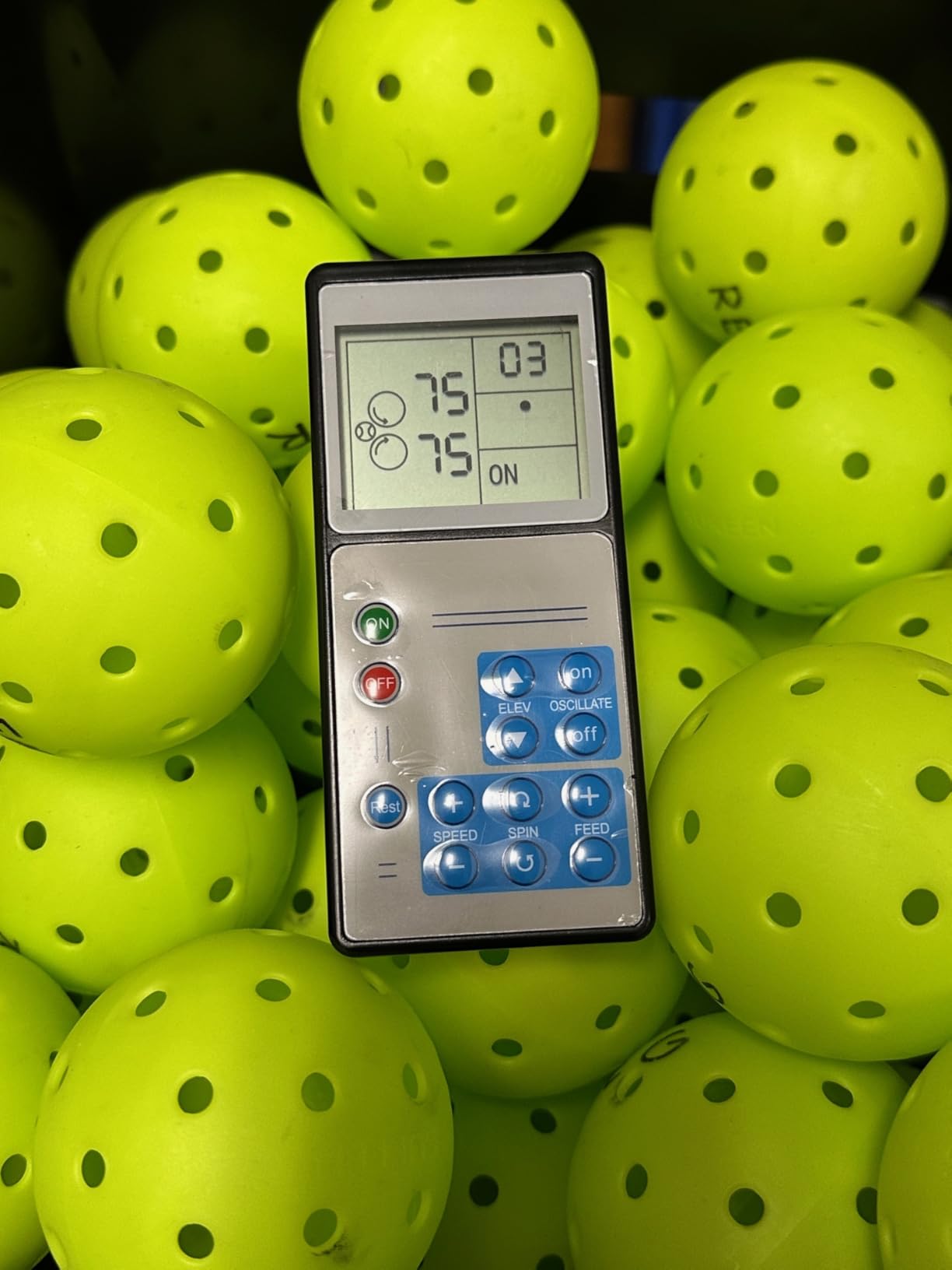
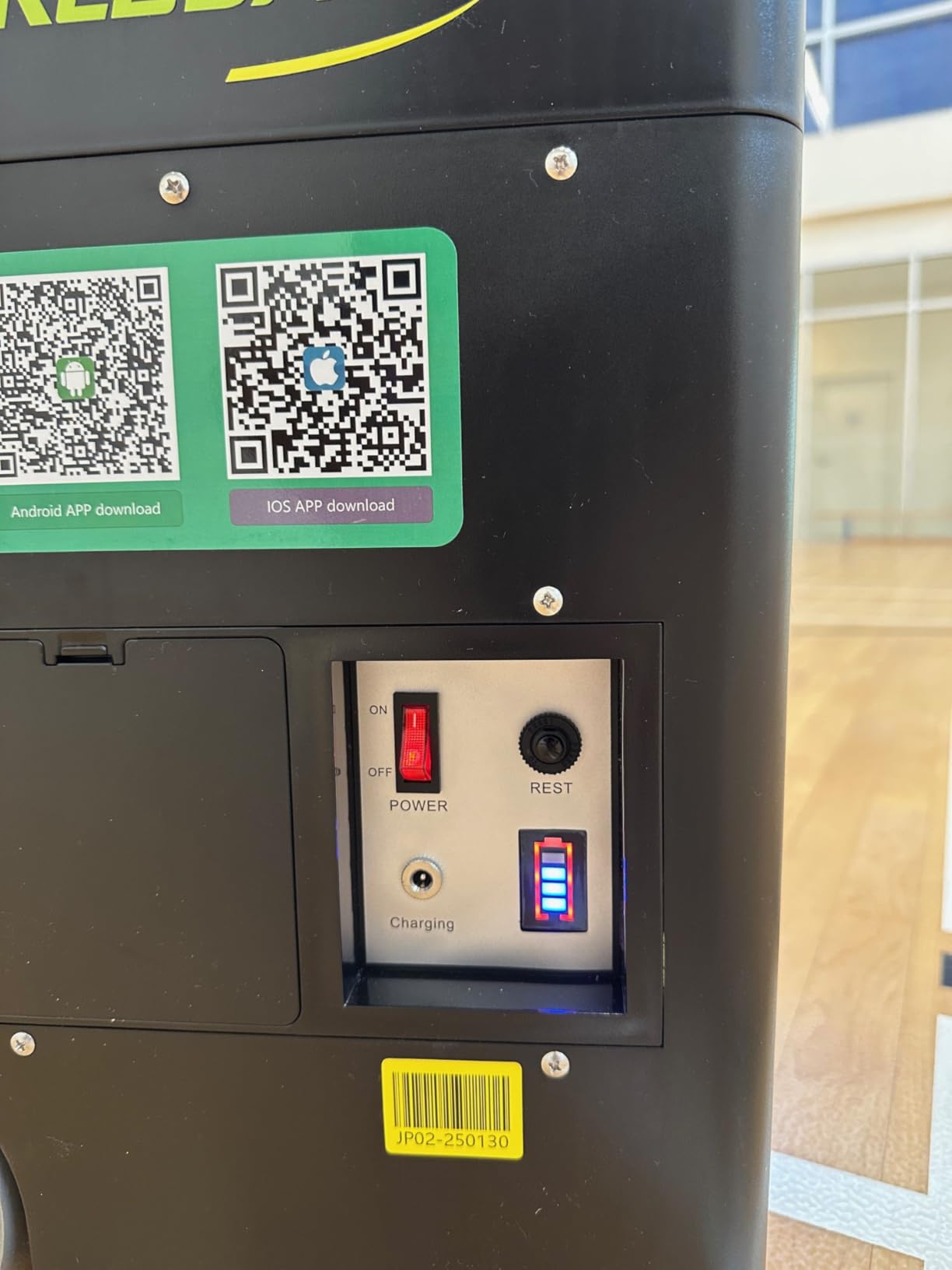
Spin control for both topspin and backspin at adjustable levels, elevation from 0 to 70 degrees, and external oscillation give you more shot variety than machines costing less. The removable lithium battery runs 4+ hours and can charge inside the unit or separately, and the remote and charger are both in the box.
The 30 mph ceiling is the honest limitation. If your goal is to practise hard flat drives at full pace, this will not get you there, and no machine in the sub-premium tier will. It will happily feed every dink, drop, lob, and medium-speed drive you need for the first six months.
How the two-wheel feed behaves with a beginner
Because the feed is gentler, you can start at a higher speed setting than feels sensible and still get a ball you can track. That matters more than it sounds. Most beginners who quit machines quit because the first ball arrives at a pace they cannot return, and they read that as a machine problem when it is a placement problem.
Elevation is the other quiet strength. At 0 degrees you get a flat drive feed, mid-range gives you a passing-height ball for third-shot work, and the top of the range gets you a lob. Having all three from one machine means you can run a full session without walking over to change anything.
What portability costs you in power
You give up roughly half the top speed of the machines above in exchange for a 22 lb folded unit you can move with one hand, spin control at multiple levels, and a two-year warranty that makes the running cost predictable. That is the trade worth making if your practice location changes week to week.
Skip it if you need a machine a coach or club can rely on for league nights, or if you want to become the player who hits hardest. The Generic branding is worth noting too. Parts naming and support contacts are less transparent than with a named manufacturer, which is a fair trade for portability but a real one if you plan to keep it for years.
4. Posboll Launcher and Auto-Return Net – Best for Driveways and Small Courts
Pickleball Machine Ball Thrower, Pickleball Launcher,Auto Return Net
Launcher plus auto-return net
6-8 hr battery
28 balls
13 ft range
Pros
- Auto-return net removes the ball collecting that ends most solo sessions
- 15-minute assembly and 6-8 hour battery make it truly portable
- Works with pickleballs and tennis balls
- Remote adjusts distance
- height and oscillation
Cons
- 13 ft launch range is near-court only rather than full court
- No manufacturer warranty offered
- Scoring app requires contacting customer service
This is the only bundle in the group that includes an auto-return net, and that one included part changes the maths of solo practice more than any spec on this page. Without a net, you spend a real share of every session bent over picking up balls. With it, the balls come back to the launcher and the drill keeps running.
The launcher and the net work separately or together. Set the net up behind a practice area and the machine fires into it; put them in front of yourself and you have a very short-range partner for touch work. A 5200mAh battery gives 6 to 8 hours of nonstop use, and assembly takes about 15 minutes with no tools.
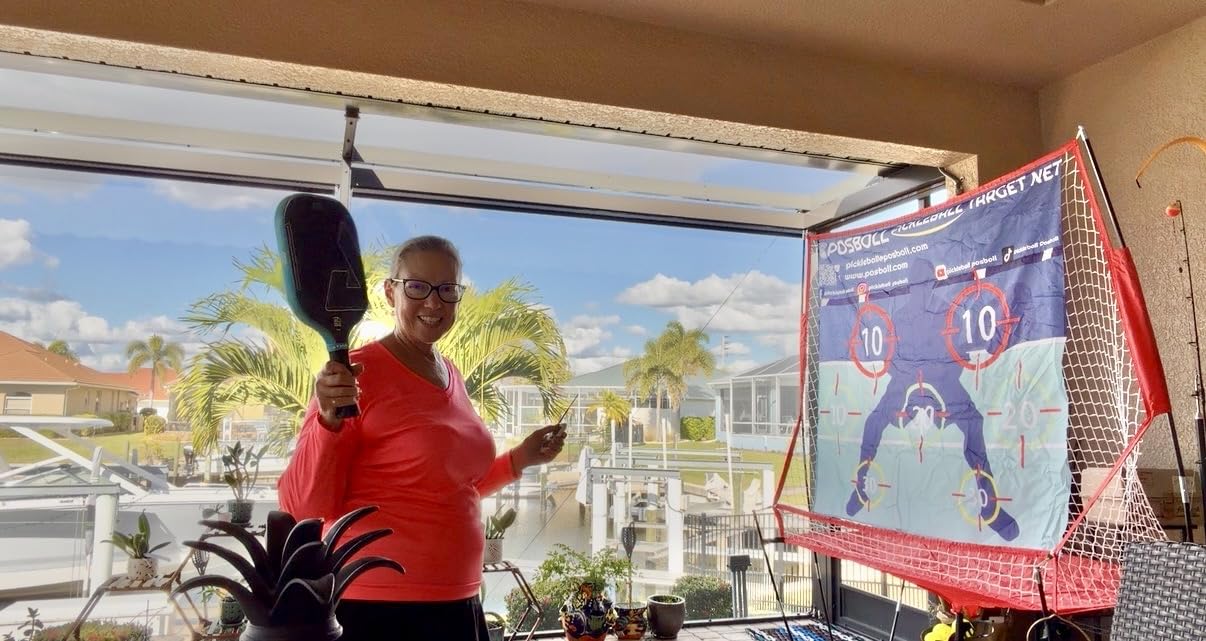
Ball capacity is 28 in the 7-track hopper, which is lower than the machines above but far less relevant here. The net returns the balls to you, so you are topping up as you go rather than emptying a full hopper in one long block. Distance adjusts up to 13 feet and height up to 8 feet, with side-to-side oscillation for footwork.
Two things keep this out of a top-three slot. There is no manufacturer warranty, and one in five reviewers lands at three stars, most often because of the limited range. It is also a family and yard tool rather than a court machine, so the feed sits close to you and you will be working touch rather than drives.
Does a return net replace a full hopper
For touch work, yes, and that is the honest comparison. The net removes the single task that ends most solo sessions, which is bending over to collect balls. It also means the 28-ball hopper matters far less, because you are topping up as you go instead of emptying a full hopper in one block.
It also doubles as a batting-practice feeder and works with tennis balls, so it is not a single-purpose purchase. That dual-sport angle is genuinely useful for a household with kids rather than a wasted feature for an adult who only plays pickleball. Packed at 26 by 12 by 13 inches, it stores in a closet.
What ball collection costs you per session
Buy the Posboll bundle if you have already tried solo hitting and lost the session to picking up balls, or if your practice space is too small for a full machine and a basket. The net is the reason to buy it, and you should judge it on that rather than on speed or capacity.
Skip it if you have access to a real court and want to drill groundstrokes. The 13 foot range is a near-court tool by design, and there is no warranty behind it if the feed mechanism gives out. For court-based groundstroke work, the Lobster or the JP02 is the honest answer.
5. PUSUN PP-Smart Pro – Best Mode Coverage With a Three-Year Warranty
PUSUN Smart Pickleball Machine PP-Smart-Pro – APP Controlled Auto Feed, 10 Training Modes, 85 Ball Capacity, 4-6Hr Battery Life, Suitable for All Level Players(White)
10 preset modes
85 balls
4-6 hr battery
3-yr warranty
App control
Pros
- Widest mode set at this tier
- with 20 programmable landing points
- App was running drills within minutes for owners
- Shot placement held steady with no jams over heavy use
- Three-year manufacturer warranty
Cons
- App shows speed in km/h only and is still labelled a tennis app
- Random mode spreads unevenly in depth and width
- Soft balls wear quickly against the feed
The PUSUN PP-Smart Pro packs more modes into one machine than anything else at a comparable level: 10 one-click serving modes, 20 programmable landing points, ball path memory, and a random serve mode on top of that. The app controls speed, frequency, angle, and spin, and owners report running drills within minutes of unboxing without reading the manual.
Shot placement is the strength owners mention most. One owner put roughly 1,500 balls through it without a jam, which is the single most important reliability measure for a beginner who has already been disappointed by one cheap machine. Internal oscillation again keeps the body stationary while the feed moves, so the machine stays where you put it.
At 48 lb this is a heavy unit with an external lithium battery that runs 4 to 6 hours and is easier to charge outside the machine. The hopper folds for transport and holds 85+ balls, with 20-gear vertical and 30-gear horizontal adjustment covering depth and lateral placement across a full court out to 20 meters.
The honest drawbacks are software polish. Speed is shown in km/h with no mph option, which matters for US players comparing settings. The app is still branded as a tennis app. And the random mode behaves more like a horizontal sweep than true two-dimensional scatter, so do not buy it specifically for random-placement training.
What warranty length means for a first machine
Warranty length is the number community buyers check before a large purchase, because the motor and the electronics are the parts that fail first and they are the expensive ones. A three-year manufacturer warranty is the longest in this group and it is backed by a named brand, which answers the serviceability question that the unnamed brands here leave open.
One isolated report describes a total failure with warranty support offering only self-repair videos, so the warranty is worth reading closely rather than assuming. Still, a long published warranty from an established brand is a meaningfully different risk profile from no warranty at all.
What the mode count costs you in setup time
The 10 fixed modes are a genuine advantage for a beginner because you can pick a drill by name instead of learning what each setting does, and the 20 programmable landing points cover most shot patterns a club coach would ask for. The tradeoff is that the app is doing more work than you are, and you have less direct control over a single feed.
Skip it if you care most about random placement for reaction training, or if you need the units in mph. Both are fixable and neither is a dealbreaker, but neither is what this machine is best at. For pure random reaction work, look at a machine with true random oscillation rather than a mode labelled random.
6. A11N Pickleball Machine – Best Low-Cost Way to Get Repetitions
A11N SPORTS Pickleball Machine with Adjustable Range and Oscillation
13-52 ft range
1-11 ft height
19 balls
Two-speed oscillation
Pros
- Lowest cost of any machine in this group
- Range and height adjustment cover drives
- returns and lobs
- Two-speed oscillation forces footwork instead of standing still
- Runs on D batteries or a power station so it works at courts without outlets
Cons
- 19-ball feed means frequent ball collection
- Batteries and power station are extra purchases
- Very small review base so far
The A11N is the cheapest way on this list to find out whether you like practising with a machine, and the feature set is more capable than the price suggests. Launch range adjusts from 13 to 52 feet and height from 1 to 11 feet, with fixed-height and changing-height modes, so you can drill low drives, mid-level passing shots, and higher lobs from one unit.
Two-speed side-to-side oscillation is the part we like most for beginners. A fixed feed teaches you one shot from one spot, which is useful but narrow. An oscillating feed forces you to split-step and move, which is closer to what a real rally asks of you and much better use of your practice time.
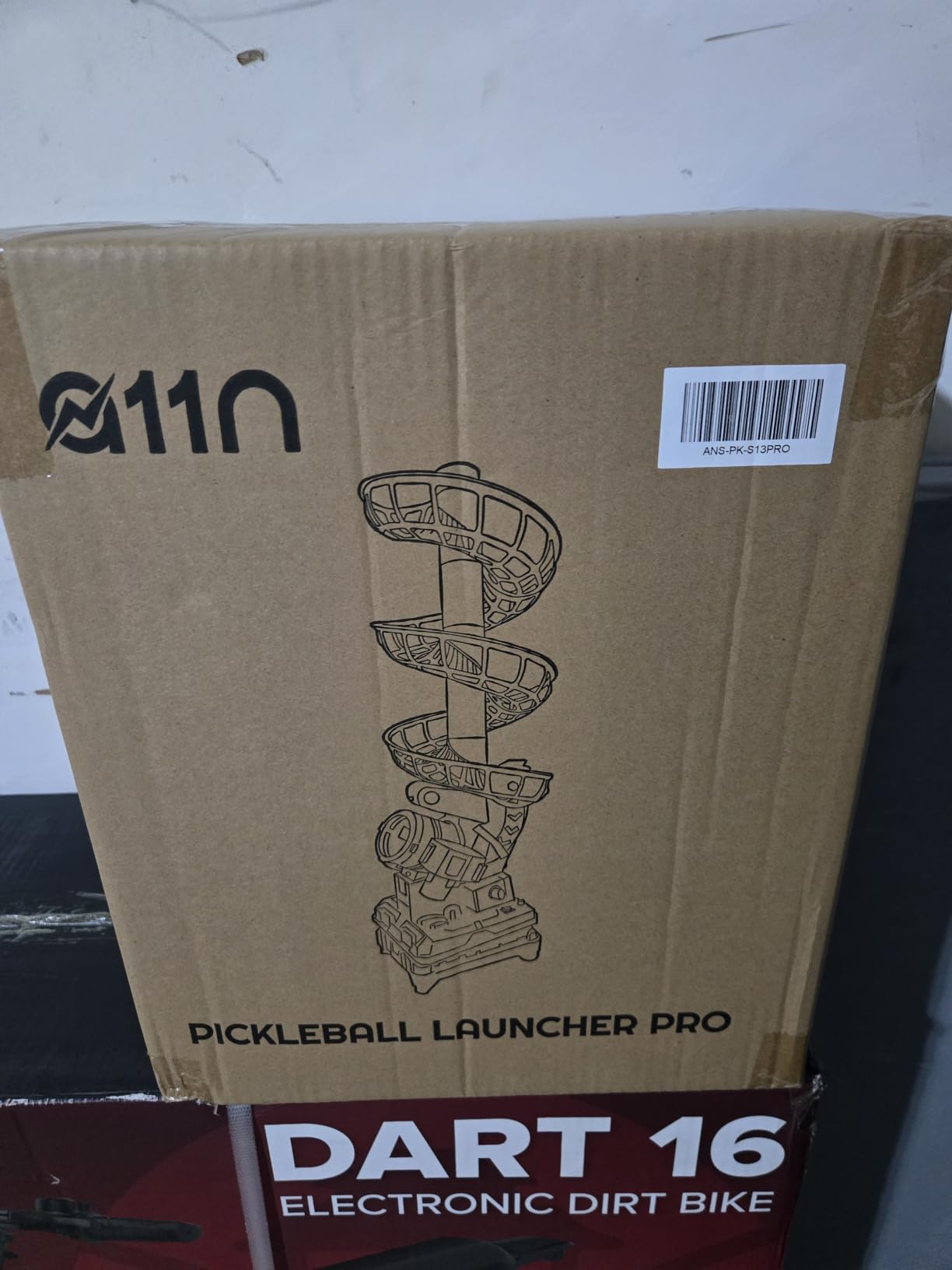
It feeds about 19 balls at roughly one ball every four seconds, which means you will be collecting balls during the drill rather than after it. Five interchangeable ball tracks plus a top track are included, and the 33-inch assembled height is tall enough to place at a believable contact point.
Power is the catch. It runs on six D batteries, which are not included, or off a portable power station with an AC outlet and the included 9V connector. A court with no outlet is fine, but the batteries and any power station are an extra purchase before the first feed, and that changes the real cost of this option considerably.
Only four reviews exist and all of them are five stars, so treat that rating as a snapshot rather than a track record. The honest read from the owner feedback is that this is a repetitive training aid rather than a responsive opponent, which is exactly what a machine is and nothing more.
What a 19-ball hopper costs you in interruptions
About four interruptions per hundred reps, which is the real price of the machine. At one ball every four seconds you are stopping roughly every 75 seconds to collect, and that is enough friction to end a session early. Add a basket and treat the collection as part of the routine, because that is where the time goes.
The oscillation partly offsets it. A 19-ball cycle is short enough that you reset constantly, and the side-to-side movement keeps that resetting useful rather than dead time. Feed 19 balls, move, collect, feed again, and the repetition volume is genuinely there if you accept the rhythm.
How to judge a 4-review rating
Treat it as a snapshot, not a track record. All four reviews are five stars, which tells you early owners were not disappointed, but it cannot tell you how the machine behaves after a year of hard outdoor use. Weight the specification and the warranty story more heavily than the star count.
Skip it if you want to practise lobs deep or drives from the baseline, because the range and feed interval cap both. And if you are at the stage where consistency matters more than volume, a hopper that holds 85 or 125 balls will serve you better in the long run even though it costs more.
7. Sports Tutor Pickleball Twist – Best Lightweight Feeder
Sports Tutor Pickleball Twist Ball Machine – for Beginners – Battery Powered. Adjustable Toss. Made in USA by #1 Pickleball Machine Company
11 lb
28 balls
12-20 ft toss
8-10 hr on D cells
3-yr warranty
Pros
- 11 lb with a built-in carry handle is easy to move anywhere
- Throws to the same spot every time
- which is what stroke mechanics need
- Doubles as a baseball batting-practice feeder
- Three-year warranty with US-based factory support
Cons
- No oscillation
- spin variation
- or feed interval adjustment
- Feed capacity of 28 balls is small
- Batteries are not included and durability is largely undocumented
At 11 lb with a built-in carrying handle, the Pickleball Twist is the machine you can grab with one hand on the way out the door. Toss distance adjusts from 12 to 20 feet, it feeds one ball every five seconds, and the hopper holds 28. It throws both pickleballs and tennis balls, and it can double as a batting-practice feeder for kids.
What it does better than anything else here is repeat the same feed. The buyer who reviewed it had returned a cheaper machine precisely because it never threw consistently, and valued this one for landing in the same spot every time. For a beginner working on a stroke, that consistency is the feature, not a limitation.
It is made in the USA and backed by a three-year warranty with a US service line, which is unusual in this category. Runtime is typically 8 to 10 hours on six new D-cell batteries, though batteries are not included.
There is no oscillation, no spin, and no feed interval adjustment. It is a fixed-position feeder and nothing more, so you will get bored with it faster than with any oscillating machine here. Only one review exists, so long-term durability of the plastic body is genuinely undocumented.
When a fixed feed helps and when it limits you
Repetition with zero variability is how you build a repeatable swing. If your mechanics are still being built, removing randomness removes the excuse to guess. Set the toss distance, pick a target on the back wall, and hit two hundred of the same ball.
That approach stops working the moment your mechanics are sound and you need to move and read. Think of this as a first 90 days of training rather than a machine you will still own in three years. At 11 lb with a carrying handle, it is also the easiest unit here to move into a shared space and back out again.
What the warranty means against an undocumented build
The three-year warranty and US-based support are the most reassuring in this group at this level, and they partly answer the question a single review cannot. But the body is plastic, the review base is one owner, and long-term durability is genuinely undocumented, so the warranty is doing more work here than it does on the metal machines.
Skip it if you already have your mechanics and want to work on footwork, reading spin, or reacting to placement. Any oscillating machine will teach you more in the same session. It is also worth pairing with our beginner paddle guide, since a consistent feed only helps if the paddle is producing a consistent swing.
8. Franklin Sports Pickleball Launcher – Best Metal Build for Clubs
Franklin Sports Pickleball Launcher – Portable Auto Launcher – 5 Speeds, 4 Angles, Shuffle Mode – Rechargeable – Battery NOT Included
5 speeds
4 angles
Shuffle mode
Metal body
Ryobi battery needed
Pros
- Solid metal construction with a natural
- heavy throw
- Shuffle mode varies angles for game-like unpredictability
- Wheels and retractable handle make transport easy
- Five speeds and four angles give real drill variety
Cons
- Battery and charger are not included
- which adds cost before first use
- Balls can jam and launch on a curve rather than straight
- 90-day warranty is the shortest in this group
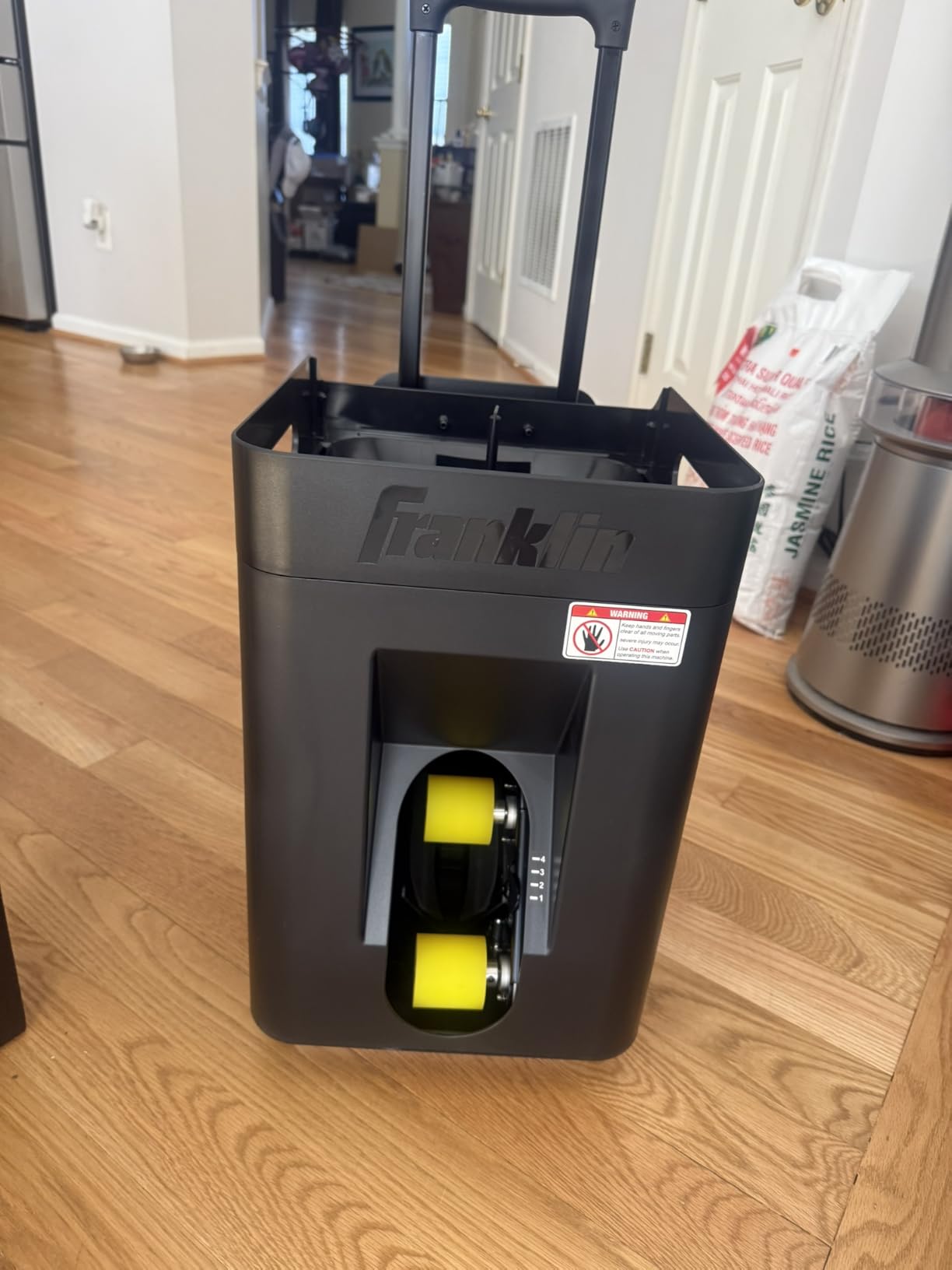
The Franklin Sports Launcher is the one machine here built primarily from metal, and you can feel it. The throw has weight and the frame does not flex, which matters if you are feeding at a higher speed for a group session. Five speed levels, four launch angles from low drives to high lobs, and a shuffle mode that varies the angle automatically give you more drill variety than the entry-level machines.
Shuffle mode is the feature that separates it from the simple feeders above. Instead of repeating one feed, it moves through angles automatically, so you get unpredictability without moving the machine. Wheels and a retractable handle make the transport side work well for club-to-court moves.
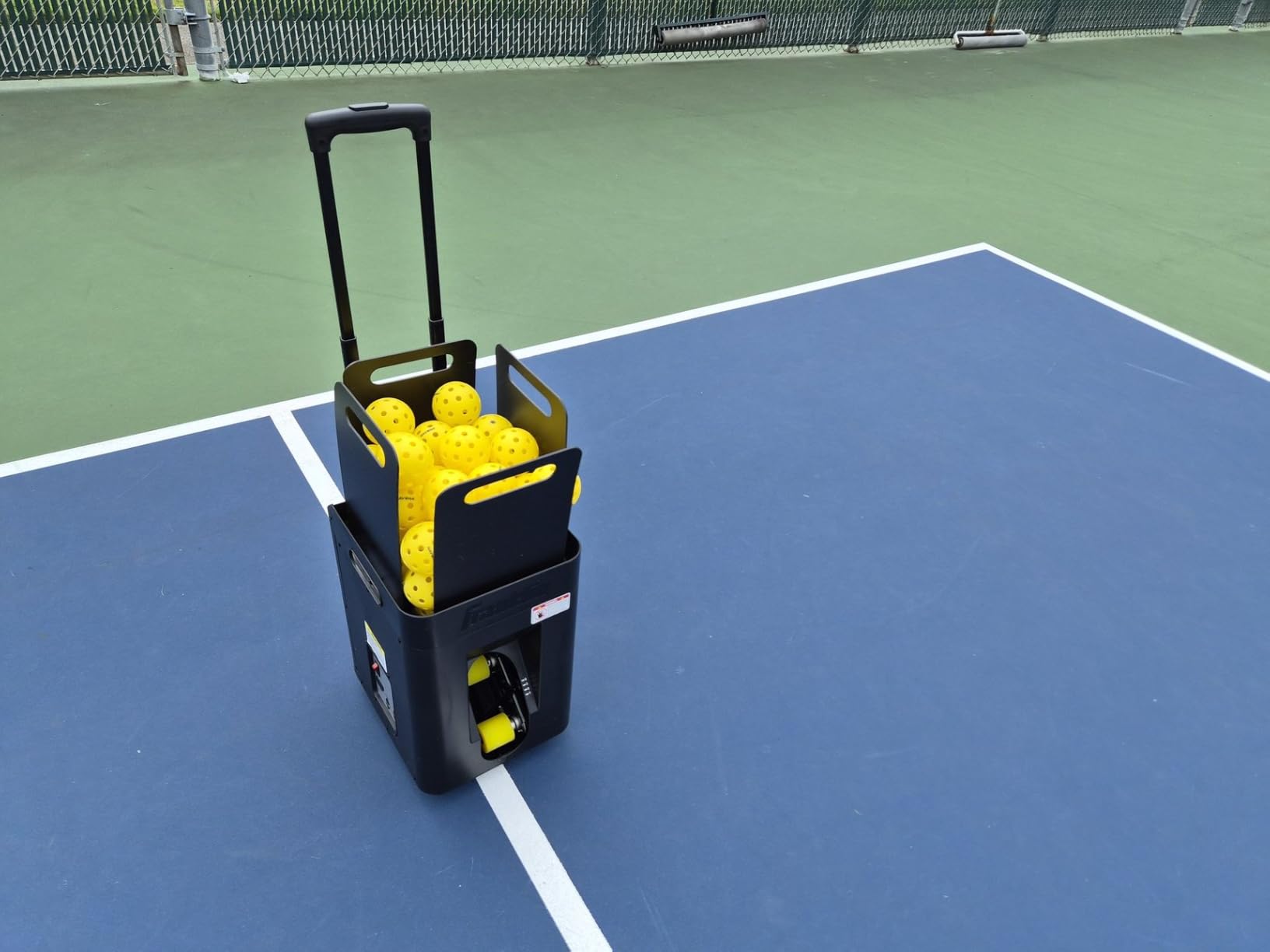
There is a catch that is worth stating plainly. It uses a Ryobi One+ 18V 6.0Ah battery, and neither the battery nor the charger is included. That is a real addition to the cost before your first session, and it is the single most common complaint from buyers who then weigh value.
Other reported issues: balls can jam in the feed mechanism, the launch path curves rather than running straight, and the top speed is not strong enough for hard flat drives, which makes it better suited to dinks, volleys, and lobs. The unit is also somewhat top-heavy and can tip if rolled too fast or used on a slope.
What the extra battery cost does to the price
The battery and charger are extra ecosystem purchases before your first session, which is enough to erase the value argument entirely. If you already own Ryobi One+ packs, that line item disappears and the metal frame plus automatic angle variation make this the best group-session machine here. If you do not, the real outlay is meaningfully higher than the machine itself.
That is also why club and coach buyers report the most satisfaction here. A metal frame survives a shared court environment and the shuffle mode keeps a line of players working without an operator resetting it every feed. One charged battery gives well over an hour of practice, which covers a clinic comfortably.
Is a 90-day warranty enough for a shared machine
The warranty is the shortest in this group and the shortest thing on this page to worry about. Motors and electronics are covered for less than three months, so on a machine expected to be moved between courts and used by many people, you are carrying the risk almost immediately after the return window closes.
Skip it for personal beginner practice. The extra battery cost, the curving launch path, and the 90-day warranty make it the weakest value per session in this roundup. A beginner who buys this is paying for construction quality they will not notice until they are hitting at a level this machine does not fully serve.
What Beginners Should Ignore and What Actually Matters
Here is the filter that shapes every pick above. Six specs decide whether a ball machine is useful to you, and a long list of others do not. Beginners get talked into expensive machines constantly, and the expensive machines are mostly selling features aimed at players two years ahead of them.
The six specs that matter
Feed consistency, not top speed. A machine that repeats the same feed consistently teaches you more than one that fires 60 mph unreliably. You cannot build muscle memory on a feed you cannot predict.
Ball capacity of 60 or more. Anything under about 40 balls means you are collecting during the drill. That is the single most common reason solo sessions end early.
Battery included or not. Extra hidden battery cost is a common and avoidable regret. Three machines in this group ship without a battery or a charger.
Weight you can move alone. Anything over 45 lb is a two-person job on stairs and in a car. Weight is decisive for new players, not a spec-sheet afterthought.
Oscillation, if you can move. Random or side-to-side oscillation forces footwork and prevents you from standing in one spot hitting feeds.
Warranty length and named support. Motors and electronics fail first. A three-year warranty from a named brand is a different risk profile from no warranty at all.
What beginners should refuse to pay for
Headline top speed above about 50 mph, self-driving chassis and AI court tracking, hopper extender nets, and drone-style remote control are all aimed at advanced or dual-player use. A 30 mph machine already feeds harder than a beginner can return comfortably, so paying for 60 mph buys you nothing you can use.
There is one more filter worth adding, and it is not a spec at all. A machine feeds from a fixed point. If you stand still and swing, you get better at hitting feeds and not much better at rallying. Design the drills so you move, or the machine will teach you the wrong lesson.
Do You Even Need a Machine Yet?
Sometimes the honest answer is no, and saying so is more useful than another product recommendation. A machine solves one specific problem, which is getting high-quality repetitions of a specific shot when no partner is available. If your problem is different, a machine will not fix it.
Two lessons beat a machine for most players in their first three months, because a coach corrects the thing you cannot see. A ball machine cannot tell you that your shoulder opens early on the backhand or that you are standing too close to the kitchen line. That correction is the expensive part of learning and the part most beginners are missing.
A rebounder net and a bucket of balls is the other sensible first step. A ball pickup basket costs very little and lets you practise against a wall or with a friend, and it teaches you to move. If you are not yet playing matches, a machine is often premature.
Buy a machine when you are already playing matches, you can practise two or three times a week, and you have hit a specific plateau that more unstructured play is not fixing. That is exactly the position most of the readers of our general machine guide are in.
Renting, Borrowing, or Buying a Used Machine First
Rent-versus-buy comes up constantly in pickleball forums and it has a straightforward answer. If you are unsure whether you will practise alone, rent once. One session on a rented machine tells you more than any review, and the cost is a fraction of a purchase.
Borrowing from a club is the second option, and it is underrated. Many clubs own a machine for league nights and would rather it got used on a quiet Tuesday afternoon than sat in a closet. Ask directly, offer to return it charged and clean, and the answer is usually yes.
The used market is the third option, and brand matters more than condition. Machines from named manufacturers with published warranty and support contacts hold value better than unnamed units, largely because parts and service are traceable. A used machine with no brand, no warranty, and no parts naming is often cheaper than the batteries and balls you will spend replacing in it.
What to check on any used machine: run a full hopper through it and watch for jams, confirm the thrower wheels or feed mechanism are not worn, check the battery holds a charge under a full session, and confirm the manufacturer still exists and sells parts. Test the oscillation and the remote before you agree on anything. A machine that needs a new battery on day one is a bad purchase at any price.
Your First 30 Days With a Ball Machine
How you use the machine matters more than which one you bought. A structured first month is the difference between a machine that becomes a habit and one that ends up in the garage in June.
Weeks 1 and 2: mechanics only
Use a fixed or centre feed, no oscillation, and one shot. If you bought a machine with spin, turn the spin off for the first two weeks and reset the problem if the feed is hard to read. Hit 200 of the same shot and count your contact point rather than your wins. Two weeks of this is where the value is, and skipping it is the most common early mistake.
Weeks 3 and 4: add movement
Turn on oscillation and widen your targets. Set cones or a chair on the court and work dinks to a target rather than at your partner’s feet. Add lobs three times per session, because lob defence is where solo practice has the clearest return and most beginners skip it. Track one number per session, such as consecutive balls hit in the court.
After the first month you should have a feel for whether a machine suits you. If you have practised four times and it still feels like hitting a wall, renting a different model for a session costs almost nothing and settles the question faster than more research. If it has become automatic, the upgrade path is a machine with real random oscillation and a bigger hopper, and at that point you will know exactly which shots you want to program.
Frequently Asked Questions
What is the best pickleball machine for beginners?
The Lobster Sports Pickle Ball Machine is the best overall for beginners because it combines a 125-ball hopper, a rechargeable battery, 35 lb weight, and adjustable topspin, backspin, and lob elevation in one unit. It covers dinks, drives, and lobs without changing anything but two dials. The JP02 is the better value option if you want something lighter and easier to move between courts.
Are pickleball machines worth it?
A pickleball machine is worth it if you will practise solo two or three times a week and cannot find a drill partner, because it removes the biggest beginner bottleneck. It is not worth it if you are still learning basic strokes, since a machine cannot correct your form the way a coach can. Most beginners get the return they expect once they can name the specific shot they are trying to improve.
What is the best pickleball machine on a budget?
The A11N Pickleball Machine is the lowest-cost way to get consistent solo feeds, with adjustable launch range from 13 to 52 feet, height adjustment, and two-speed side-to-side oscillation. The Sports Tutor Pickleball Twist is the alternative if you want a lighter body and a three-year warranty. Both are fixed-skill tools, so a machine with a real hopper is the better long-term buy if your budget stretches.
How long does a pickleball machine battery last?
Runtime across these machines ranges from about 2 to 4 hours on the Lobster, 4 to 6 hours on the PUSUN PP-Smart Pro, 4 or more hours on the JP02, and 6 to 8 hours on the Posboll system. The Sports Tutor Pickleball Twist runs 8 to 10 hours on six D-cell batteries, which are not included. Several machines ship without a battery or charger at all, so check what is in the box before you count on a first session.
What pickleballs should you use in a pickleball machine?
Use hard 40-hole outdoor pickleballs, which feed in a consistent line. Soft indoor balls skip and float, and owners report that accuracy degrades noticeably with them. Clean your balls before loading them, because debris on the ball surface causes the jams that beginners most often blame on the machine itself.
Do I need a ball machine as a beginner?
Not always. If you are within your first three months, two lessons will correct mechanics that no machine can see, and a ball basket plus a rebounder net is a sensible cheaper first step. Buy a machine once you are playing matches, can practise two or three times a week, and have hit a specific plateau that unstructured play is not fixing.
Can you use a tennis ball machine for pickleball?
You can, and several machines here throw both pickleballs and tennis balls, but a dedicated pickleball machine is better for precision. Tennis balls are heavier and have different flight characteristics, so the feed depth and arc will not match what you face in a game. If you already own a tennis machine, use it to build reps, then move to a pickleball machine for accuracy work.
Should I buy a used pickleball machine?
Used machines are a reasonable first purchase if the manufacturer still exists and sells parts, which makes named brands safer than unnamed units. Test a full hopper before you buy, watch for jams, confirm the thrower wheels are not worn, and check that the battery holds a charge. Rent once first if you are unsure, because a single session settles the question faster than any review.
Bottom Line: Where a Beginner Should Spend
The best pickleball machines for beginners are not the fastest ones, they are the ones you will actually use four times a week. Buy the Lobster if you want one machine that covers every shot in your first year, and buy the JP02 if you want the same coverage in something you can carry with one hand. Spend on the Titan ACE or the PUSUN only after you have already established that solo practice is a habit.
Start with two lessons or a ball basket if you are still learning the basics, and rent once before you commit to anything. The right machine for 2026 is the one whose hopper holds a full session and whose feed repeats. Everything above that is a want, not a need. Our paddle spin guide covers the other half of the equation if you want the machine’s reps to land somewhere.