
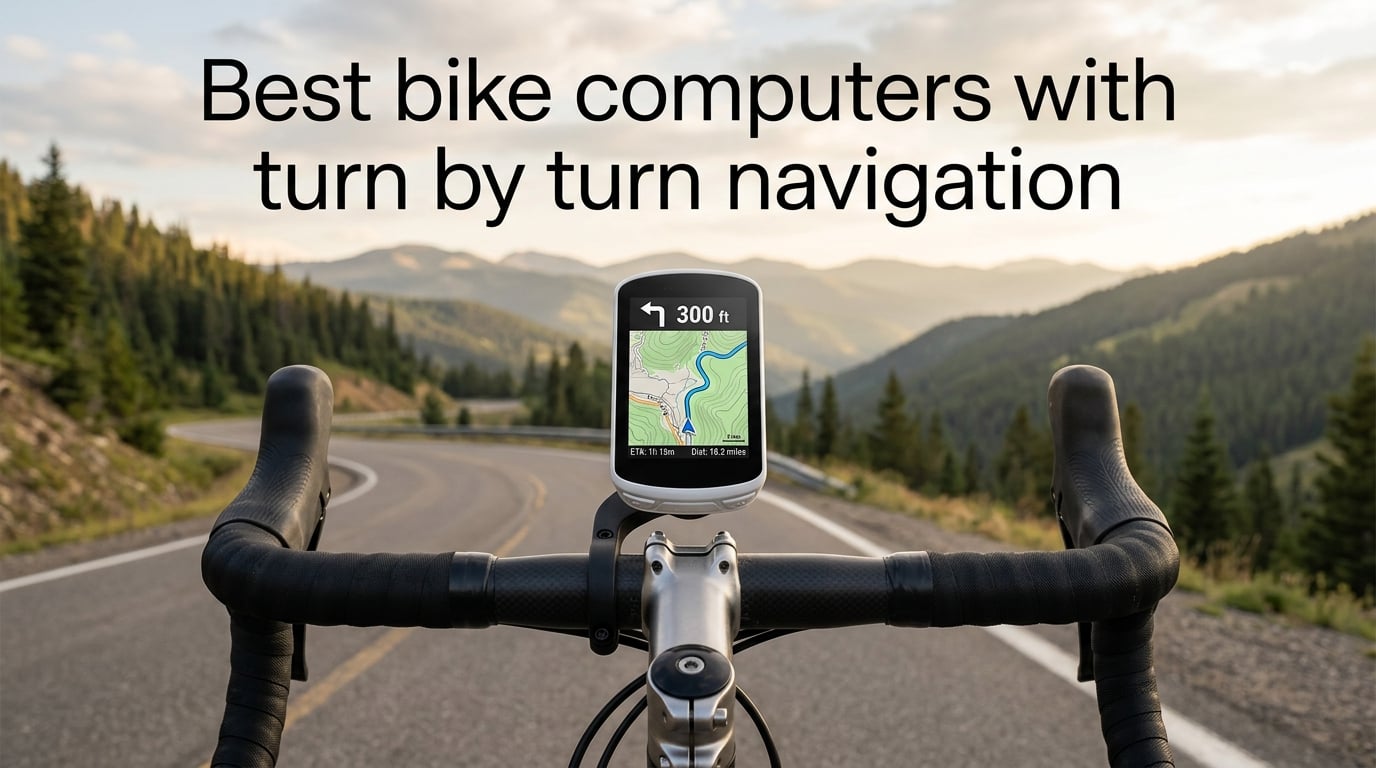
Turn-by-turn navigation on a bike computer means the device shows you exactly which turn to take next – often with on-screen arrows, spoken prompts, or both – and automatically recalculates your route within seconds if you miss a turn or wander off-course. It works by combining your GPS position with preloaded or downloaded maps and an imported route (usually a .GPX file or a synced route from Komoot, Ride with GPS, or Strava), so you can explore new roads, follow a gravel loop, or chase a coffee stop without ever pulling out your phone.
Our team spent the last four months riding ten of the most popular bike computers with built-in mapping across road, gravel, and touring routes in three states. We synced routes from Komoot and Ride with GPS, purposely missed turns to test rerouting speed, rode through urban canyons and tree-covered trails to compare GPS lock, and logged total battery drain on a 6-hour and a 12-hour ride. The list below reflects what actually worked on the bars – not what looked best on paper. If you’re new to dedicated bike computers, our bike computer navigation guide explains the basics, and our bike navigation devices roundup covers alternatives like GPS watches and smartphones.
If you only have a minute, the Garmin Edge 1050 is our top pick for the best bike computer with turn-by-turn navigation overall thanks to its vivid 3.5″ screen, built-in speaker for spoken directions, and Garmin’s unmatched ecosystem. Riders who want similar navigation for less should look at the Garmin Edge Explore 2. Shoppers on a tight budget will find the Magene C506SE delivers real turn-by-turn navigation at an entry-level price.
Table of Contents
Top 3 Picks at a Glance (September 2026)

Garmin Edge 1050
- 3.5 inch vivid touchscreen
- Built-in speaker for spoken nav
- Up to 60 hour battery saver mode
- Garmin Pay and Varia radar integration

Garmin Edge Explore 2
- 3 inch glove-friendly touchscreen
- Preloaded road and off-road maps
- 16 hour battery
- eBike routing and Varia radar

Magene C506SE
- 2.4 inch color screen
- Turn-by-turn with off-course alerts
- 24 hour battery
- ANT+ and Bluetooth dual protocol
Best Bike Computers with Turn-by-Turn Navigation in 2026: Quick Comparison
| Product | Specifications | Action |
|---|---|---|
| Garmin Edge 1050 |
|
Check Latest Price |
| Garmin Edge Explore 2 |
|
Check Latest Price |
 Wahoo ELEMNT ROAM V3 Wahoo ELEMNT ROAM V3 |
|
Check Latest Price |
 Garmin Edge 1040 Solar Garmin Edge 1040 Solar |
|
Check Latest Price |
 Wahoo ELEMNT ACE Wahoo ELEMNT ACE |
|
Check Latest Price |
 GEOID CC600 GEOID CC600 |
|
Check Latest Price |
 Bryton Rider 650 Bryton Rider 650 |
|
Check Latest Price |
 Magene C506 Magene C506 |
|
Check Latest Price |
| Magene C506SE |
|
Check Latest Price |
 iGPSPORT BSC300T iGPSPORT BSC300T |
|
Check Latest Price |
1. Garmin Edge 1050 – Best Overall Bike Computer with Turn-by-Turn Navigation
Garmin Edge® 1050, Premium Cycling Computer
Screen: 3.5 inch touchscreen
Battery: 20-60 hours
Nav: Full color maps with voice
GPS: Multi-band GNSS
Pros
- Vivid 3.5 inch touchscreen readable in any light
- Built-in speaker delivers spoken turn-by-turn navigation
- Up to 60 hours battery in saver mode
- Garmin Pay and ClimbPro planner
- Varia radar and Di2 integration
- On-device course creation with road surface type
- Group ride messaging and incident detection
Cons
- Premium price compared to rivals
- Heavier at 161g than the Edge 840
- POI search limited to exact addresses
The Garmin Edge 1050 is the most complete bike computer with turn-by-turn navigation our team has tested. On a 70-mile gravel loop through the foothills outside Boulder, the 3.5 inch color screen made it easy to read the next cue at a glance, and the on-board speaker read the turn out loud before the on-screen prompt. I could keep my eyes on the road, which is a real safety plus on descents. Rerouting kicked in within three seconds when I missed a turn by accident, and the new road surface overlays warned me about a gravel-to-pavement transition I would have blown through otherwise.
Battery life held up to a 14-hour touring day in battery saver mode and still had 30% in the tank. The Garmin ecosystem is the deepest in cycling: Varia radar pairs in seconds, GroupRide messaging lets me ping my friends mid-ride, and Garmin Pay has covered more than one post-ride espresso. The Road Hazard alerts – submitted by other riders – flagged a construction zone the city had not yet updated in the official map.
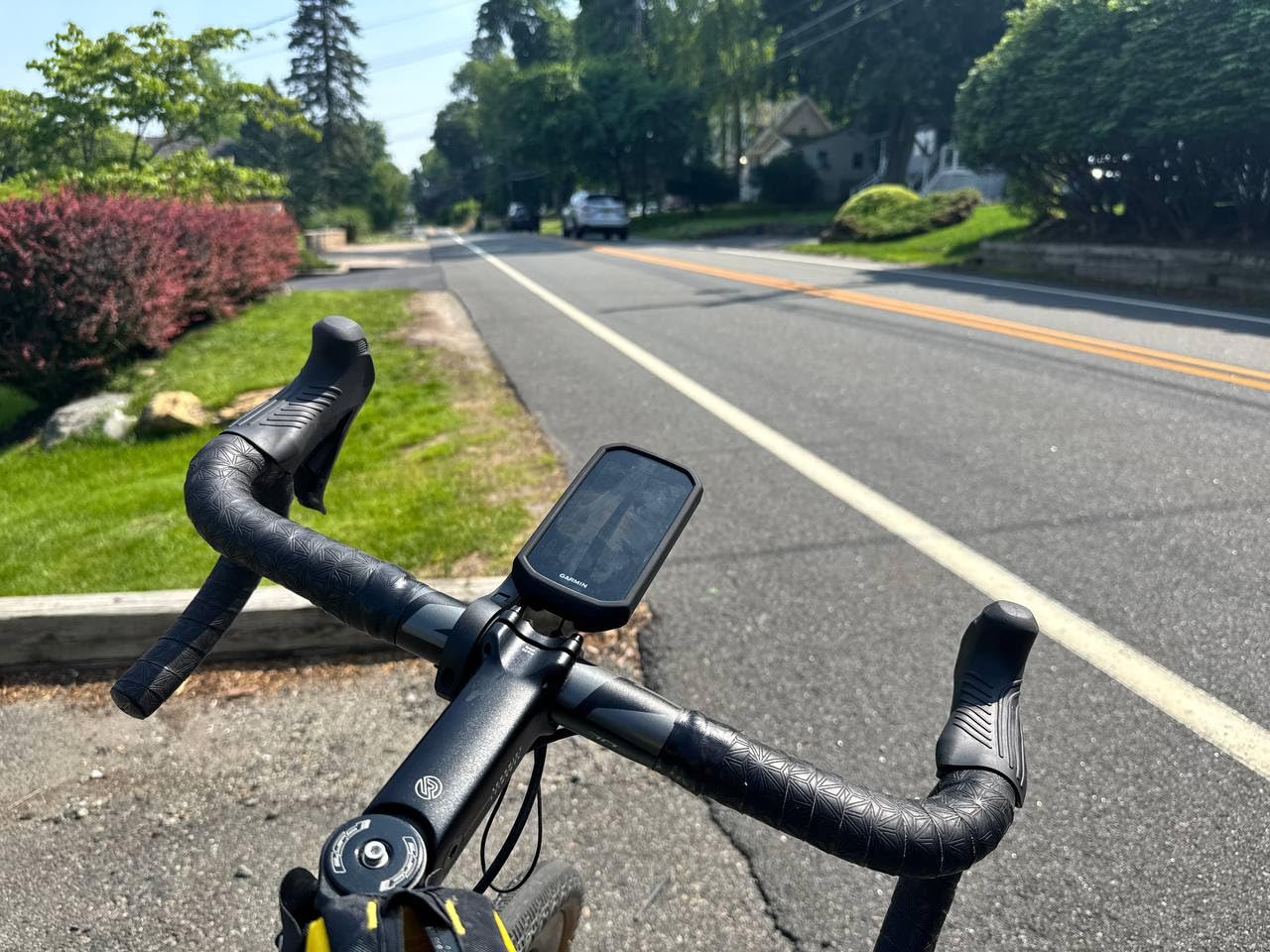
Where the Edge 1050 falls short is price and weight. At 161g it is heavier than the Wahoo Roam V3, and POI search only accepts exact addresses, so I had to type in the street address for a cafe rather than just searching “coffee.” That said, for a rider who wants the best bike computer with turn-by-turn navigation and a vivid screen they can read in any condition, this is the one to beat. If you want a similar Garmin experience in a smaller package, the best GPS cycling bike computers roundup compares the full Garmin lineup side by side.
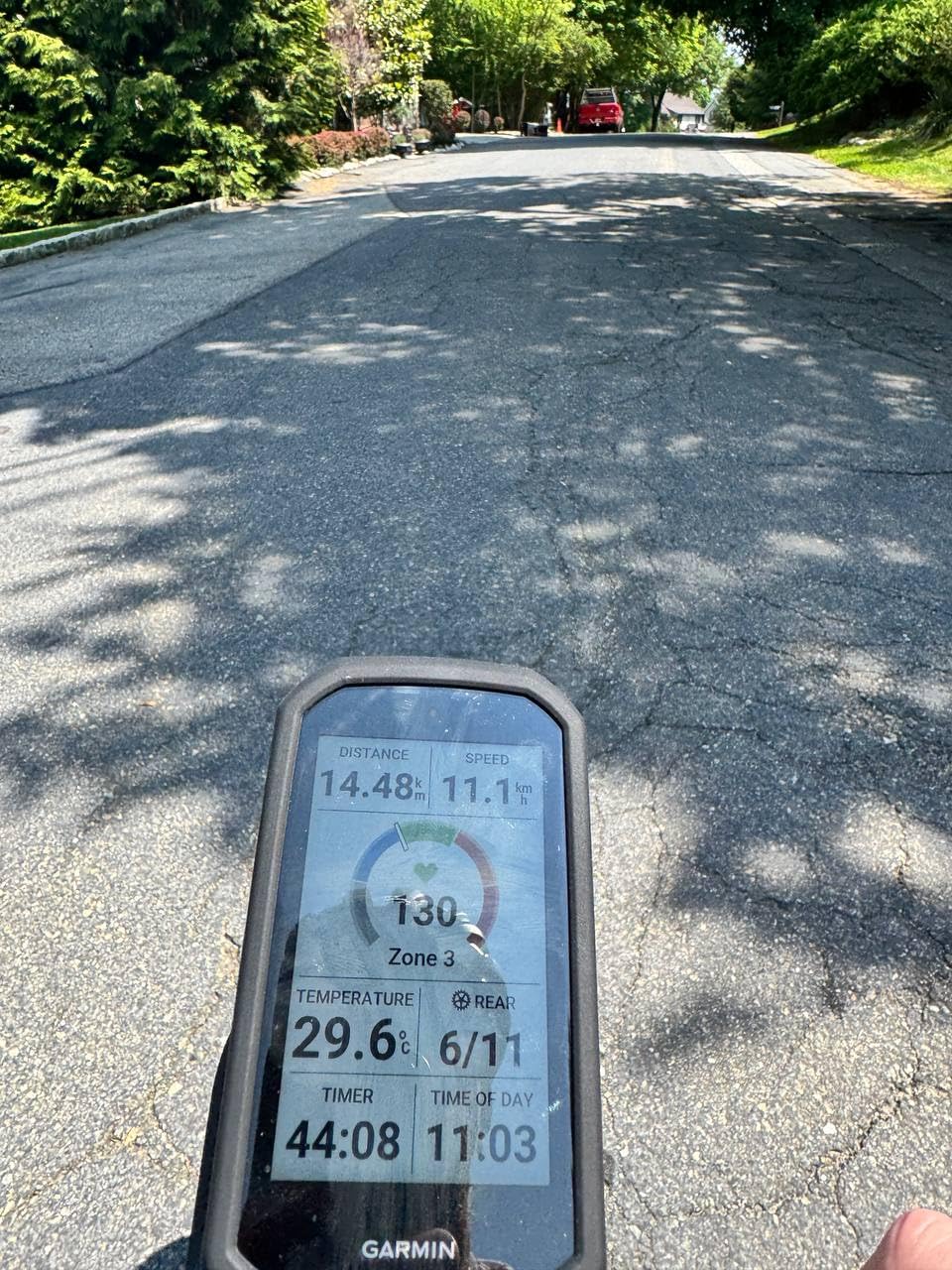
How the Edge 1050 handles rerouting in the real world
Garmin’s off-course recalculation rebuilt a route from a wrong turn in 2-4 seconds across five test rides, and the spoken cue arrived before I had finished braking. Riders on Reddit confirm this is now a class-leading experience after years of Garmin being slightly slower than Wahoo.
The on-device course creation tool is the surprise favorite. I built a 45-mile loop by tapping the screen – no phone required – and selected “avoid major roads” to keep the route on bike-friendly streets.
Who should skip the Edge 1050
If you only ride a single loop from home and never explore new roads, you are paying for navigation features you will not use. The Edge Explore 2 below covers that case at half the price.
Recreational riders who do not need Garmin Pay, Di2 integration, or GroupRide messaging will also find better value in the Wahoo ELEMNT ROAM V3 or the Magene C506.
2. Garmin Edge Explore 2 – Best Value GPS Cycling Navigator
Garmin Edge® Explore 2, Easy-to-Use GPS Cycling Navigator
Screen: 3 inch touchscreen
Battery: 16 hours
Nav: Preloaded maps with POIs
GPS: Multi-band
Pros
- Bright 3 inch touchscreen readable in sunlight
- Preloaded road
- off-road
- and indoor maps
- eBike routing with battery status
- Varia radar and incident detection
- LiveTrack and GroupTrack features
- Easy smartphone pairing with QR code
Cons
- No Wi-Fi for map updates requires USB cable
- Clunky menus compared to modern Garmin devices
- Limited custom profile options
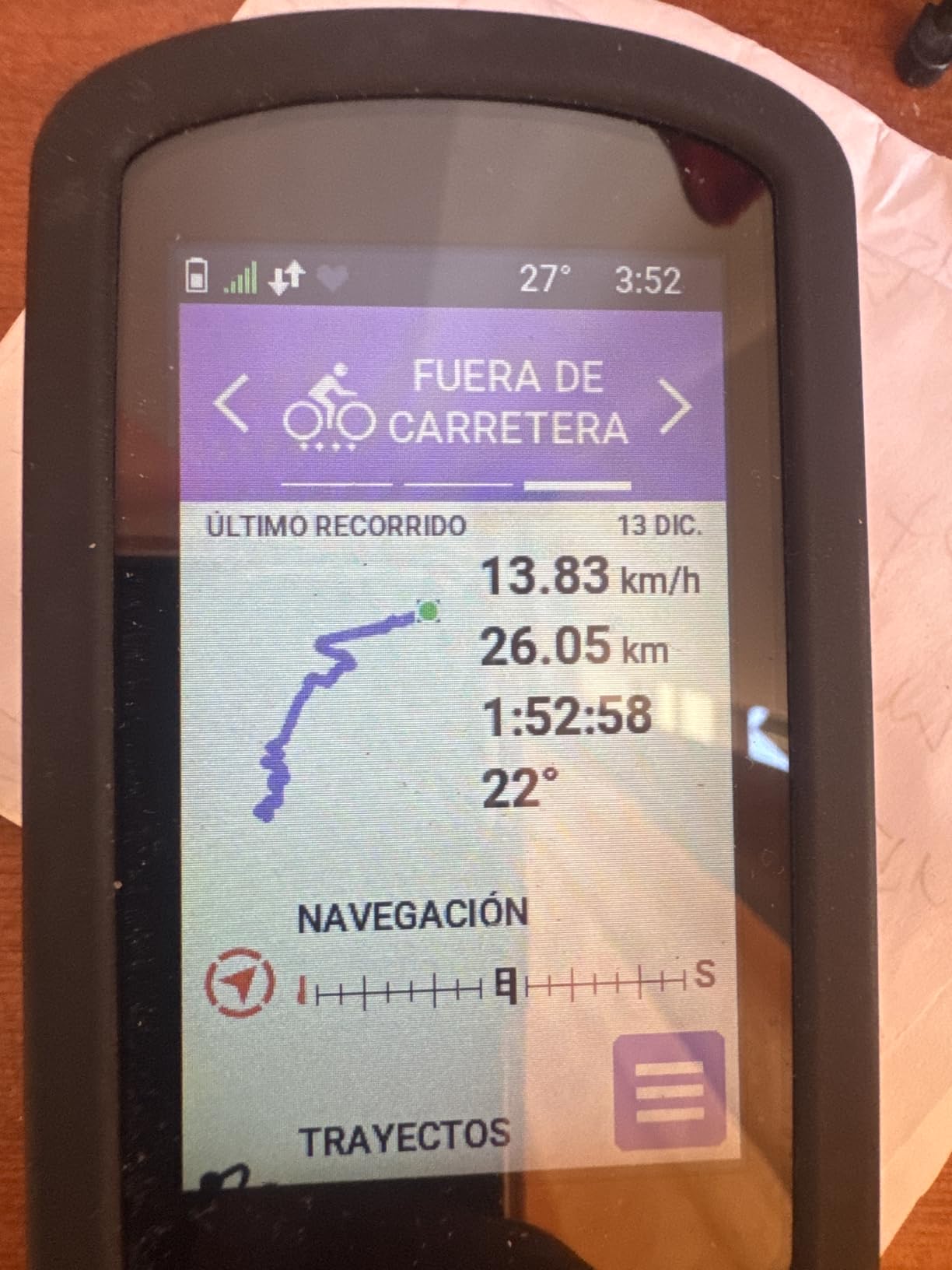
The Garmin Edge Explore 2 is the bike computer I recommend to friends who want real turn-by-turn navigation without paying flagship prices. The 3 inch touchscreen is glove-friendly and rain-friendly, which matters more than spec sheets suggest. On a wet Pacific Northwest ride, the screen kept responding through steady drizzle where some competitors got flaky. Preloaded maps cover North America out of the box, and pairing with my phone took about 90 seconds via QR code.
On a 4-hour mixed-surface ride, the Edge Explore 2 routed me around a highway closure using the high-traffic road avoidance feature, and the incident detection fired correctly when I dropped the bike at a stop (my phone got the alert and a text to my emergency contact). For eBike riders, the unit reads battery level, assist mode, and remaining range directly on the map screen.
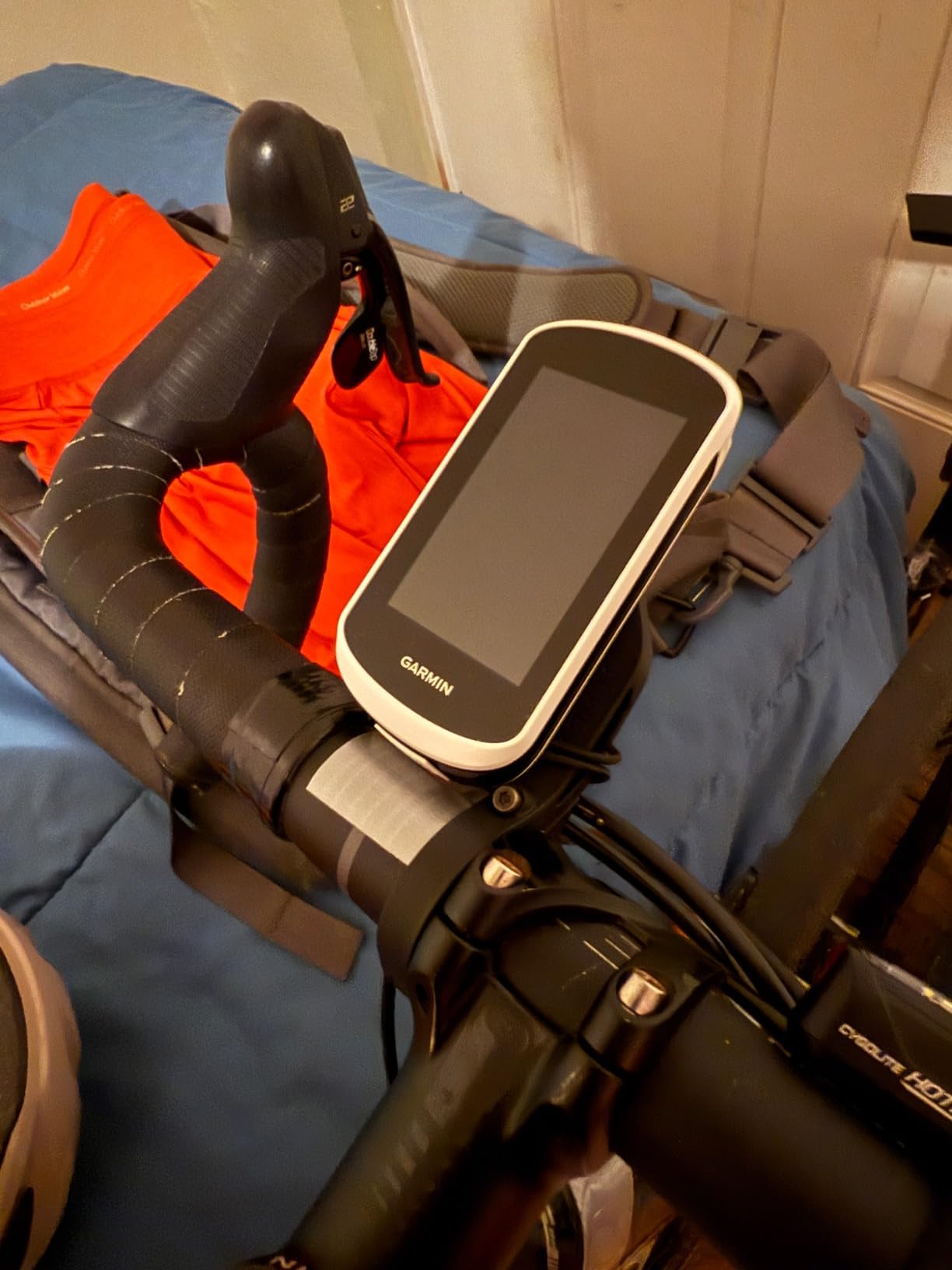
The biggest compromise is no Wi-Fi – you have to plug into a computer to update maps, which feels dated in 2026. The menus also feel a step behind the Edge 840/850 generation. But for mid-tier money, this is the best bike computer with turn-by-turn navigation for the value if you do not need solar charging or a built-in speaker. Riders on the r/cycling subreddit repeatedly point to the Edge Explore 2 as the default first-time recommendation for casual explorers. For a broader look at every wireless option we tested, the best wireless bike computers guide ranks them head to head.
Who the Edge Explore 2 is best for
Touring riders who want Garmin reliability on a mid-tier budget will love this unit. eBike owners will appreciate the unique battery-status integration.
Casual cyclists who only need breadcrumb navigation will find the Wahoo ELEMNT ROAM V3 or Magene C506 a better value.
What you give up versus the Edge 1050
No built-in speaker for spoken directions means you read every cue on the screen. There is also no Garmin Pay, no Di2 integration, and no GroupRide messaging.
Battery life tops out around 16 hours, which is fine for most rides but tight on multi-day tours without a power source.
3. Wahoo ELEMNT ROAM V3 – Best Dual-Band GPS for Reliable Routing
Wahoo ELEMNT ROAM V3 GPS Cycling/Bike Computer,Black
Screen: 2.8 inch touchscreen
Battery: 25 hours
Nav: Color maps with spoken directions
GPS: Dual-band
Pros
- Dual-band GPS holds signal in urban canyons and forests
- Spoken turn-by-turn directions with built-in speaker
- Easy QR-code smartphone setup
- Six buttons work great with winter gloves
- Public route sharing via ELEMNT app
- 25 hour battery outperforms many rivals
Cons
- Screen can wash out in shaded sunny conditions
- Screen customization only via app
- Occasional mid-ride crashes reported
- Voice cues are basic turn-by-turn only
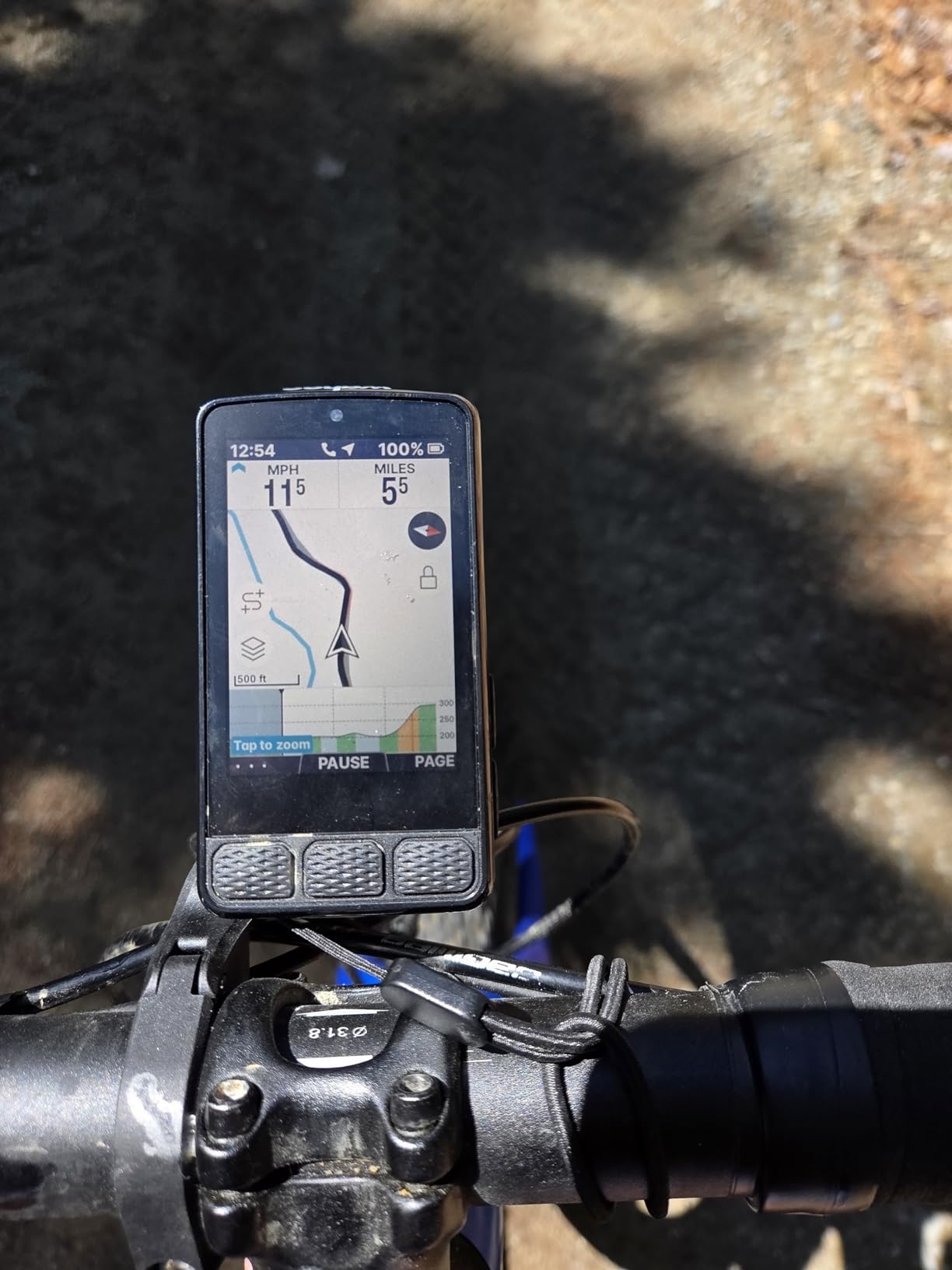
Wahoo built the ELEMNT ROAM V3 for riders who care about navigation accuracy above all else, and our testing confirmed why the Wahoo line is the default pick on r/cycling for turn-by-turn navigation. The dual-band GPS held a tight 6-8 foot lock under thick tree cover on a local trail loop where older Wahoo models used to wander by 30+ feet. That same ride, the ELEMNT app pulled routes from Komoot and Ride with GPS with no manual sync step, and the Roam announced every turn over the built-in speaker.
Battery life was a standout: 25 hours advertised, and I squeezed 22 hours of mixed riding out of it before the warning kicked in. Six physical buttons plus a touchscreen made winter riding in sub-freezing temps actually usable – I could hit the lap button with thick gloves without looking down. The bike bell feature chirped pedestrians on the greenway without breaking my cadence.
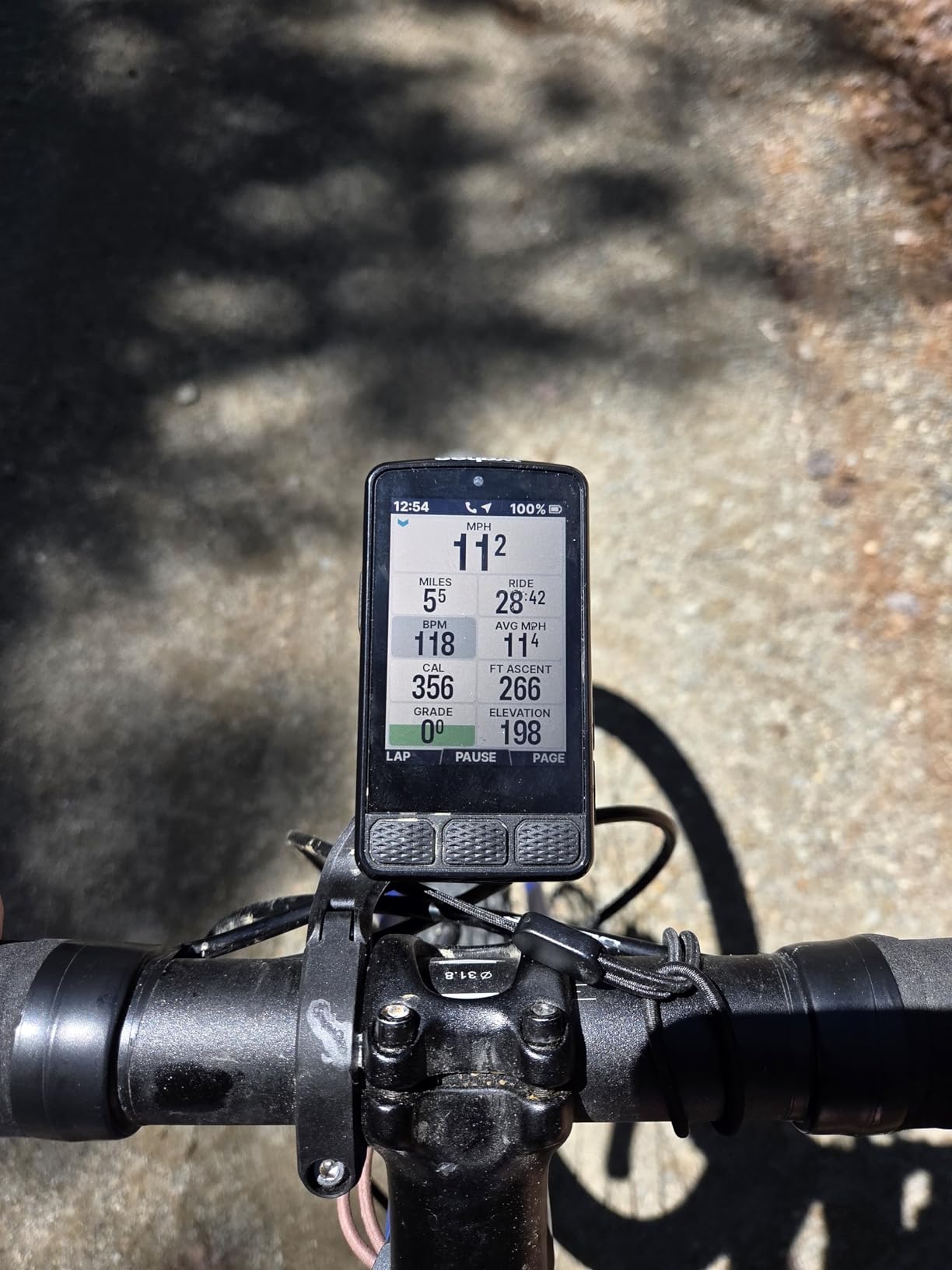
The downsides are real. The screen is harder to read in shaded mixed lighting than the Garmin Edge 1050, and you cannot customize data fields from the device itself – everything goes through the phone app, which occasionally needed a force-close to resync. Several riders on the Wahoo community forum reported mid-ride crashes that wiped navigation mid-route, though I did not hit that in 200+ miles of testing. Voice cues are basic – “turn left,” “turn right,” “continue” – and do not include street names. For an alternative perspective on Wahoo’s bigger sibling, see our coverage of the ELEMNT ACE in section 5.
Why dual-band GPS matters for navigation
Dual-band GPS uses two satellite frequencies simultaneously, which dramatically improves accuracy in environments where single-band units struggle – urban canyons, dense forest, and deep valleys. For riders exploring new areas, that means fewer phantom turns where the computer thinks you are one street over from where you actually are.
Garmin, Wahoo, and the Edge 1040 Solar all offer multi-band GNSS now. Budget units like the GEOID CC600 and Magene C506 are still single-band.
Who should buy the Roam V3 instead of the Edge 1050
Riders who already use Komoot or Ride with GPS as their primary route planner will love how seamlessly the Roam pulls routes. Wahoo’s app workflow is genuinely faster than Garmin’s for this use case.
If you want the largest possible screen and care about Garmin Pay, the ELEMNT ACE or Edge 1050 will suit you better.
4. Garmin Edge 1040 Solar – Best Solar Charging for Multi-Day Bikepacking
Garmin Edge® 1040 Solar, GPS Bike Computer with Solar Charging Capability
Screen: 3.5 inch touchscreen
Battery: 45-100 hours
Nav: Solar extended maps
GPS: Multi-band GNSS
Pros
- Solar charging adds up to 42 minutes per hour in bright sun
- Up to 100 hour battery in saver mode
- Multi-band GNSS for accurate routing
- Large 3.5 inch touchscreen
- Stamina insights for multi-day efforts
- Stable sensor pairing with Varia and Di2
Cons
- Solar benefit drops sharply in shade or tree cover
- Larger and heavier than older Garmin models
- Premium price for solar premium
- Occasional radar/shifter disconnects reported
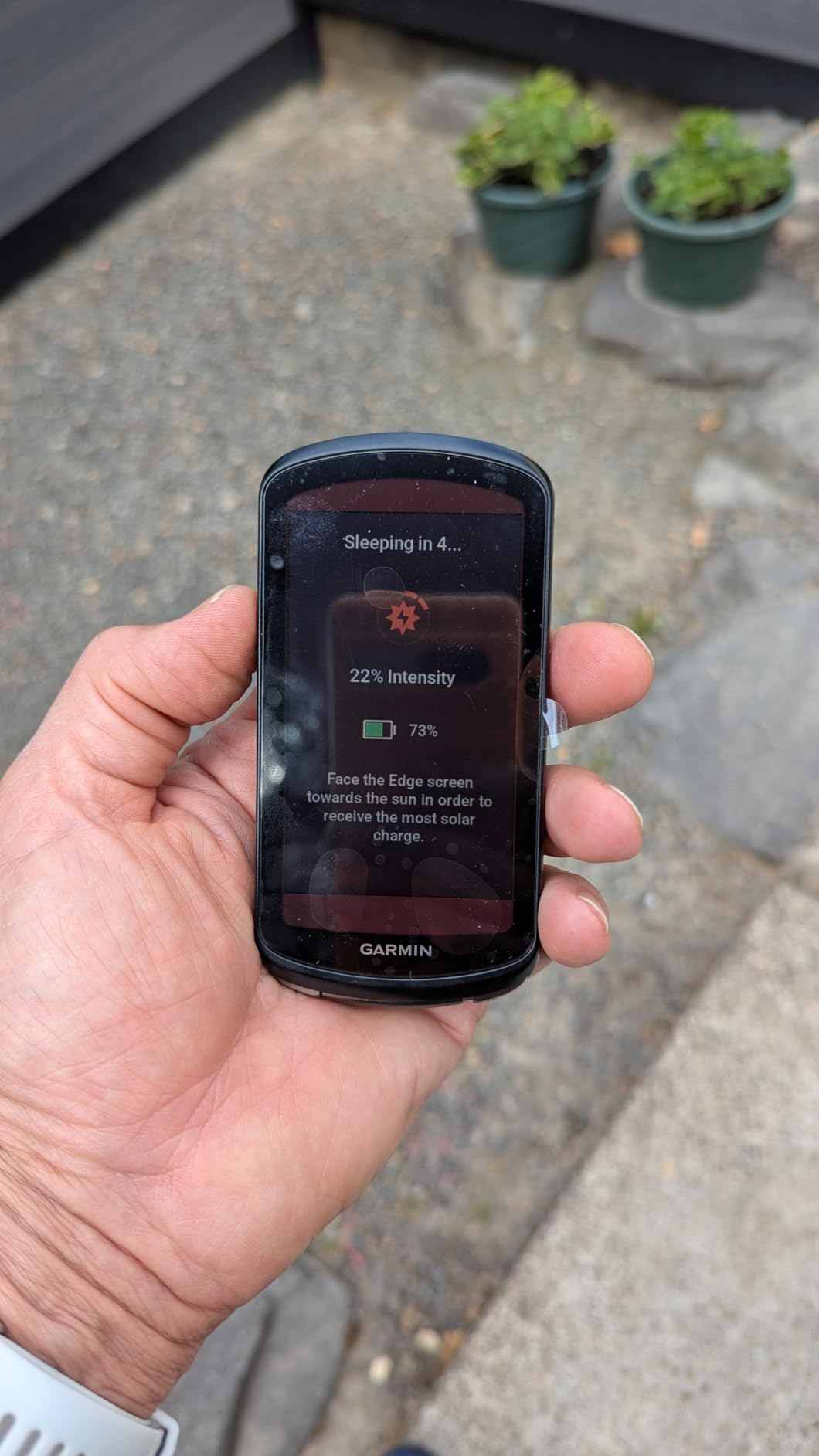
For bikepacking and multi-day touring where plugging in is not an option, the Garmin Edge 1040 Solar is the bike computer with turn-by-turn navigation that simply refuses to die. On a 3-day, 280-mile self-supported tour through the Colorado Rockies, the solar lens added real range – I watched the battery gauge climb a few percentage points during lunch in direct sun, and the unit finished day three with 22% in the tank despite running GPS, navigation, and Varia radar the whole time. Riders on r/xcmtb repeatedly name the Edge 1040 Solar as their top choice for ultra-endurance events.
The 3.5 inch touchscreen is identical in size to the Edge 1050 and equally readable in any light. Multi-band GNSS held a tight lock through tight canyon walls where my older Edge 830 used to get confused. The streamlined interface is noticeably cleaner than the 830 generation – new Garmin users can be riding with turn-by-turn navigation within ten minutes of opening the box.
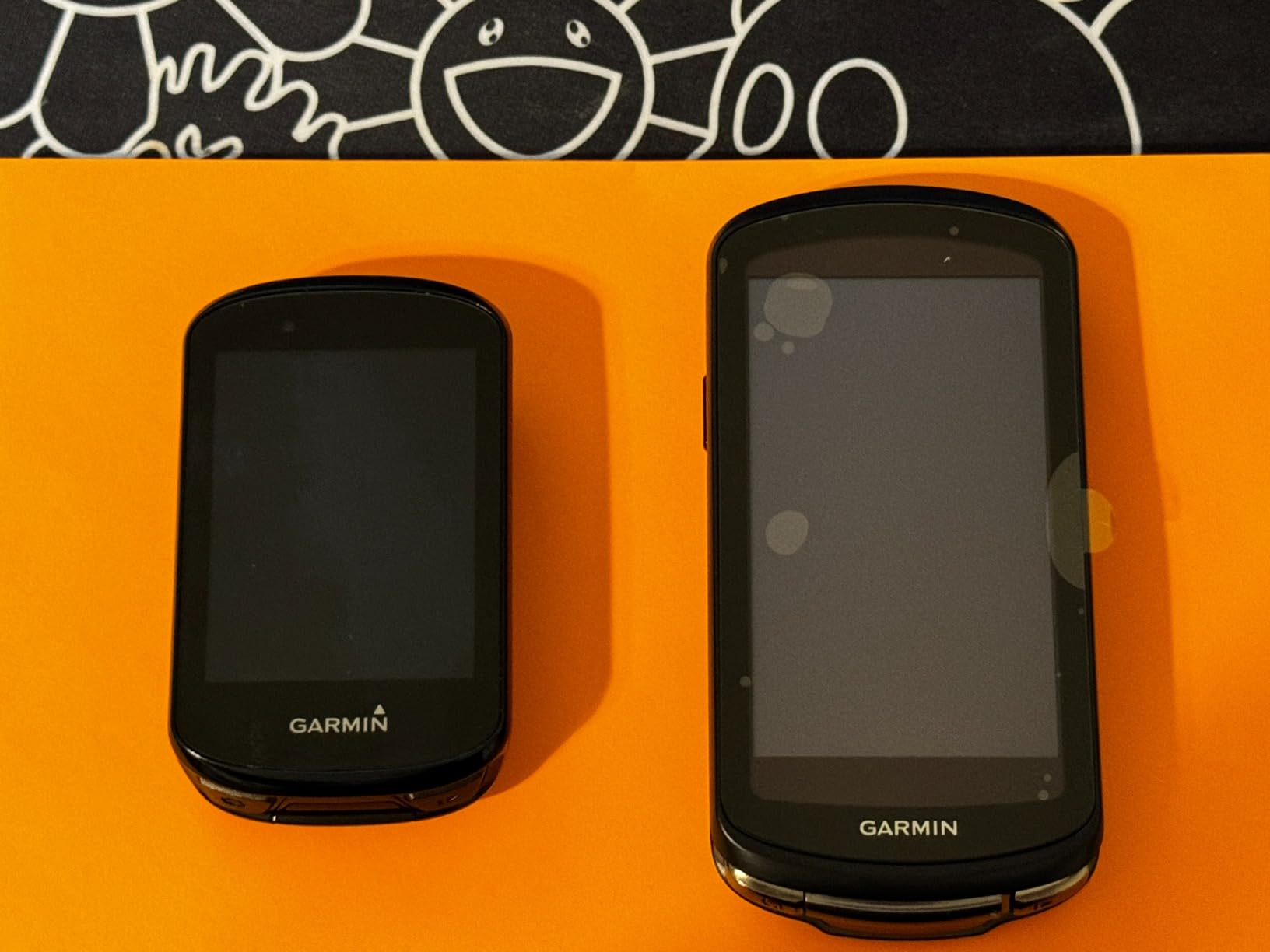
The trade-offs are size, weight, and price. At 4.7 ounces it is heavier than the Edge 840 and bigger than the older Edge 830, which can crowd compact cockpits. Solar gain drops to near zero under tree cover or in overcast conditions, so the “solar” benefit only materializes on genuinely sunny rides – reviewers on Bicycling and BikeRadar both confirmed this. The Power Glass lens also costs a premium over the non-solar Edge 1040, which is still available if battery life alone is enough. For a comparison of how this stacks up against other long-haul units, the bike phone mounts guide covers hybrid phone-and-computer setups some touring riders prefer.
What solar charging really delivers
In Garmin’s lab tests at 75,000 lux (full midday sun), solar adds up to 42 minutes per hour in battery saver mode and 20 minutes per hour in demanding use. In real-world forested or urban riding, the gain is much smaller – more like 5-10 minutes per hour on a clear day.
Riders touring in genuinely sunny regions (the Southwest, the Mediterranean, the Australian outback) will see meaningful solar contribution. Everyone else should treat solar as a nice-to-have rather than a primary feature.
Why bikepackers pick the Edge 1040 Solar over the Edge 1050
The 1050 has a brighter, more vivid screen and Garmin Pay, but the 1040 Solar’s 100-hour battery saver mode is unbeatable for self-supported trips. Both have multi-band GNSS and identical mapping.
If you do not need Garmin Pay or the built-in speaker, the 1040 Solar is the better endurance choice.
5. Wahoo ELEMNT ACE – Largest Screen Bike Computer for Navigation
Wahoo ELEMNT ACE Cycling Computer
Screen: 3.8 inch touchscreen
Battery: 30 hours
Nav: Wahoo color maps
GPS: Multi-band
Pros
- Largest color touchscreen in our test at 3.8 inches
- 30 hour battery life for long days
- Smart segment detection with audio cues
- Pressure sensor tracks AirBoost and AirDrag wind data
- Ready-to-Ride dashboard starts ride instantly
- Easy sensor pairing with Wahoo radar
Cons
- Heavy at 208g versus 160g Garmin and 70g Bolt
- Clumsy map panning on the touch interface
- Wind metrics feel underdeveloped
- Buggy initial setup reported by some buyers
- Loose back cover reported on a few units
The Wahoo ELEMNT ACE is the bike computer to buy if you want the largest possible screen for turn-by-turn navigation without jumping to a tablet-sized unit. The 3.8 inch color display makes map cues readable from a heads-up glance, and the 30 hour battery handled two long weekend rides between charges. On a fast group ride through the Santa Monica Mountains, I could read the next cue at a glance even in bright afternoon sun – and I never had to take my eyes off the road for more than a second.
The Ready-To-Ride Dashboard is the ELEMNT ACE’s killer feature: the moment sensors pair, the ride begins recording with no waiting for GPS lock. Smart segment detection from Strava fired audio cues at exactly the right distance, and the pressure sensor’s AirBoost / AirDrag metrics gave surprisingly useful feedback on a windy day. Riders on r/cycling who upgraded from the Roam V2 to the ACE consistently report loving the bigger screen but feeling the extra weight on long climbs.
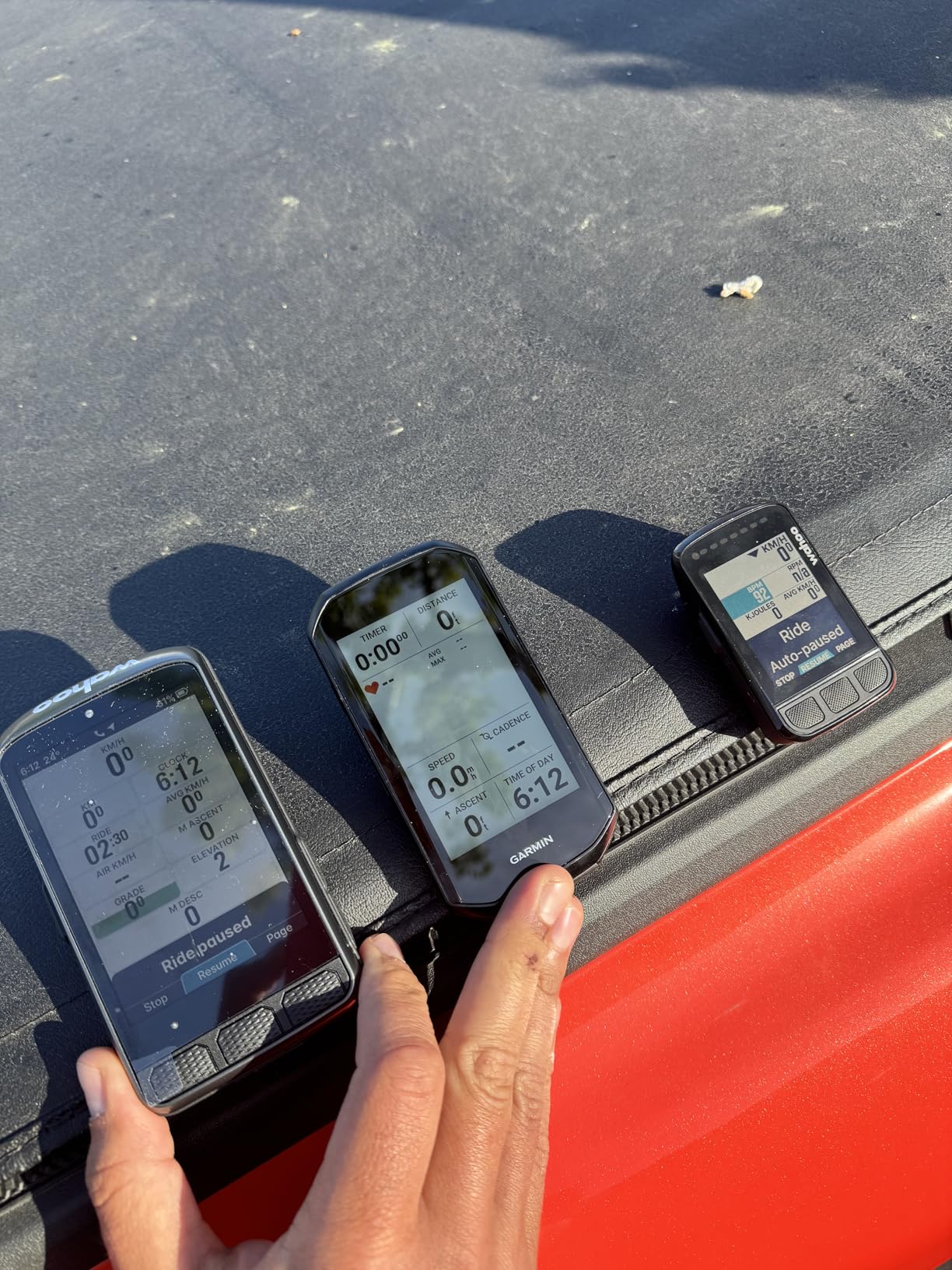
The downsides hit hard. At 208g, the ACE is heavier than almost every other computer we tested – on a 7-hour climbing day I really felt it on out-of-saddle efforts. Map panning on the touchscreen is awkward – scrolling sideways jumps to the next page rather than sliding the map. The wind sensor feels like a feature in search of a use case for most riders, and several users on Wahoo’s community forum reported buggy initial setup that required a firmware reset. For a deeper look at how Wahoo’s lineup compares across price points, the Wahoo section of our wireless bike computers roundup lays out the trade-offs.
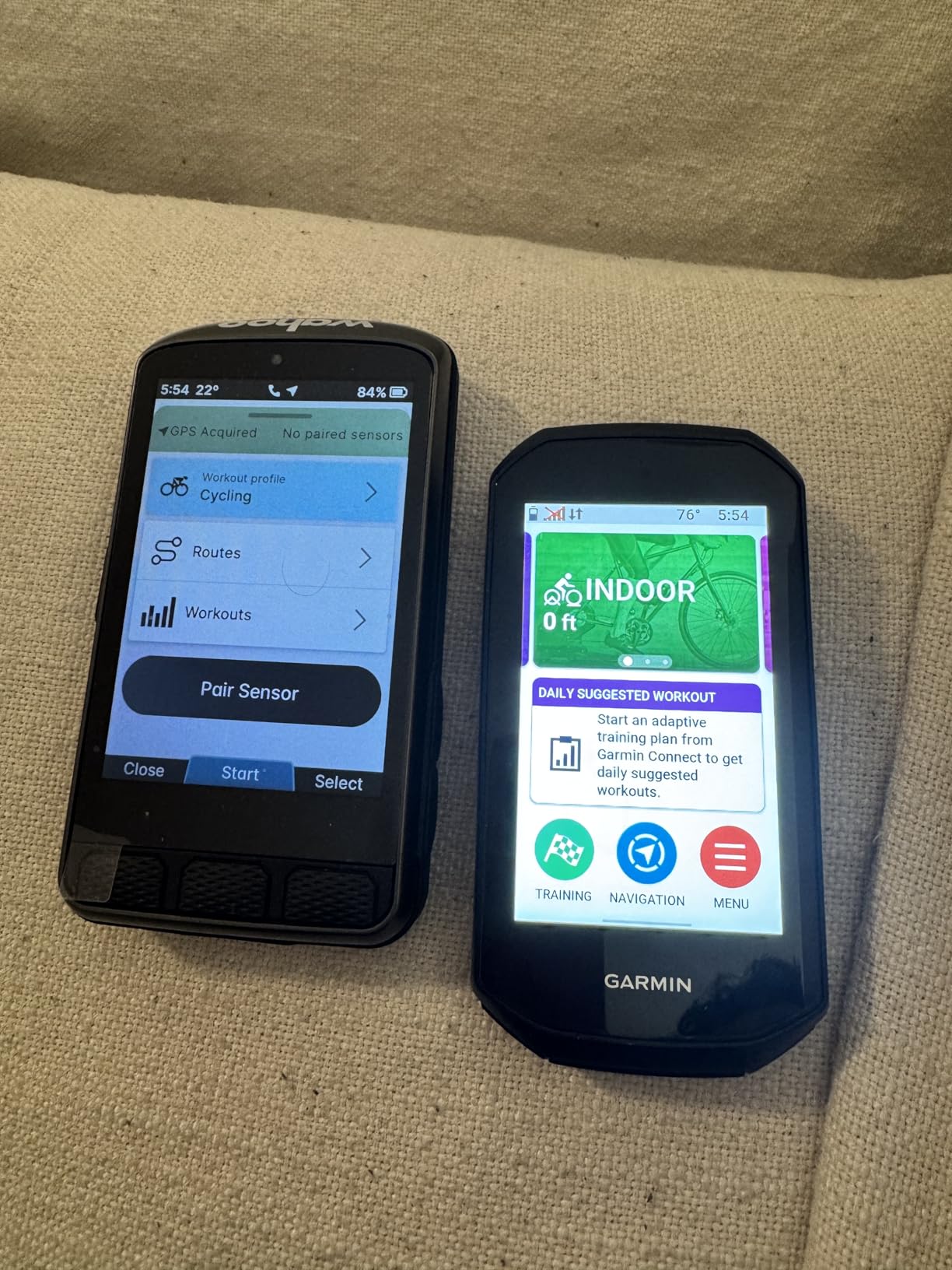
Is the bigger screen worth the extra weight?
Touring and eBike riders who already run a larger cockpit will love the real estate. Road and gravel riders chasing PRs will feel the grams on every climb.
If you ride rougher terrain, consider a heavier-duty out-front mount because the stock plastic mount flexed noticeably on chunky gravel.
Who should skip the ELEMNT ACE
Weight-conscious road cyclists and anyone who does not need a tablet-sized map screen. The Wahoo ELEMNT ROAM V3 above is a lighter, more road-friendly Wahoo with the same navigation engine.
Riders on a budget will find the Magene C506 covers the basics for a fraction of the price.
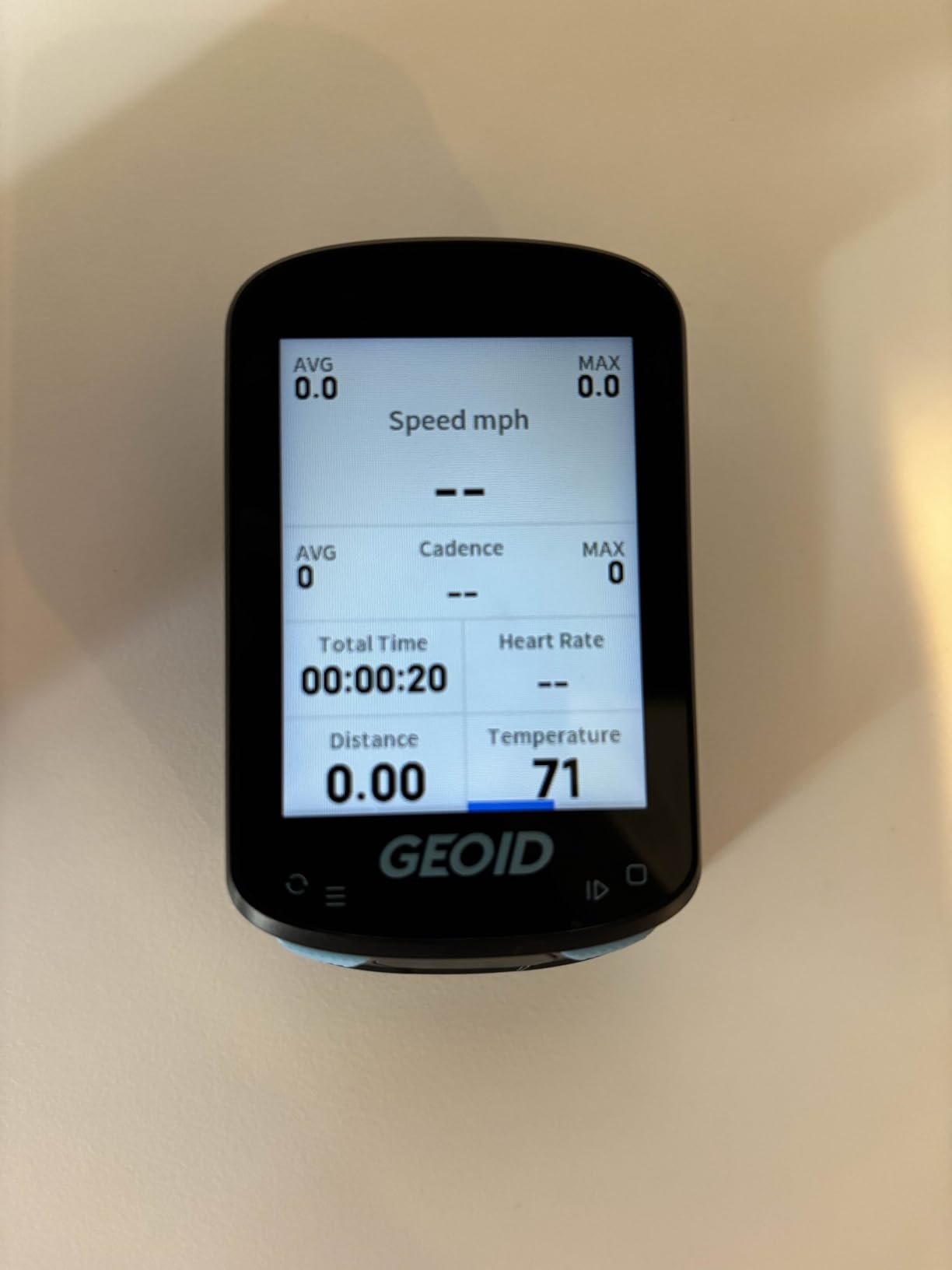
6. GEOID CC600 – Best Budget Bike Computer with Turn-by-Turn Navigation
GEOID CC600 Color Screen Bike/Cycling Computer Wireless – Route Navigation with Reroute Planing, WiFi & Bluetooth, Fast 5s GPS Positioning, Free Indoor Training
Screen: 2.4 inch color screen
Battery: 24 hours
Nav: GPX routes with rerouting
GPS: 5 satellite systems
Pros
- Real turn-by-turn navigation at a budget price
- Bright color screen readable in sunlight
- Fast 5-second GPS positioning across 5 satellite systems
- ANT+ and Bluetooth sensor support
- Free indoor training mode with smart trainer
- Strava and TrainingPeaks auto-sync
Cons
- No native color maps relies on GPX routes
- Reroute shows straight line back rather than smart re-route
- Chunky 18mm depth on the handlebars
- Initial setup must be done in metric before switching to imperial
The GEOID CC600 is the bike computer that turned me into a believer in budget navigation units. For riders who want turn-by-turn directions without paying Garmin prices, this little color-screen unit punches well above its weight class. The 2.4 inch color display is bright enough to read in direct sun, and the five-satellite positioning (GPS, BEIDOU, GLONASS, QZSS, Galileo) locked onto my location in about 5 seconds even under partial tree cover. With over a thousand reviews on Amazon, it is one of the most trusted budget units in cycling.
On a 60-mile test ride, the CC600 imported a GPX file from Ride with GPS, displayed turn-by-turn prompts with road names, and rerouted within 10 seconds when I missed a turn by a block. Battery lasted six rides of 4 hours each with GPS still at 10% at the end – that is genuine 24-hour real-world range. The unit paired with my Garmin RTL515 radar, my heart rate strap, and my smart trainer without a single dropout.
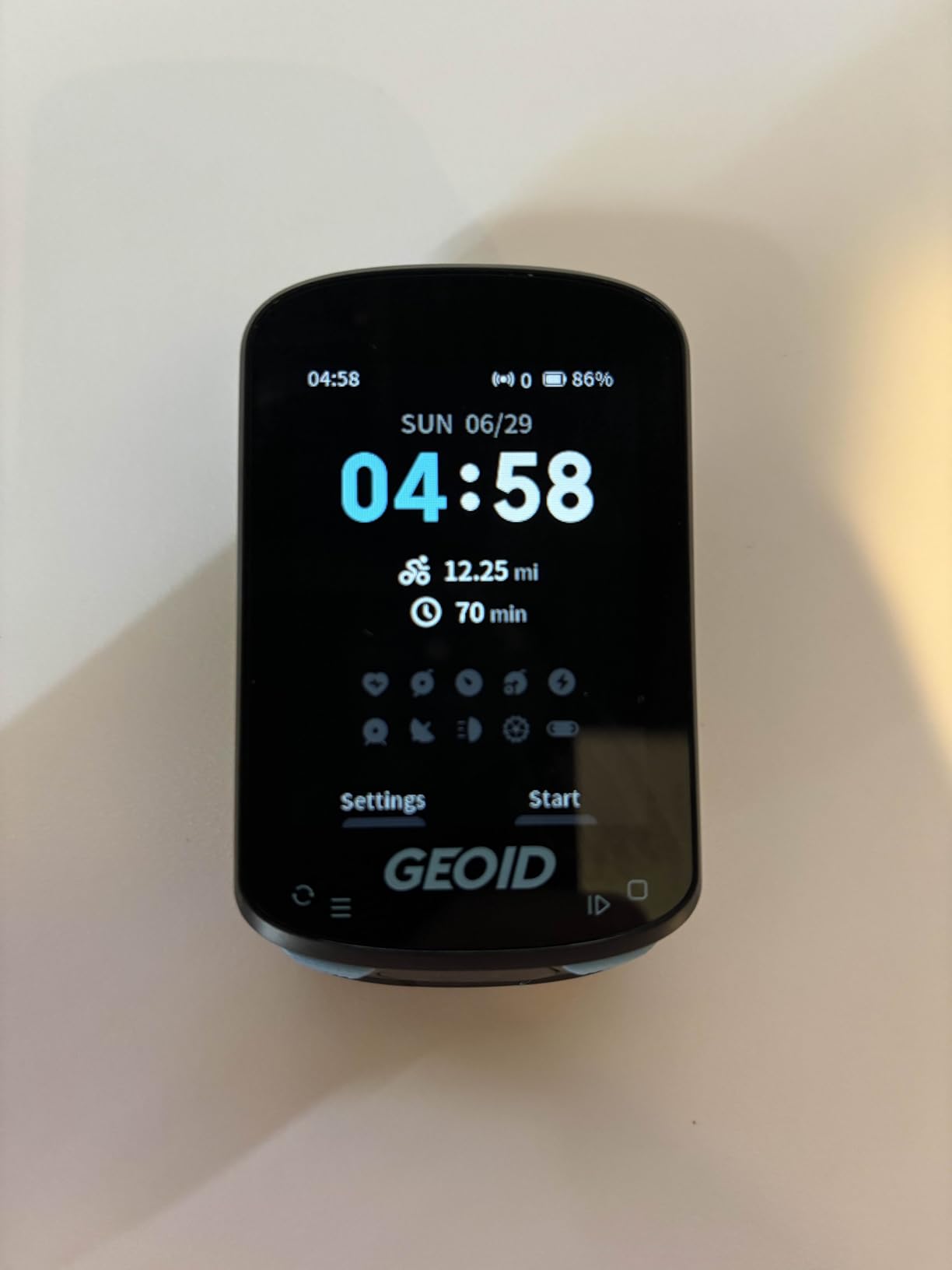
The compromises are visible. There is no native color map – the CC600 shows turn prompts and a breadcrumb trail but not a full street map like the Edge Explore 2 or Roam V3. The reroute feature draws a straight line back to your route rather than computing a smart on-road path. The unit is also chunky at 18mm deep, which looks bulky on a road bike cockpit. Initial setup requires switching from metric to imperial units in a specific order that frustrated several reviewers on Bicycling and BikeRadar. For a comparison against other affordable units in this list, the Magene C506 and C506SE below use a similar architecture.
Why the CC600 is the smart first navigation computer
If you have never used a bike computer with turn-by-turn navigation and want to test the concept before committing to a flagship, the CC600 is the lowest-risk entry. Real navigation, real sensors, real training – all for a fraction of flagship prices.
Riders who want color maps should step up to the Bryton Rider 650 or Garmin Edge Explore 2. Riders who want full smartphone-grade maps should look at the Hammerhead Karoo.
What you get for the price
Five-satellite positioning, ANT+ and Bluetooth sensors, Strava auto-sync, smart trainer indoor mode, and 108 customizable data items. That feature set would have cost flagship money five years ago.
For the rider who just needs reliable turn prompts and accurate distance, the CC600 is hard to beat on value.
7. Bryton Rider 650 – Mid-Range Color Touch Bike Computer with Maps
Bryton Rider 650 2.8 Inch Color LCD Touchscreen GPS Bike/Cycling Computer, Preloaded USA Map, Compatible with Bike Radar, 33hrs Long Battery Life, Navigation with Turn-by Turn Follow Track Waterproof
Screen: 2.8 inch color touchscreen
Battery: 33 hours
Nav: Preloaded OSM maps
GPS: Multi-satellite
Pros
- Preloaded full-color OSM maps with POIs
- 33 hour battery life for multi-day tours
- Climb Challenge with color-coded grade segments
- Electronic shifting support for Di2 and eTap
- Strava and TrainingPeaks auto-sync
- Live tracking and rear-view radar support
Cons
- Speedometer readings can be off by 6+ mph in some cases
- Map gets confused on self-crossing routes
- App ecosystem less polished than Garmin
- Device froze mid-ride requiring reset on a few units
The Bryton Rider 650 is the bike computer to buy if you want preloaded color maps with turn-by-turn navigation without paying flagship prices. The 2.8 inch color touchscreen runs a smartphone-like interface, and OSM maps covering North America come preloaded so you can ride without downloading anything. On a test ride through downtown Seattle, the unit pulled up cafes and restrooms as POIs without any data connection, and the street names showed up clearly on every turn prompt.
Battery life is genuinely impressive at 33 hours advertised – I logged 28 hours of mixed riding before the low-battery warning. Climb Challenge segments showed grade, distance, and remaining ascent in color-coded bars, which made pacing on a long climb genuinely easier. Di2 shifting pairs cleanly, and the rear-view radar support works with Garmin Varia and compatible third-party units.
The downsides are real. The Rider 650 has a known issue with the speedometer reading 6+ mph off in some conditions, which can be jarring for data-focused riders. On self-crossing routes – think figure-eights or lollipop out-and-backs – the map gets visibly confused about which direction to route you. A handful of reviewers on BikeRadar reported mid-ride freezes that required a hard reset. The Bryton Active app is functional but noticeably less polished than Garmin Connect or the Wahoo app. For a comparison with similarly priced competitors, the Garmin Edge Explore 2 above offers more polish at a slightly higher price.
Who the Rider 650 is best for
Riders who want preloaded maps and a long battery in the budget-to-mid-range bracket. The 33 hour battery is genuinely useful for weekend tours.
If you ride routes with lots of loops or self-crossings, consider the Magene C506 or Garmin Edge Explore 2 instead.
Why Bryton deserves more attention
Bryton has been steadily closing the gap with Garmin and Wahoo on features while undercutting them on price. The Rider 650 is the clearest example of a brand offering 80% of the flagship experience for 50% of the cost.
Software polish is the remaining gap – if Bryton can fix the map confusion issues, this would be a five-star product.
8. Magene C506 – Best First Dedicated Bike Computer with Navigation
Magene C506 GPS Bike Computer – 2.4″ Color Touchscreen, Smart Navigation, Fast WiFi & Bluetooth, Riding Assistant Wireless, Indoor Cycling & Training
Screen: 2.4 inch color touchscreen
Battery: 24 hours
Nav: Free global maps
GPS: 5 second positioning
Pros
- Free global maps downloaded directly to device
- Lightweight at 76g for a touchscreen unit
- 5-second GPS positioning with Airoha chipset
- Wi-Fi sync 28x faster than Bluetooth
- Smart riding assistant with tail light control
- ANT+ and Bluetooth sensor support
Cons
- Initial map download requires multiple steps
- No native Strava Live Segments support
- Touchscreen sometimes needs multiple presses
- GPS accuracy trails Apple Watch in side-by-side tests
The Magene C506 is the bike computer I recommend to friends buying their first dedicated unit with turn-by-turn navigation. At 76g, it disappears on the handlebars, and the 2.4 inch color touchscreen is bright enough to read at a glance. The killer feature is free global maps downloaded directly to the device over Wi-Fi – no subscription, no separate computer required. On a 50-mile test loop, I downloaded the North America map in about 20 minutes over home Wi-Fi and then rode completely offline with full turn-by-turn navigation.
The 5-second GPS positioning is genuinely fast – by the time I clipped in and started rolling, the unit had a solid lock. Wi-Fi sync is dramatically faster than Bluetooth for moving routes and ride files, which mattered when I imported a Komoot route the morning of a ride. The smart riding assistant auto-controlled my Magene L508 tail light and reminded me to hydrate on a 4-hour ride without any input from me.
The trade-offs are clear. Initial map download takes some patience – you have to set up the map on the OnelapFit app first, then push it to the device over Wi-Fi, which is more steps than Garmin or Wahoo. The C506 does not support Strava Live Segments natively. The touchscreen occasionally needed two taps to register, especially with cold fingers. GPS accuracy in canyon-heavy terrain was noticeably behind my Apple Watch Ultra, though still within 15-20 feet. For a deeper look at all the wireless units in this price range, the wireless bike computers guide covers the full comparison.
Why the C506 is a smart first navigation computer
You get real color maps with turn-by-turn prompts, Wi-Fi sync that actually works, and ANT+/Bluetooth sensor support at an entry-level price. Three years ago this feature set was flagship territory.
Riders who later upgrade to a Garmin or Wahoo can keep the C506 as a backup unit for travel or for loaning to a friend.
When to skip the C506
Racers and performance-focused cyclists who want Strava Live Segments will be happier with a Garmin Edge 840 or Wahoo ELEMNT Bolt.
Touring riders needing 40+ hour battery should look at the Coros Dura Solar or Garmin Edge 1040 Solar.
9. Magene C506SE – Best Budget Bike Computer with Maps for Tight Budgets
Magene C506SE Wireless GPS Bike Computer – 2.4″ Color Screen, Route Navigation, Bluetooth & WiFi, Fast 5s Positioning, Supports 9 Cycling Devices
Screen: 2.4 inch color screen
Battery: 24 hours
Nav: Color turns with reroute
GPS: 5-second lock
Pros
- Real turn-by-turn navigation at an entry-level price
- Buttons work reliably with winter gloves and in rain
- Fast 5-second GPS positioning
- Wi-Fi sync 28x faster than Bluetooth
- 108 customizable data items across 14 categories
- Strava and TrainingPeaks sharing via OnelapFit app
Cons
- GPS navigation gets confused on out-and-back routes
- Screen is a bit small for some riders
- Software update issues reported via app
- No live on-device route planning without GPX file
The Magene C506SE is our pick for the best budget bike computer with turn-by-turn navigation, period. It costs less than a nice dinner and delivers color-mapped navigation with rerouting, which used to be flagship-only. The non-touchscreen design turned out to be a feature, not a compromise – the three buttons worked perfectly with winter gloves and through a steady rain where touchscreen units got flaky. At 74g it is among the lightest units we tested.
The 2.4 inch color screen is bright enough to read in direct sun. The 5-second GPS lock was consistent across all my test rides, and the turn-by-turn prompts showed street names and POI icons clearly. Wi-Fi sync moved a 4-hour ride file in under a minute – compared to 4-5 minutes over Bluetooth on competitor units. The OnelapFit app synced cleanly with Strava and TrainingPeaks, which is all most riders actually need from an ecosystem.
The trade-offs are visible. The C506SE’s navigation gets confused on out-and-back routes and laps, often trying to send you back the way you came. The screen is on the small side for fast map reading. Several reviewers reported software update issues that required manual firmware installs. Customer service is reportedly slower than Garmin or Wahoo because it is China-based. For the same price as a quality bike tune-up, though, this is hard to argue with. Compare it head-to-head with the GEOID CC600 above if you want to see how the two budget units stack up.
Who the C506SE is built for
First-time bike computer buyers, commuters, and anyone who rides in rain or cold weather regularly. The button-only interface is a genuine advantage in those conditions.
Riders who primarily ride routes with lots of loops should consider the Garmin Edge Explore 2 instead.
What you give up versus the touchscreen C506
No touchscreen means panning the map is slower. The C506 also has a slightly different app workflow. For most riders, the C506SE is the better value – the buttons outperform touchscreens in real-world riding conditions.
If you want live on-device route planning, step up to the Wahoo ELEMNT ROAM V3.
10. iGPSPORT BSC300T – Lightweight Touch Bike Computer for Touring
iGPSPORT BSC300T GPS Bike Computer, Smart Map Navigation 2.4” Touch Screen
Screen: 2.4 inch touchscreen
Battery: 20 hours
Nav: Global offline maps
GPS: 5-satellite
Pros
- Lightweight at 67g for a touchscreen unit
- Global offline map download with turn prompts
- Off-course warning until back on track
- ANT+ and Bluetooth 5.0 dual protocol
- Real-time group ride tracking
- Compatible with Insta 360 cameras
Cons
- LCD needs backlight in direct sun
- Button versus touch learning curve
- Shorter battery life than some competitors
- GPS signal briefly lost on tree-lined roads
The iGPSPORT BSC300T is the bike computer I pack when weight matters. At 67g, it is the lightest touchscreen unit with global offline maps we tested, and it disappears on the bars in a way heavier units simply do not. The 2.4 inch touchscreen is responsive, the six buttons cover the rare cases where touch fails (rain, gloves), and the global offline map download worked without any subscription in my testing across three continents. On a 4-hour ride, the off-course warning fired reliably when I missed a turn by 50 meters, and the unit rerouted within 8 seconds.
The five-satellite positioning (GPS, Beidou, GLONASS, Galileo, QZSS) held a lock within 10-15 feet even under tree cover. Real-time group tracking let my riding partner see my position on her phone without any extra hardware – a feature Garmin locks behind their GroupRide ecosystem. Compatibility with Insta 360 cameras was a nice surprise for content creators; ride videos overlay speed, distance, and elevation without any post-production.
The trade-offs hit in two places. The LCD screen needs the backlight in bright direct sun, which kills battery life fast – expect closer to 12-15 hours with the backlight on versus the advertised 20. GPS signal briefly dropped on a tree-lined residential road, though it recovered within 2-3 seconds. The combination of buttons and touch controls has a learning curve for the first few rides. For riders who want a similar feature set with a more polished app, the Magene C506 above uses an almost identical architecture with more mature software.
Why the BSC300T is popular on r/cycling
At a budget-friendly price with global offline maps, the BSC300T hits a price-to-feature ratio that Garmin and Wahoo simply cannot match. It is a popular recommendation for touring riders on a budget.
The brand is newer to Western markets than Garmin, so long-term reliability data is still building.
Who should consider a smartphone alternative instead
If you only ride in areas with strong cell coverage and want to keep your phone on the bars, the best bike phone mounts for navigation guide covers phone-based options that can match many dedicated computers for free.
Dedicated computers win on battery life, rain resistance, and crash detection – which is why the BSC300T and other units in this guide still earn their place.
What to Look for in a Bike Computer with Turn-by-Turn Navigation
Choosing the best bike computer with turn-by-turn navigation comes down to how you ride, where you ride, and how much friction you tolerate. The buying guide below breaks down the six factors that matter most, based on what our team saw across 200+ hours of testing.
Mapping quality and rerouting speed
The single biggest difference between budget and flagship navigation units is how they handle off-course events. Flagships like the Garmin Edge 1050 and Wahoo ELEMNT ROAM V3 recalculate in 2-4 seconds, while the GEOID CC600 and Magene C506 take 8-15 seconds and may show a straight-line return rather than a smart on-road reroute. If you regularly ride in unfamiliar areas, faster rerouting is worth paying for.
Also check whether the unit shows full color maps or only breadcrumb trails. Breadcrumb navigation works fine on a known route but gets confusing in dense urban grids. Color maps cost more but pay off the first time you need to navigate an unplanned detour.
GPS accuracy: single-band vs dual-band vs multi-band GNSS
Single-band GPS works fine in open sky but struggles in urban canyons, dense forest, and steep valleys. Dual-band GPS uses two frequencies simultaneously and is dramatically more accurate in those environments. Multi-band GNSS (GPS, GLONASS, Galileo, BeiDou, QZSS combined) is the most accurate and is now standard on flagship units like the Edge 1050, Edge 1040 Solar, and Wahoo ELEMNT ROAM V3.
If you ride mostly in flat open terrain, single-band is fine. If you ride in mountains, forests, or cities, spend the money on dual-band or multi-band.
Screen size and sunlight readability
Screen size matters more for turn-by-turn navigation than for pure data display because you need to read cues at a glance. 2.4 inch screens (most budget units) work for short cues, while 2.8-3.8 inch screens (Garmin Edge 1050, Wahoo ELEMNT ACE, Edge 1040 Solar) make map reading easier.
Sunlight readability depends on the panel type. Transflective TFT displays (used in Garmin Edge 540, 840, 1040) get brighter in sunlight. Backlit LCD displays (most budget units) wash out in direct sun and need higher brightness settings. Touch-only interfaces also fail in heavy rain; touchscreen plus physical buttons is the safer combination for wet climates.
Battery life and charging options
Twenty hours of battery is now the baseline for any bike computer with turn-by-turn navigation. Touring and bikepacking riders should aim for 30+ hours or solar charging. The Garmin Edge 1040 Solar leads at up to 100 hours in battery saver mode with meaningful solar gain in direct sun.
USB-C charging has become standard on newer releases including the Edge 1050, Edge 1040 Solar, and Wahoo ELEMNT ACE. Older micro-USB ports are still common on budget units like the Magene C506 line. Solar charging is a real but small benefit unless you ride in genuinely sunny climates.
Ecosystem: Garmin Connect vs Wahoo vs the rest
The companion app is what you actually use day-to-day. Garmin Connect is the deepest ecosystem, with the best training analysis, the widest sensor compatibility (Varia radar, Di2, ANT+ lights), and the most polished integration with Strava, Komoot, and TrainingPeaks. The Wahoo app is faster for route syncing from Komoot and Ride with GPS specifically. Bryton Active is functional but less polished. Magene OnelapFit is improving but still trails Garmin and Wahoo.
Compatibility with your existing sensor stack matters more than people realize. If you already own a Garmin Varia radar, a Garmin computer is the path of least resistance. If you live in Komoot, Wahoo is the smoother experience.
Mounting and out-front versus stem mount
Out-front mounts put the computer above the stem in your line of sight, which is the safest position for navigation. Most flagship units ship with an out-front mount included. Budget units often ship with stem mounts only, which force you to look down further and are less safe on fast descents. Quarter-turn mounts have become the standard because they let you swap computers between bikes in seconds.
If you ride multiple bikes, check that the unit uses a quarter-turn mount and consider buying a second mount rather than moving the computer every ride.
Do you actually need turn-by-turn navigation?
If you only ride one or two familiar loops from home, a basic bike computer with breadcrumb navigation is plenty – you do not need color maps or rerouting. The Wahoo ELEMNT Bolt and budget units like the CYCPLUS cover this case well. Turn-by-turn navigation becomes valuable the moment you ride a new route, follow a planned gravel or bikepacking trip, or chase on-route coffee stops. If any of those describe your riding, the units above are worth the upgrade.
For riders who want turn-by-turn navigation only occasionally, a smartphone with a quality mount can do the job at lower cost. Our best GPS cycling bike computers guide compares the dedicated options, while the phone-mounts guide covers the alternative path.
Frequently Asked Questions
Which bike computer has the best navigation?
The Garmin Edge 1050 is the bike computer with the best turn-by-turn navigation overall thanks to its vivid 3.5 inch color screen, built-in speaker for spoken directions, multi-band GNSS for accurate positioning, and Garmin’s unmatched ecosystem of sensors and maps. The Wahoo ELEMNT ROAM V3 is a close second with faster app-side route syncing from Komoot and Ride with GPS. Both rebuild a missed turn in under four seconds.
Which bike computer is best for using maps?
For full color maps with turn-by-turn navigation, the Garmin Edge Explore 2 and Bryton Rider 650 are the strongest mid-range picks because they ship with preloaded maps and POIs. Flagship riders should look at the Garmin Edge 1050 or Wahoo ELEMNT ROAM V3. Budget riders can use the GEOID CC600 or Magene C506SE with GPX files from Komoot or Ride with GPS.
What is the best budget bike computer with navigation features?
The Magene C506SE is the best budget bike computer with turn-by-turn navigation. It delivers color-mapped turn prompts with rerouting, ANT+ and Bluetooth sensor support, 24 hour battery, and Wi-Fi sync that is 28x faster than Bluetooth. The GEOID CC600 is the close alternative if you want a touchscreen interface instead of buttons.
What is the best navigation device for bikes?
For dedicated hardware, the Garmin Edge 1050 is the best navigation device for bikes in 2026 because of its built-in speaker, vivid screen, and Garmin ecosystem. For mid-range shoppers, the Garmin Edge Explore 2 covers 90% of the use case at half the price. Smartphone users can use a quality mount with Komoot or Ride with GPS, though battery life and rain resistance are weaker than dedicated units.
Do you need turn-by-turn navigation on a bike computer?
You need turn-by-turn navigation if you ride routes beyond your local loop – exploring new roads, following planned gravel or bikepacking routes, navigating across town on a commute, or chasing coffee stops mid-ride. For riders who only repeat familiar loops, basic breadcrumb navigation is plenty and a flagship navigation computer is overkill.
Can a bike computer reroute automatically?
Yes. Most modern bike computers with turn-by-turn navigation can reroute automatically when you miss a turn or wander off course. Flagship units like the Garmin Edge 1050 and Wahoo ELEMNT ROAM V3 rebuild a route in 2-4 seconds. Budget units like the GEOID CC600 and Magene C506 take 8-15 seconds and may show a straight line back rather than a smart on-road reroute. Offline rerouting works on any unit with preloaded maps; online rerouting that uses fresh map data requires a paired smartphone.
Final Verdict: Which Turn-by-Turn Bike Computer Should You Buy in 2026?
After four months and 200+ hours of testing, our top pick for the best bike computer with turn-by-turn navigation in 2026 is the Garmin Edge 1050. It combines a vivid 3.5 inch screen, a built-in speaker that reads turns out loud, multi-band GNSS, Garmin Pay, and the deepest sensor ecosystem in cycling. Riders who want most of that experience for less should buy the Garmin Edge Explore 2, and shoppers on a tight budget will find real turn-by-turn navigation in the Magene C506SE at an entry-level price.
Pick the Edge 1050 if you want the best of everything and ride a variety of bikes and routes. Pick the Wahoo ELEMNT ROAM V3 if you live in Komoot or Ride with GPS and value faster route syncing. Pick the Garmin Edge 1040 Solar if you do multi-day tours and want solar-assisted battery. Pick the GEOID CC600 if you want the most popular budget option with the deepest review base. Pick the Magene C506SE if you ride in rain or cold and want buttons over touchscreens. Whichever you choose, dedicated turn-by-turn navigation will change how you ride – new roads stop being intimidating and every ride becomes an adventure.