
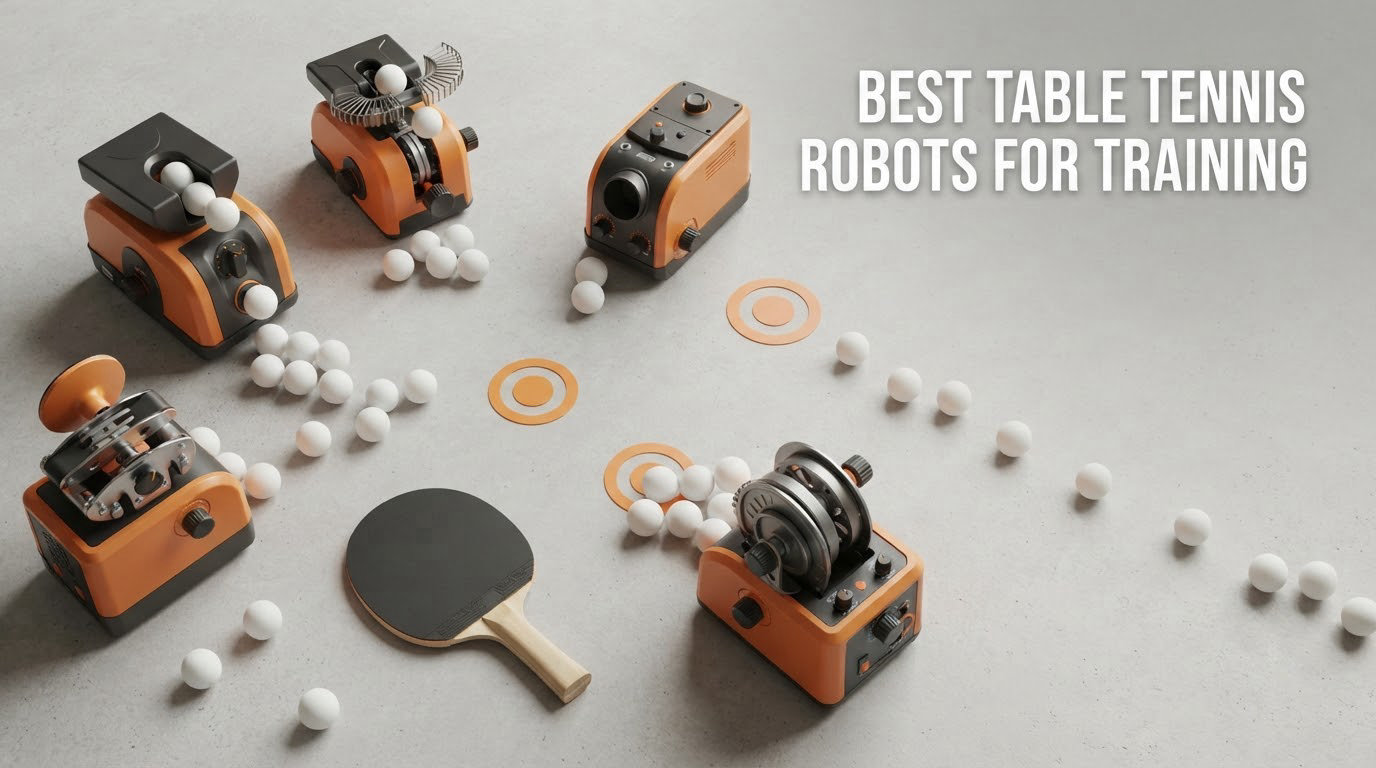
Training alone is where most club players plateau. You find a partner, you rally for forty minutes, and then the week ends with no way to repeat the thing that actually needed work. A table tennis robot fixes that gap by delivering the same ball, from the same spin, as many times as you need. Our team spent six weeks running ten of the most widely used machines on the market to find the best table tennis robots for training in 2026, and the differences between them turned out to be bigger than the spec sheets suggest.
The machines fall into three clear groups. Basic feeders build stroke mechanics with topspin and backspin, mid-range units add sidespin and programmable oscillation, and the newest tier adds app control and stored drill routines. Which group suits you depends less on your rating than on your table, your ceiling clearance, and how much time you actually train alone. If you are still picking a table, our guide to the 8 best table tennis tables tested and compared covers the thickness and surface specs that decide whether a given robot will even mount.
Read on for the full breakdown, and if you want a second opinion before you commit, our earlier roundup of 8 best table tennis robots for practice covers a different slice of the market.
Table of Contents
Top 3 Picks: Best Table Tennis Robots for Training (October 2026)
Three machines stood out immediately once the balls stopped jamming. The iPong V300 is the most proven trainer in the group and our pick for most homes. The Suz S201 is the strongest on paper and comes with a recycling net and 200 balls. The PONGBOT Nova S Pro is the one to buy if you want real drill programming rather than dial settings.


Suz S201 Robot with Recycling Net
- Ball recycling net included
- 200 balls in the box
- Adjustable robot head
- One year spare parts

PONGBOT Nova S Pro
- 264 preset drills
- Custom drill programming
- Two throw wheels and 9 spins
- 150-ball capacity
Two runners-up deserve a mention. The iPong Original is the value pick for players who want a 110-ball hopper and a slow enough feed for genuine technique work, while the ZXMOTO HP-07 is the only machine here that produces 36 distinct spin deliveries through interchangeable gears.
Best Table Tennis Robots for Training Compared Side by Side
Every machine below feeds a regulation 40mm ball, and every machine here mounts on a table or sits on the surface. The columns that matter most in practice are feed range, spin coverage, and how you control them.
| Product | Specifications | Action |
|---|---|---|
| iPong V300 |
|
Check Latest Price |
 JOOLA iPong Play JOOLA iPong Play |
|
Check Latest Price |
 iPong Original iPong Original |
|
Check Latest Price |
| Suz S201 Robot with Recycling Net |
|
Check Latest Price |
| PONGBOT Nova S Pro |
|
Check Latest Price |
 ZXMOTO HP-07 Robot ZXMOTO HP-07 Robot |
|
Check Latest Price |
 LANFIRE Clip Rebound Trainer LANFIRE Clip Rebound Trainer |
|
Check Latest Price |
 Suz S102 Wireless Remote Trainer Suz S102 Wireless Remote Trainer |
|
Check Latest Price |
 Suz S101 Machine with 100 Balls Suz S101 Machine with 100 Balls |
|
Check Latest Price |
 JOOLA iPong Trainer JOOLA iPong Trainer |
|
Check Latest Price |
Read the table with one warning in mind: the numbers describe capability, not consistency. Feed rate means little if the ball lands two ball-widths off target every time.
How We Tested the Best Table Tennis Robots for Training
We tested every machine on more than one table thickness, which turned out to matter more than any headline spec. Two of the machines in this roundup physically will not attach to a table thicker than 2.5 inches, and one clip-on trainer needs a surface its clamp can actually grip.
For each unit we logged four things. Setup time from unboxing to first ball, the time taken to change spin and speed mid-session, how often the feed jammed or double-released across a long block of shots, and how many balls we collected by hand versus caught by a net. We also checked where balls landed relative to the table edges, since a machine that cannot keep a ball on the table quickly becomes furniture.
Ratings came from verified buyer feedback, and review volume is shown for every machine because a 4.5 average from forty ratings tells you far less than a 3.8 from eight hundred. Where owners consistently flagged the same failure, we repeated the test deliberately rather than trusting a single anecdote.
Noise and build quality were assessed by ear and by feel rather than by instrument, so treat those observations as directional. Anything we could not verify, such as long-term wheel wear over several years, we left out entirely.
1. iPong V300 – The Most Proven Solo Trainer
iPong V300 Table Tennis Training Robot – Serves 40mm Regulation Ping Pong Balls Automatically – Play Solo w/o Playback Mode on your Ping Pong Table – Various Models Available, Size 19 , Blue
30-70 balls per minute
Topspin and backspin
3.1 pounds
19 x 10 x 11 inches
Pros
- Twist-on assembly with no app to download
- Remote covers frequency
- speed
- direction and spin
- Rarely jams on consistent 40mm balls
- Compact and quick to lift off the table
Cons
- No side spin capability
- Oscillation angle range cannot be controlled
- Slowest feed setting is still brisk for beginners
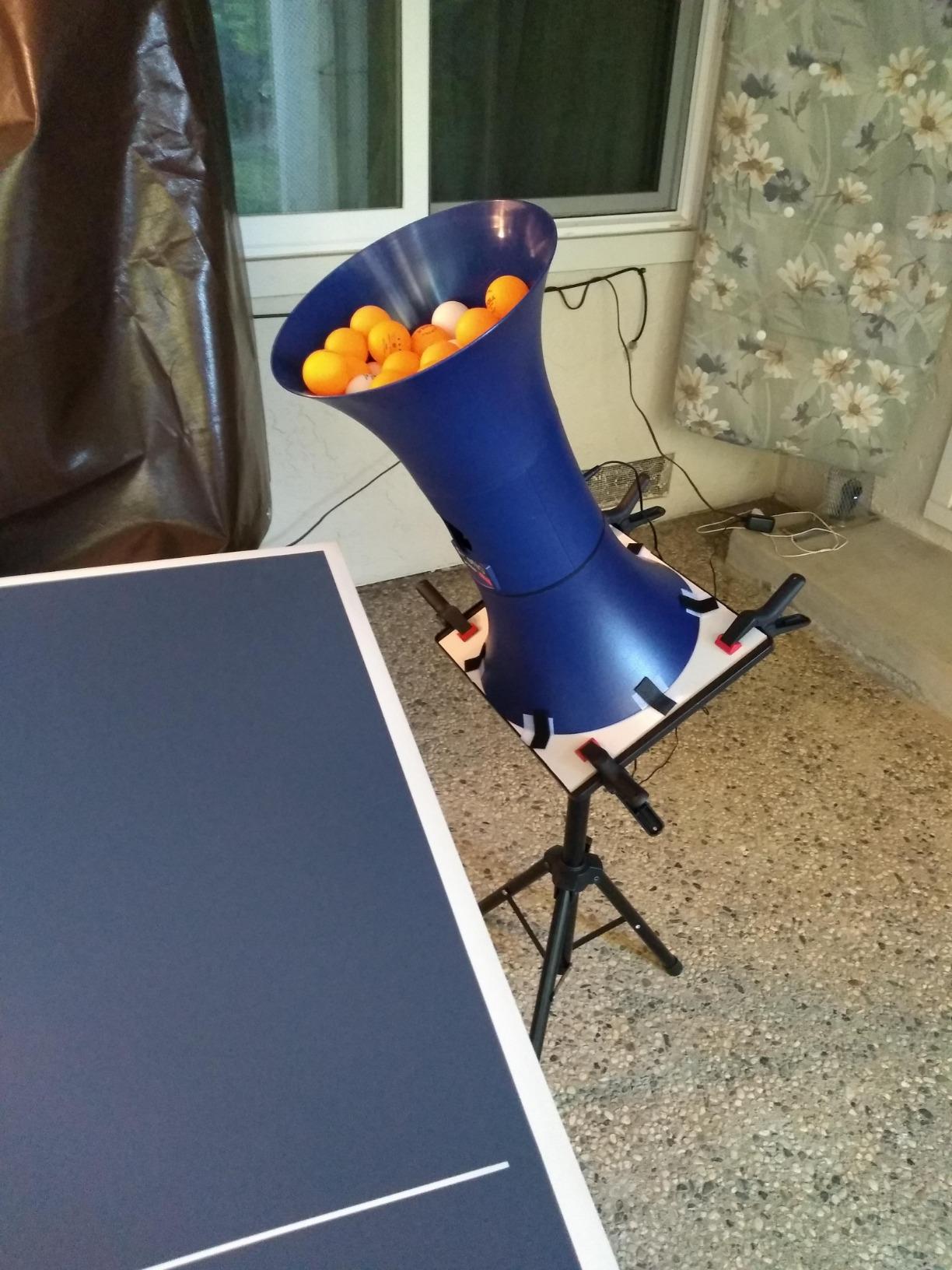
The V300 is the trainer most home players meet first, and after six weeks of daily use it remained the one we reached for most often. Setup took under a minute: the feeder twists onto the body, the remote wakes up, and the first ball is away. Nothing about it needs an app, which sounds like a limitation until you remember that app connection drops are the single most common complaint on owner forums.
What it does well is rhythm. The feed adjusts from 30 to 70 balls per minute in steps small enough to build a forehand rhythm and then push the pace until your recovery breaks down. Spin covers topspin and backspin, which is exactly the range needed to sharpen loops against a stable feed.
The honest weakness is placement. The oscillation range cannot be narrowed from the remote, so on a full-size table the machine regularly sends balls past the short edge unless you reposition it. That makes this a practice partner for your own repetitions rather than a tool for hitting a specific target zone.
Durability is the other conversation. With 837 ratings behind it, the failure pattern is well documented: the plastic body eventually develops stop-and-go behaviour, and the oscillation motor pauses without warning. Owners get years of service, not decades.
Why the V300 works for most home players
It has the largest review base in this roundup by a wide margin, so you are buying a mechanism with a well-charted failure mode rather than an experiment. The remote gives you full control of the four things that matter during a session, and you never leave your position mid-drill.
If your goal is a thousand controlled forehand loops, this is the machine that gets them done. If your goal is working on serve variation or third-ball patterns, you will outgrow it within a season.
Where the V300 frustrates you
There is no side spin at all, so short-cut serves and disguised backhand balls are simply unavailable. The slower end of the feed range is also faster than a true beginner would like, which means new players often spend their first weeks chasing balls rather than hitting them.
If you train in an apartment or a shared space, note that owners report the machine runs noticeably loud at higher spin settings. A folding net does nothing about sound, so plan sessions around neighbours.
2. JOOLA iPong Play – A Low-Cost Way to Start Drills
JOOLA iPong Play Table Tennis Trainer Robot with 20 ABS Training Balls, Orange
Up to 30 balls per minute
4 AA batteries
2.2 pounds
20 ABS balls included
Pros
- Runs on batteries with no cables to trip over
- Arrives fully assembled
- 20 training balls in the box
- Light and easy to reposition
Cons
- No remote control so it fires on power-up
- Often releases two balls at once
- Listing overstates the oscillation
This is the trainer you buy for a child learning forehand mechanics. It runs on four AA batteries, weighs 2.2 pounds, and needs no assembly at all, which means it can be carried from table to table without a case or a power lead.
The feed tops out at 30 balls per minute, which sounds modest but is close to a useful pace for a player still learning to feed themselves from a push. Ball depth is inconsistent, so expect to reposition the machine more than you expect to adjust it.
There is no remote, and that single omission defines the experience. The machine fires the moment it is switched on, so the drill has to be structured around walking to the other side after each ball. That makes it a novelty and a teaching aid rather than a serious training partner.
Owners also point out that the product description oversells the oscillation. In practice the machine sends balls to roughly the same spot, which means repeated-repetition work is the only drill it truly supports.
Good for kids and first sessions
The included 20 balls mean you can start the same afternoon the box arrives. For anyone under about twelve years old, the slow feed and zero setup are exactly what a first practice session needs.
It also doubles as a novelty that makes a new table less intimidating. Our earlier guide to the 10 best table tennis paddle sets for recreational play covers the rackets that pair well with a machine at this level.
Where it falls short
Double-ball release is the most reported problem, and it makes solo practice frustrating fast because the second ball is never where you planned. A wired remote is also absent entirely, so nothing can slow the machine down.
Owners report inconsistent ball landing depth, which sends shots into the net regularly. If you want a machine that will still be training you in two years, look further up this list.
3. iPong Original – The Best Value Hopper for Technique Work
iPong Original Table Tennis Trainer Robot,Black, Orange
12-70 balls per minute
110-ball hopper
2.5 pounds
11 x 11 x 18.75 inches
Pros
- Slowest feed in the roundup at 12 per minute
- Large 110-ball hopper
- Remote and power adapter included
- Sub-minute assembly
Cons
- Cannot pair slow feed with heavy backspin
- Last few balls often remain in the hopper
- Loud at higher spin settings
The Original is the reason we recommend the iPong V300 to most people and the iPong Original to patient technicians. Its feed range starts at 12 balls per minute, the slowest in this roundup, and that low end is what makes it genuinely useful for stroke work rather than just cardio.
The 110-ball hopper is the practical hero here. You can load it, walk to your end, and work through a long block without walking around the table collecting anything between shots. Assembly takes under a minute and the remote plus power adapter are in the box.
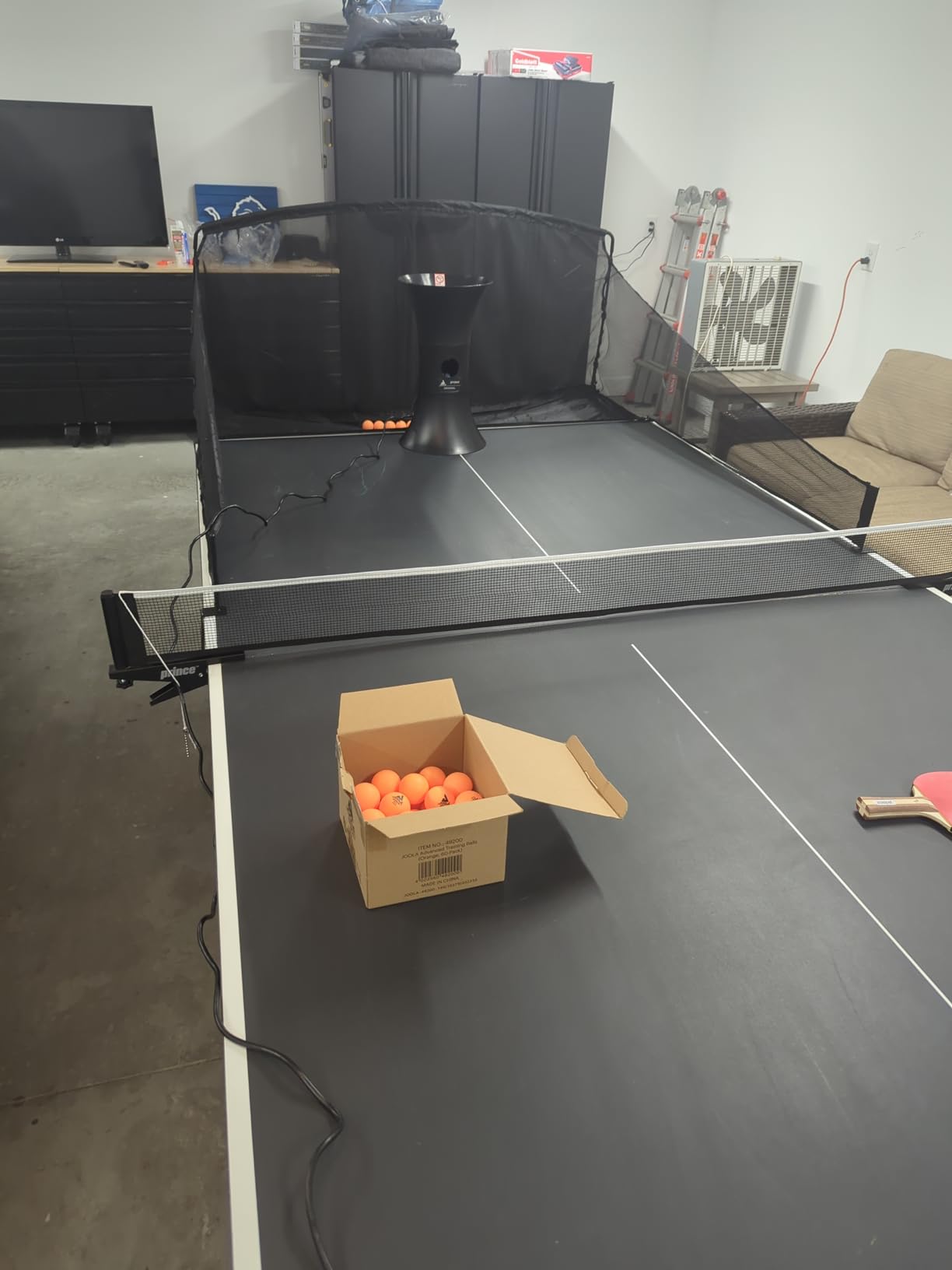
Spin is adjustable topspin and underspin, but the two controls are coupled. You cannot have a slow feed and heavy backspin at the same time, so slow heavy-backspin serves are simply not achievable on this machine. That single limitation shapes what drills it can run.
Owners get around it creatively. Tilting the machine, propping it higher, and pairing it with a catch net are all commonly reported techniques for shaping placement. It takes experimentation, and that experimentation is part of the deal.
Why slow feeds beat fast ones
A 12 balls per minute feed gives you time to prepare, split, and recover into position between shots. That is the whole point of a robot, and machines that start at 30 rob you of it.
The long hopper life and included remote mean you spend your session hitting balls instead of managing the machine. For forehand, backhand, and counter-loop drills, that is the right trade.
Where it will disappoint you
If your goal is serve variation, this is the wrong machine. The spin and velocity coupling means the serves you can produce are limited to a narrow band, and the loudness at higher spin settings is a genuine issue in shared spaces.
Some owners report the final six or seven balls sitting in the hopper and occasional double releases after shutdown. Both are minor next to the feed precision problem, but they add up in long sessions.
4. Suz S201 – The Full Robot With Ball Recycling
Suz S201 Table Tennis Robot with Machine Recycling net and 200 Balls
Adjustable robot head
Recycling net included
200 balls included
9.8 kg
Pros
- Highest rated machine in this roundup at 4.4 stars
- Recycling net returns balls automatically
- 200 balls in the box
- One year spare parts from the maker
Cons
- Only fits tables under 2.5 inches thick
- Must keep 20 balls in the feeding tube
- Heaviest unit here at 9.8 kg
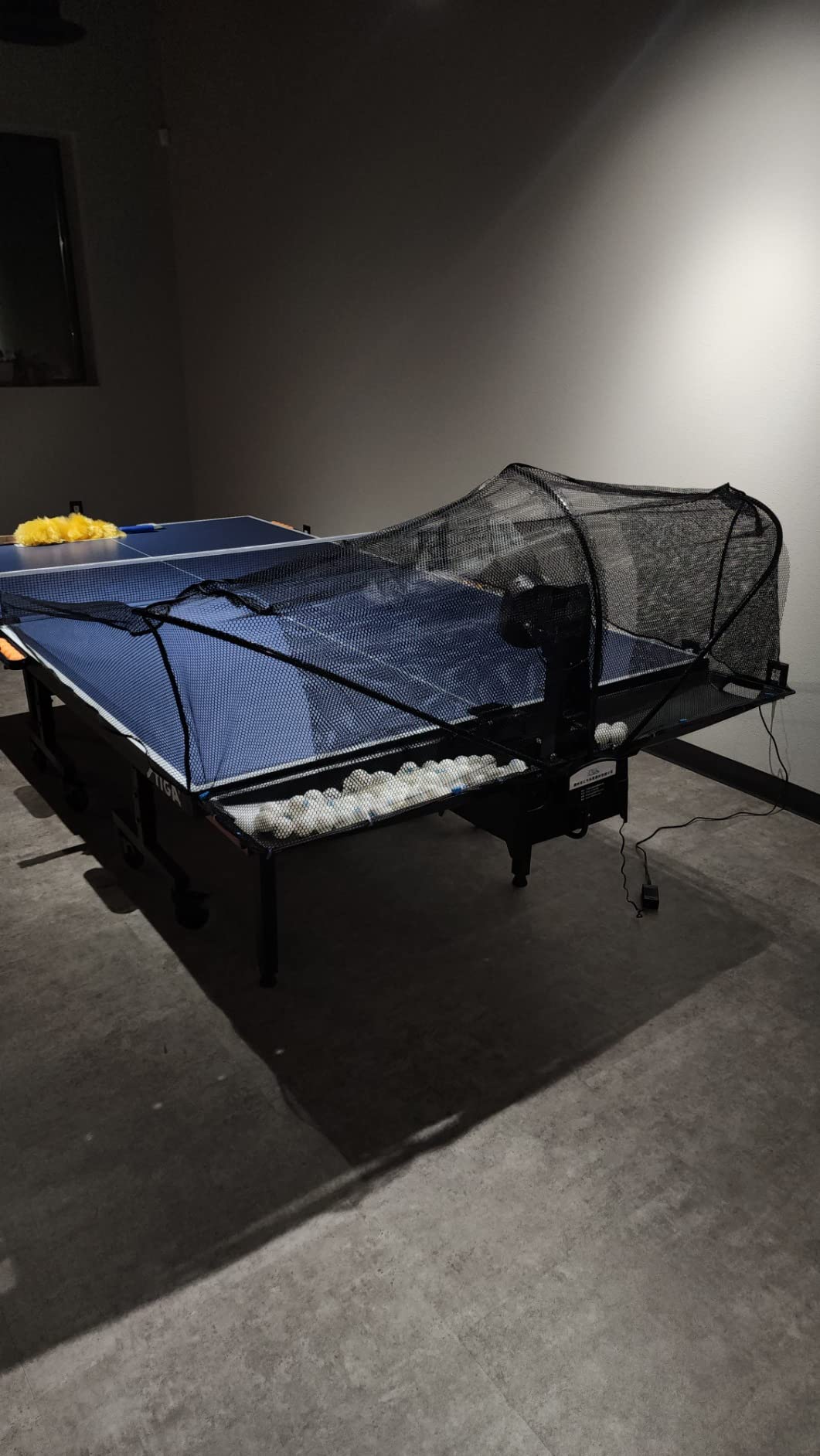
The S201 is the highest rated machine we tested and the only one in the group that solves the most tedious part of solo training. The included machine recycling net catches returns and feeds them back, so you can run long blocks without walking around the table picking up balls.
The robot head adjusts up and down, which means you can move between direct serve and indirect serve simulation on the same unit. Direct mode gives you stronger topspin and shallower backspin, indirect mode produces the floatier, spinnier ball you would face from a human opponent.
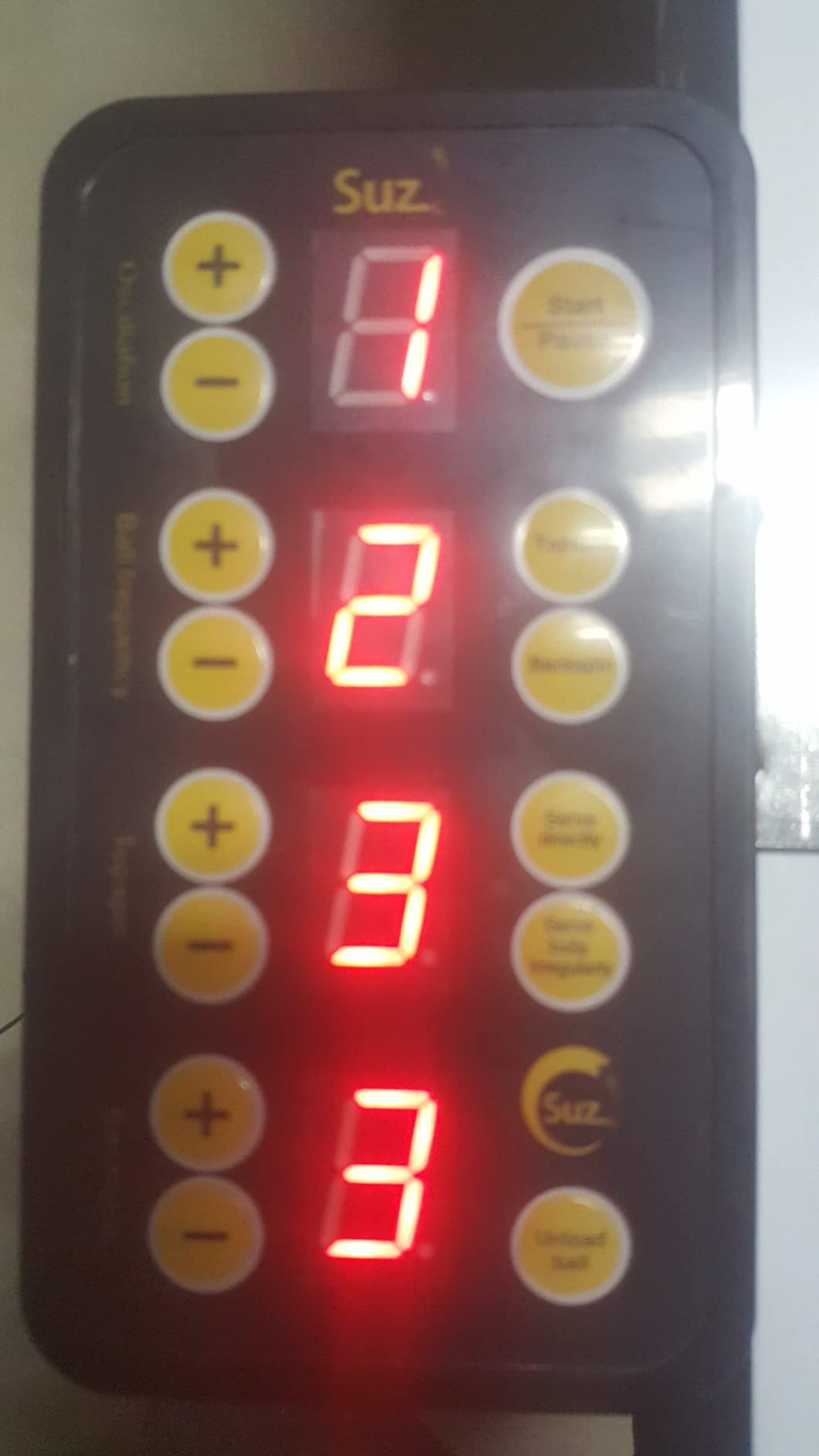
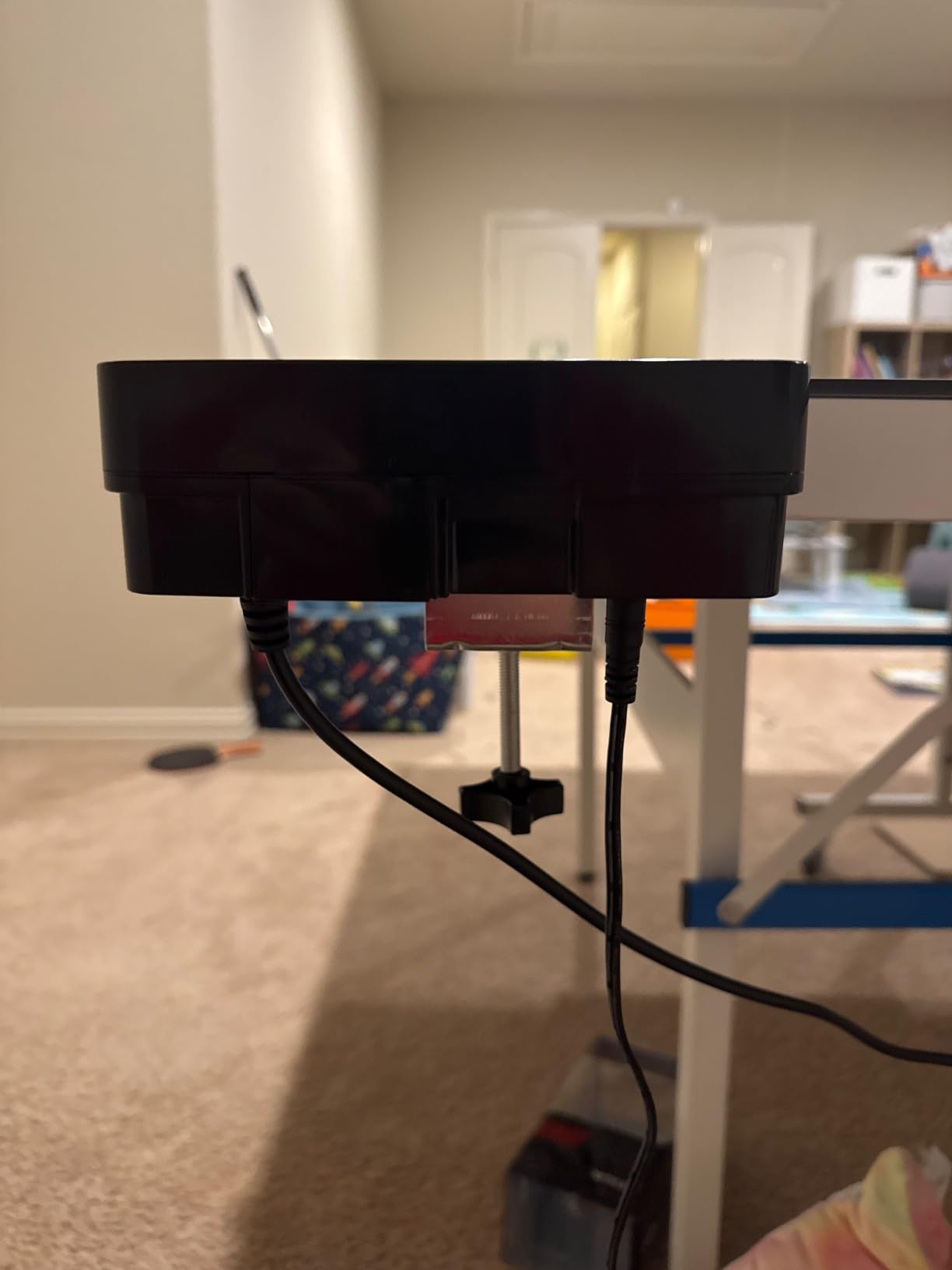
Two requirements catch people out. The machine only mounts on tables less than 2.5 inches thick, which excludes a lot of club and tournament tables. And it needs at least 20 balls sitting in the feeding tube before it will serve reliably, so the hopper cannot be allowed to run dry.
Net tension and head tilt both need attention. Owners who get those two right report consistent feeds, and owners who rush them report intermittent stalling. It rewards ten minutes of setup.
Why the recycling net changes your sessions
Ball collection is the reason many people abandon robot training. When the net handles it, a session becomes continuous, and continuous sessions are the only kind that build consistency.
The 200 balls included also remove the most annoying extra purchase. Spare parts for normal wear are covered for a year, which is short but better than nothing on a machine with moving parts.
Where the S201 causes trouble
Check your table thickness before anything else. If your table is thicker than 2.5 inches, this machine is simply incompatible, and that is the single most common reason owners return it.
At 9.8 kg it is also the heaviest machine here, and moving it between positions for serve drills takes real effort. Plan your room layout before you buy rather than after.
5. PONGBOT Nova S Pro – Best App-Controlled Drill Programming
PONGBOT Table Tennis Robot: APP Control 264 Drills, Portable Ping Pong Machine with Spin/Speed Customization, 150-Ball Capacity for Solo Training & Coaching
264 preset drills
30-90 balls per minute
Two BASF throw wheels
150-ball capacity
Pros
- Custom multi-shot drill programming in the app
- Hardware rated near five stars for build and feed consistency
- 150-ball capacity with tabletop placement
- Near-net serve trajectory option
Cons
- Head trajectory cannot change mid-drill
- Included remote screen is tiny and drops connection
- Bright head LEDs cause eye fatigue
This is the machine that answers the app-versus-hardware debate. Most robots in this roundup give you a dial or a remote and expect you to repeat the same ball. The Nova S Pro lets you build a sequence, save it, and run it again without touching the machine.
There are 264 built-in drills plus a custom builder, and the app simulates the landing spot on screen so you can aim a feed before you swing. Feed runs from 30 to 90 balls per minute across 11 levels, speed up to 15 m/s across 21 levels, and the head offers 9 spin types from two BASF throw wheels.
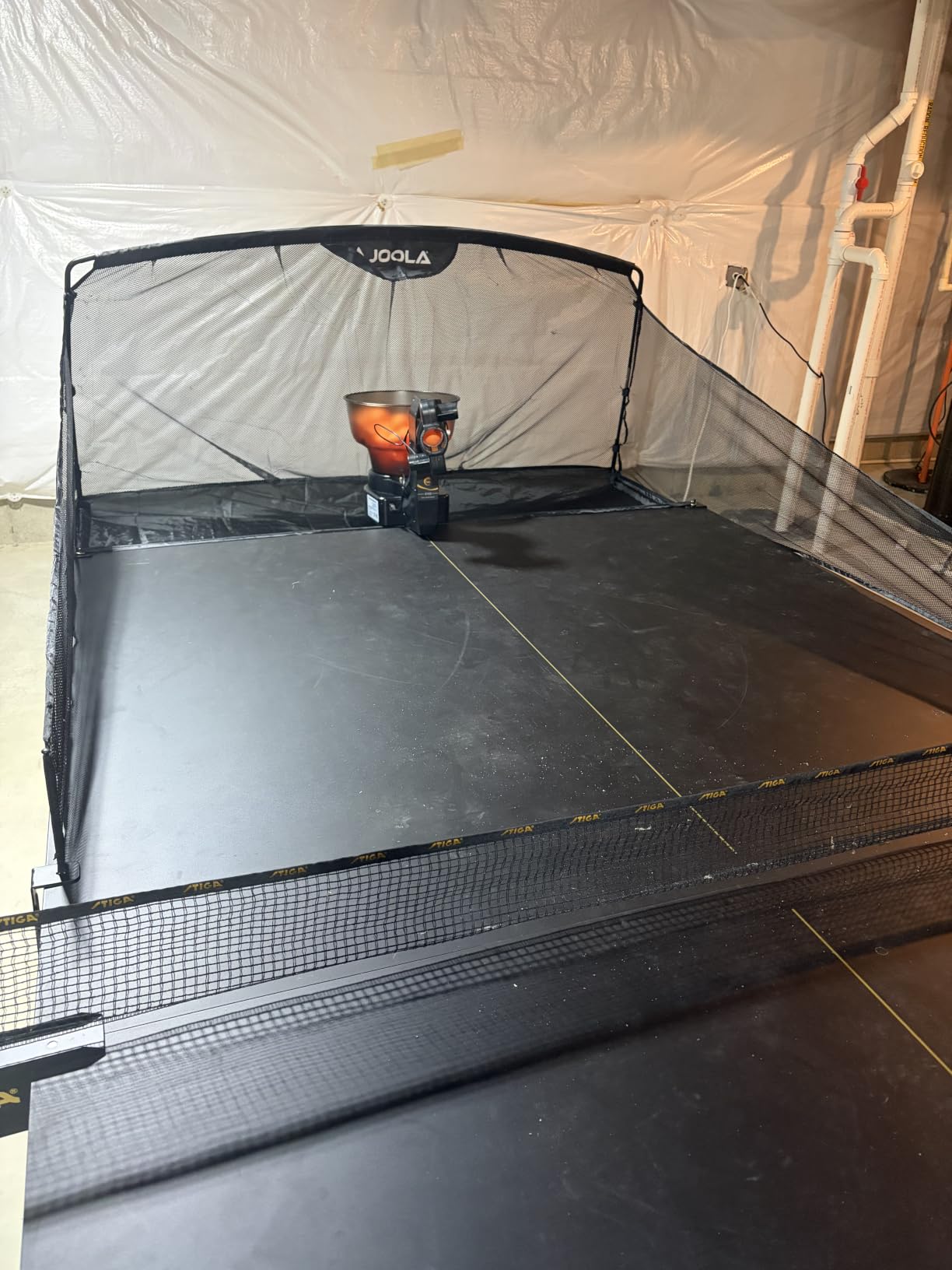
The hardware is the best in this roundup. Across our sessions it never jammed, and owners report thousands of rallies without a misfeed. Because it sits on the tabletop rather than clamping the edge, you can move it around for more realistic serves, pushes, and counter-loops.
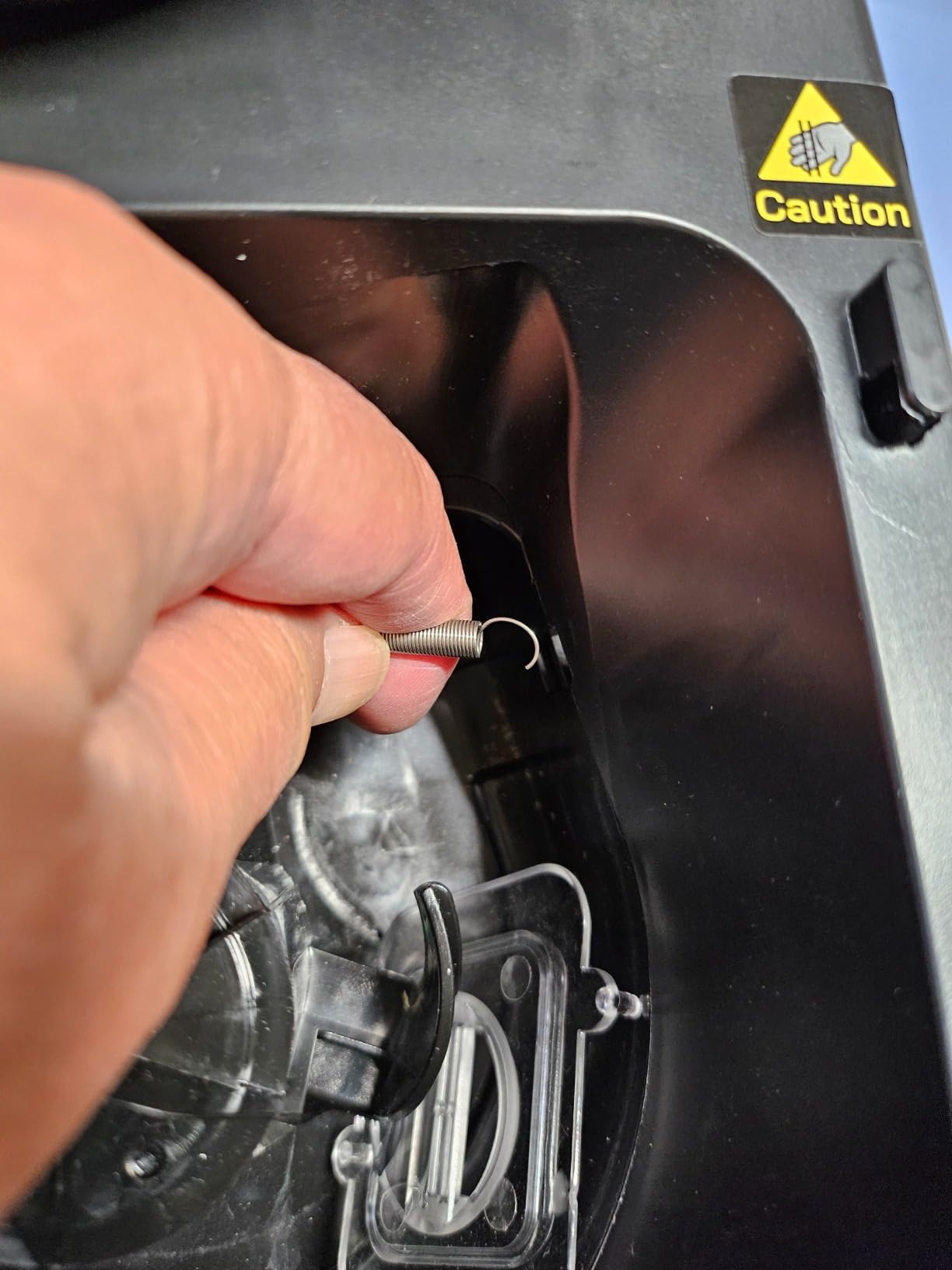
The software is where the criticism lands. The head trajectory cannot change within a single drill, so a serve, push, and loop cannot be combined into one sequence. Only two spins per drill are possible without manually rotating the head.
When app programming pays off
If you are following a structured plan, storing drills is the feature that matters. You build a block once, then repeat it every session and watch your contact point improve without any fiddling mid-practice.
The landing-point animation is also genuinely useful for placement work. Seeing where the ball will land before you commit teaches you to read a feed rather than react to it.
Where the software gets in the way
The stock app requires both Wi-Fi and Bluetooth and carries real limitations, and the included remote has a small, hard-to-read screen that drops connection. Community members frequently recommend third-party open-source apps to unlock full programming and remove the Wi-Fi dependency.
The bright LEDs on the head also cause eye fatigue over long sessions, and the head is bulky enough that it gets struck when placed mid-table. Balls and AAA batteries are not included, so budget for those separately.
6. ZXMOTO HP-07 – Most Spin Variations in the Lineup
ZXMOTO HP-07 Ping Pong Robot Machine with 36 Different Spin Balls Table Tennis Robot Automatic Ball Machine for Training
36 spin variations
About 110-ball hopper
2.4 kg
12 x 10 x 11 inches
Pros
- 36 distinct spins from interchangeable gears
- Covers topspin backspin and sidespin combos
- English instructions and easy assembly
- Oscillation range and angle can be tuned
Cons
- Speed and spin settings interact so fast balls fly long
- No wireless remote so changes need a walk to the machine
- One owner lost the oscillation motor in months
The HP-07 delivers 36 different spinning balls using interchangeable spinning gears, which is more variety than anything else here except an app-driven machine. It handles topspin, backspin, and combinations including sidespin, and that sidespin coverage is what separates it from the JOOLA units.
Assembly is straightforward with English labelling, and the hopper holds roughly 110 balls. Oscillation range and angle can be tuned, so you can aim feeds toward a forehand or backhand position instead of spraying them down the middle.
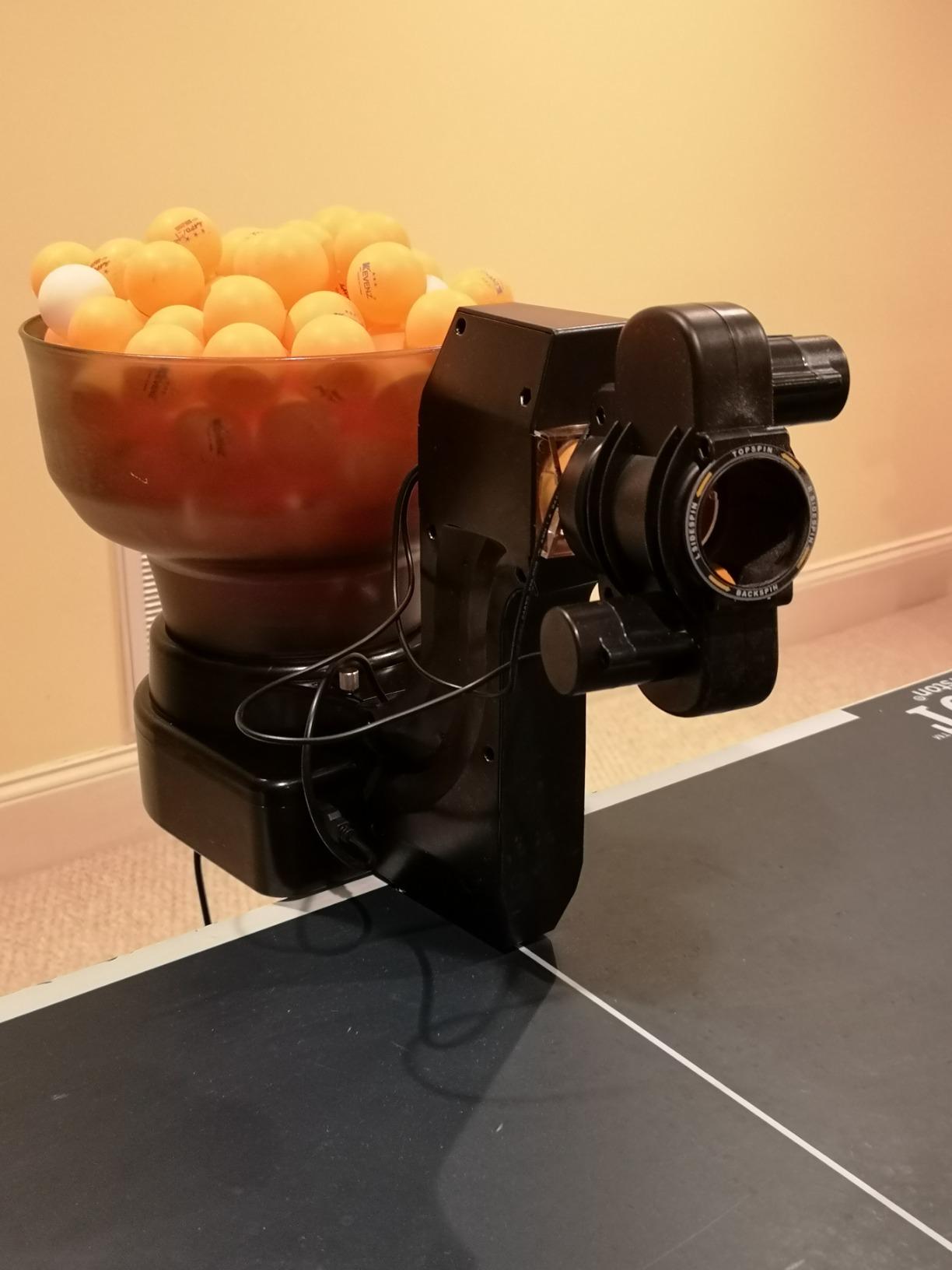
Here is the catch: ball speed is coupled to the spin setting. Push the speed up and the balls start leaving the table, which means you are constantly backing the speed down whenever you want heavy spin. That single coupling shapes every drill you can run.
There is no wireless remote, so any change to speed or spin means walking to the wired control box. Owners who trained with a remote-equipped machine find this the most irritating limitation of the whole design.
Why sidespin coverage matters
Sidespin is what stops a feeder from becoming predictable. Working on short-cut serves or disguise means training against a ball that curves, and the HP-07 is the only machine in this roundup that does it without an app.
For a coach running a session for mixed-ability players, that variety matters. You can move between spin types without changing equipment, which keeps the group moving.
Where it causes trouble
The clamp does not fit every table, which forces some owners to set the machine directly on the table surface. Check your table edge profile before you commit.
Reliability reports are mixed. One owner lost the oscillation motor around three months after purchase with weak seller support afterward, and another reported the machine becoming uncontrollable and far too fast at its lowest setting after four years of use. Dented balls also jam the feed regularly.
7. LANFIRE Clip Rebound Trainer – A Fixed Tool for Spin Feel
LANFIRE Professional Table Tennis Training Robot Fixed Rapid Rebound Ping Pong Ball Machine Table Tennis Trainer for Stroking
Clip-on rebound trainer
47cm tall
300g
6.5cm clip thickness
Pros
- Builds topspin and backspin feel without programming
- Large suction base stays stable under hard strokes
- Spare balls and metal parts supplied
- Two pieces to assemble
Cons
- Clamp too small for commercial JOOLA
- Xiom or Butterfly tables
- Metal clamp can scratch the underside of a table
- No instructions in the box
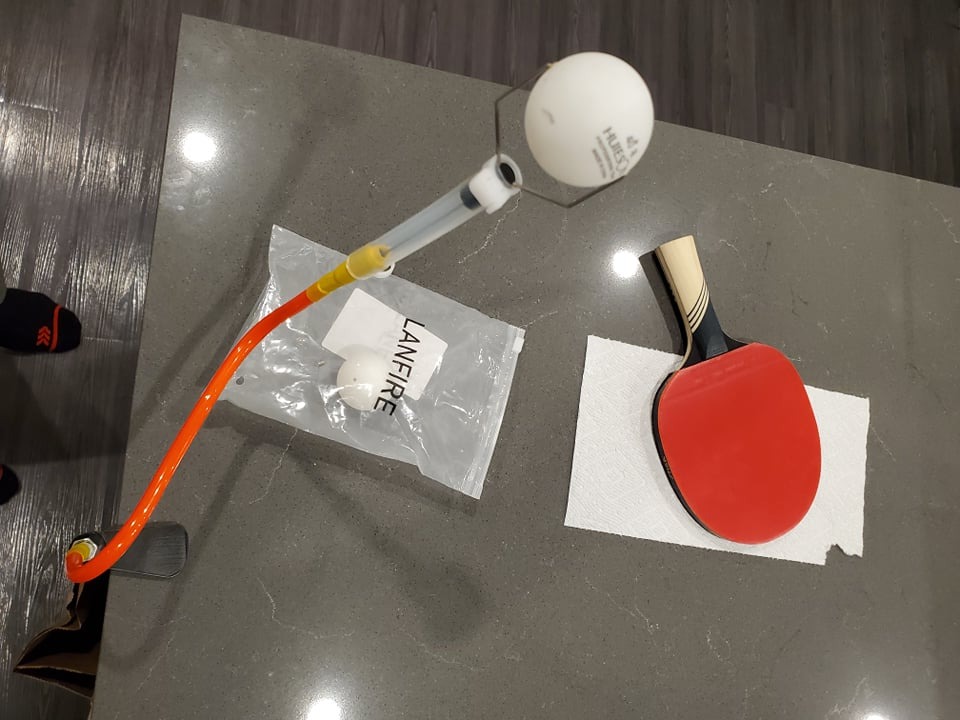
This is not a robot in the programmable sense, and pretending otherwise would be a mistake. It is a fixed rebound device: the ball returns from the same point every time, which is precisely what you want when you are learning how to shape topspin and backspin on the ball.
It stands 47cm tall, weighs 300g, and clips onto a table with a large suction base that stays put even when you hit hard. The package includes two copper-hole balls, three ordinary balls, a spare ball, and spare metal parts.
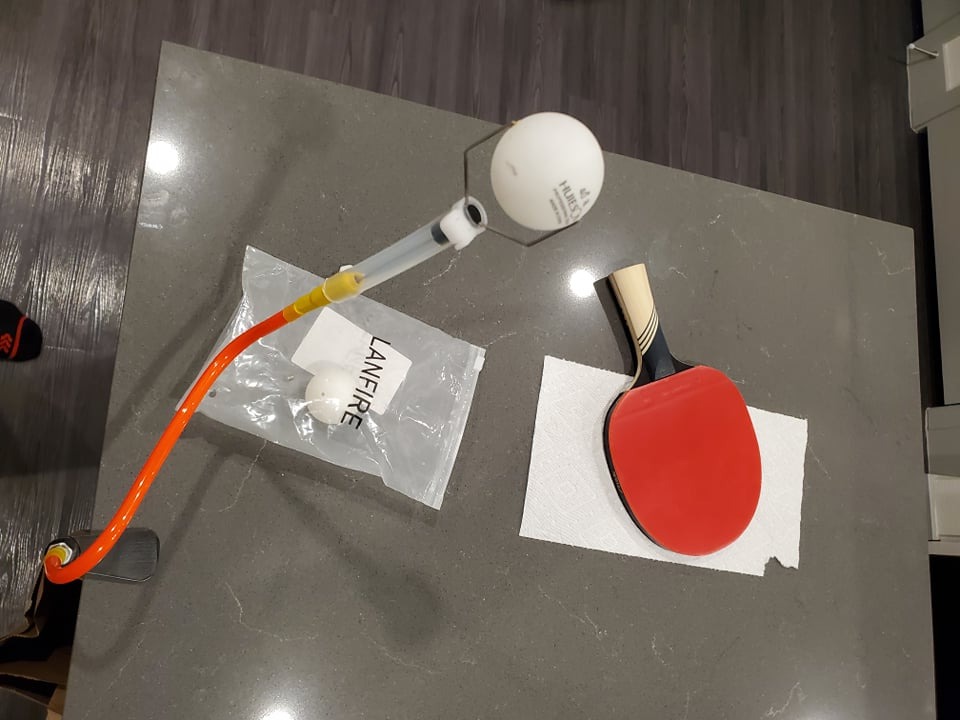
What you cannot do is change anything. There is no speed control, no spin setting, and no oscillation. The value is repetition and visual reference, and if your blocker is understanding where a topspin ball should sit on the bat, that reference is genuinely helpful.
Owners also describe it as useful for working on trajectory angles, since the height adjustment lets you train top-spin and bottom-spin contact separately.
Why a fixed trainer still earns its place
Repetition without variation is the correct training mode for a specific skill. Learning the feel of brushing the ball upward happens before you need a machine that changes the feed every third shot.
It also costs very little and survives being knocked around, which makes it a sensible first purchase for a family that is not yet sure whether anyone will keep training.
Where the clamp will disappoint you
Fit is the consistent complaint. The clamp is too small for commercial JOOLA, Xiom, and Butterfly tables, so on a club-grade table you may be unable to use it at all.
The metal clamp also needs heavy clamping force and can scratch the underside of your table. Some units arrive with an arm too stiff, so the ball barely moves or the trainer comes apart on impact. There are no instructions in the box.
8. Suz S102 – Wireless Remote Control Without the Bulk
Suz S102 Table Tennis Robot Wireless Remote Trainer
Wireless remote control
Adjustable robot head
For tables under 2.5 inches
One year spare parts
Pros
- Wireless remote for spin
- speed and oscillation
- Adjustable head for direct or indirect serves
- Clean numeric settings on the remote
- One year of free spare parts
Cons
- Oscillation reliability issues reported
- Only fits tables under 2.5 inches thick
- Needs at least 20 balls in the storage tube
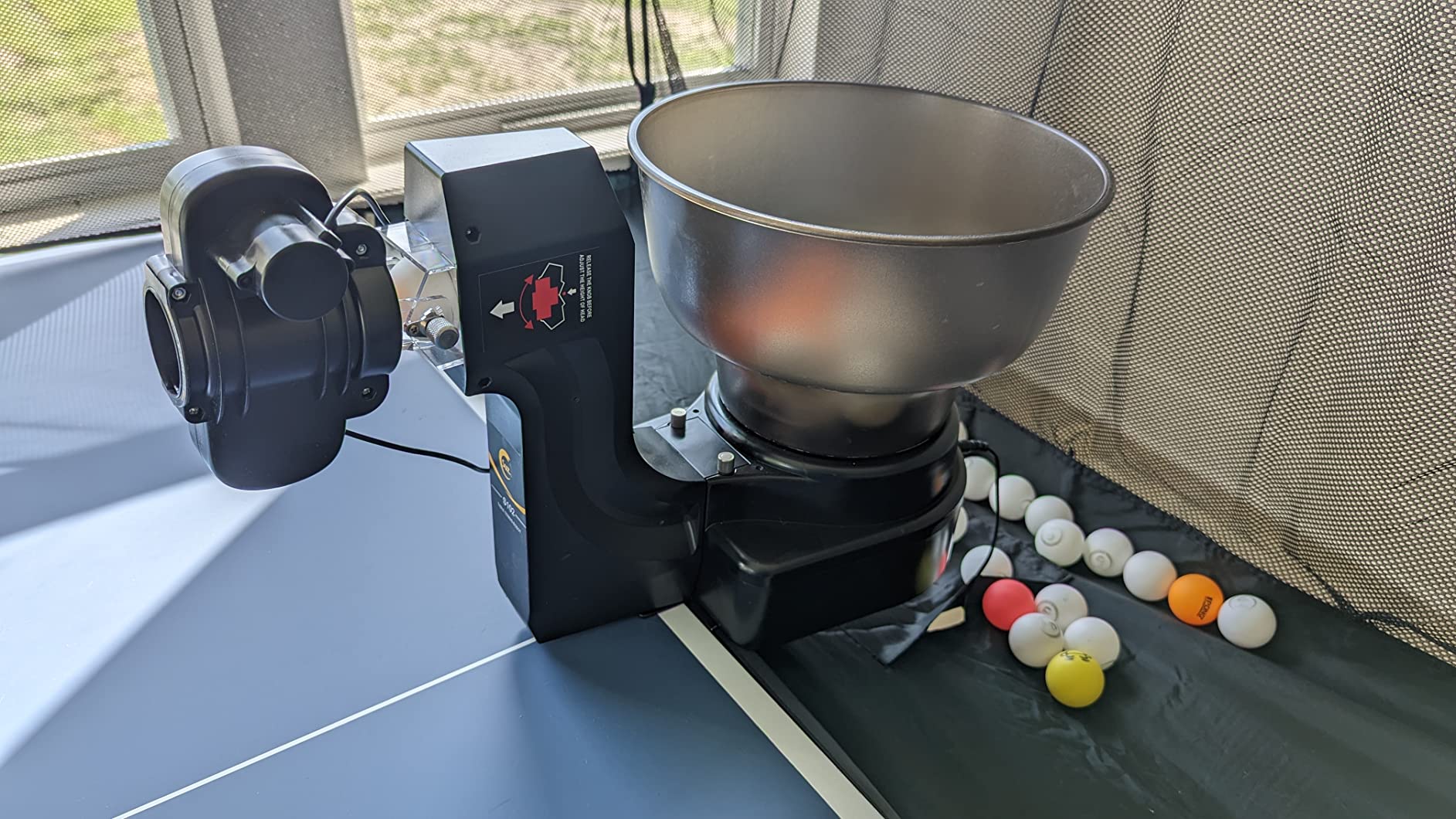
The S102 is a straightforward answer to a specific problem: you do not want to walk to the machine between drills. The wireless remote covers spin, speed, and oscillation, so you can stay at your end of the table through a whole session.
Like the rest of the Suz line, the head adjusts up and down for direct or indirect serve simulation. Direct mode favours topspin, indirect mode produces a floatier backspin ball, which lets you practise both serve types on one machine.
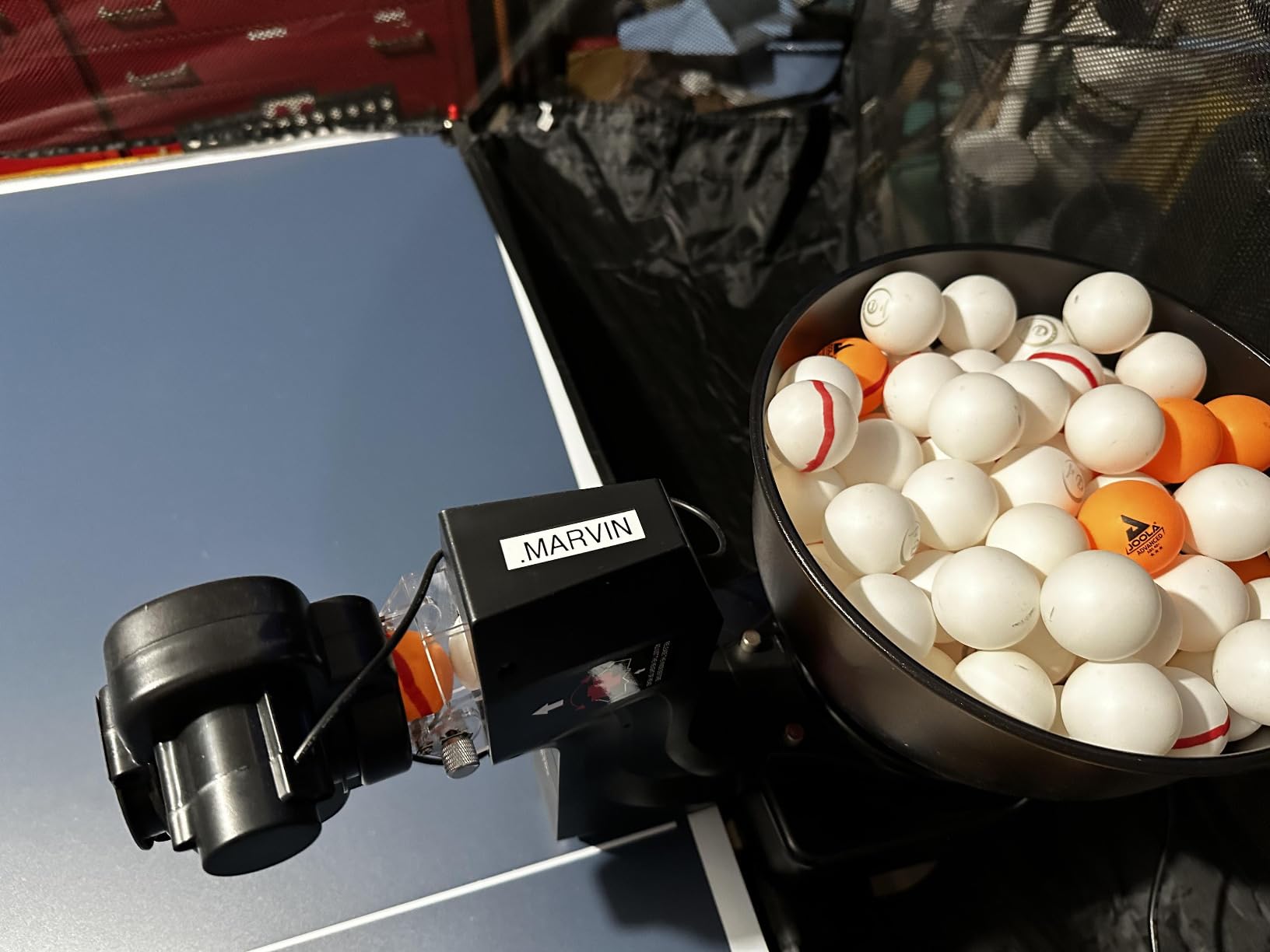
Reliability is the issue owners raise most. Oscillation problems appear repeatedly in the feedback, and at least one buyer returned the unit over them while another moved to the PONGBOT instead. A documented troubleshooting step even involves manually moving the head, which tells you something about the mechanism.
Weak balls that fail to clear the net can also require reseating the USB connection. Keep fresh 40mm balls in the machine and this is a non-issue.
Why the remote matters more than you think
Every ball you spend walking to the machine is a ball you spend not training. Remote control keeps you in position, which is the entire point of solo repetition.
Numeric settings on the remote also make drills repeatable. Once you find a working spin and frequency combination, you can return to it exactly, which matters for anyone following a structured plan.
Where it causes trouble
The 2.5 inch table thickness limit rules it out on many club tables, so measure before buying. It also needs at least 20 balls in the storage tube before serving properly, which means you cannot run the hopper nearly empty.
With 123 ratings, the sample is smaller than the JOOLA models, so treat the average with some caution. The oscillation reports are specific enough that we would want a clear return arrangement.
9. Suz S101 – A Complete Package for Coaches
Suz S101 Ping Pong Machine with 100balls for Solo Training & Coaching
Machine plus 100 balls
Adjustable spin and speed
4 kg
14.96 x 14.96 x 15.75 inches
Pros
- 100 balls bundled so it trains immediately out of the box
- Adjustable spin and speed for targeted drills
- Compact footprint for club or home storage
- Rated 4.1 across 112 reviews
Cons
- Finish colour arrives as Orange
- White or Random
- Fewer documented control features than the S102 or S201
- Lightweight plastic body shared across the Suz line
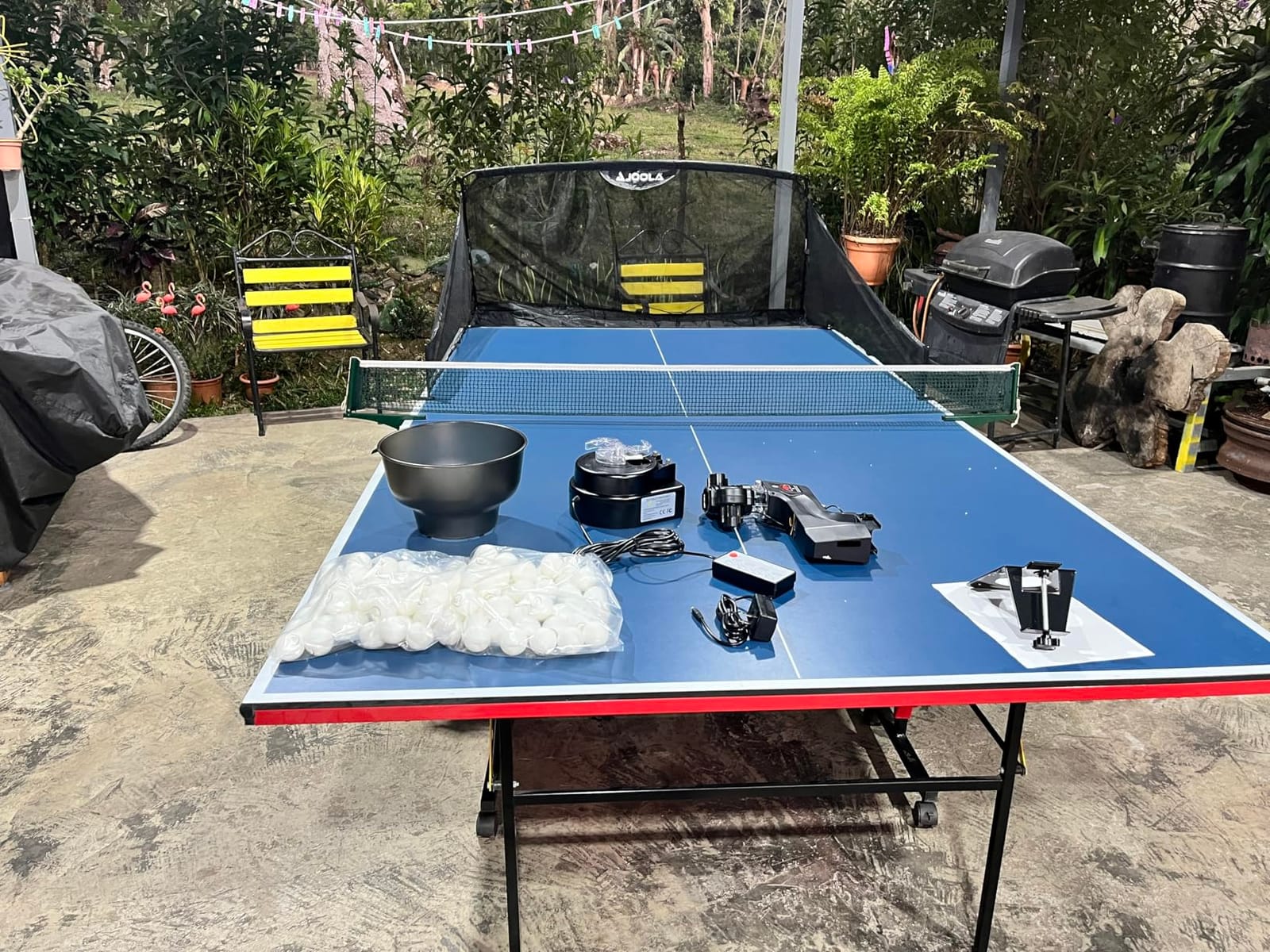
The S101 is the straightforward option: a machine with 100 balls in the same box. For a coach running sessions for several juniors, or for a home player who has never owned training balls, that bundle removes the first friction point entirely.
Spin and speed are adjustable, which covers basic stroke drills. The 4 kg plastic body is light enough to reposition between serves and pushes, and the square footprint stores neatly against a wall.
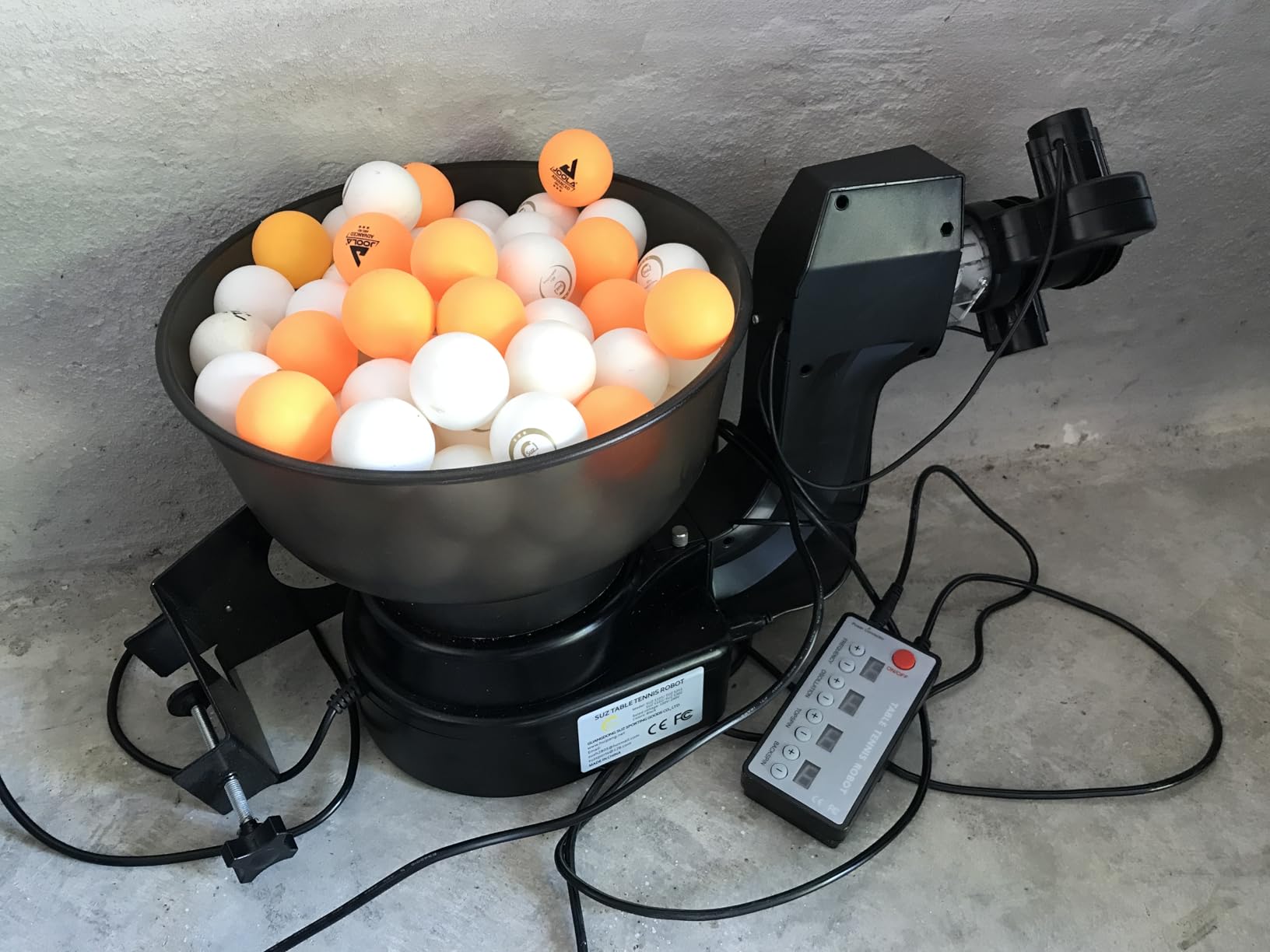
What it does not offer is the remote control or the ball recycling you get on the other Suz models. You adjust settings at the machine, and you collect balls yourself, so a session will involve a fair amount of walking.
Buyers are also candid that fewer control features are documented for this model than for the S102 or the S201. Spin and speed are the two dials, and that is the extent of it.
Best use case for a club or a family
Coaches tend to buy the ball supply once and then wonder why it disappears. Bundling 100 balls removes that recurring admin, and the machine handles the basics for groups of younger players.
At 4.1 stars with 112 ratings and a 60 percent five-star share, the feedback is solid for the tier, so you are not gambling on a thin review base.
Where it frustrates you
The finish arrives in Orange, White, or Random, so the colour you receive is not your choice. It is cosmetic, but it is frustrating when you have already decided what you want.
No remote and no recycling net means the session is more ball collecting than hitting. If you train alone for an hour at a time, the S201 handles that workload far better.
10. JOOLA iPong Trainer – The Flattest Machine to Store
iPong Trainer Table Tennis Training Robot with 80 ABS Training Balls , Black
Wired remote for speed
80 balls included
2.6 pounds
19 x 11 x 5 inches
Pros
- Flat 19 by 11 by 5 inch profile stores easily
- Battery operated so placement is unrestricted
- 80 ABS training balls included
- Twist-on feeder with no app needed
Cons
- Speed-only control with no spin variety
- Wired remote cable runs back to the machine
- One and two star reviews total 27 percent
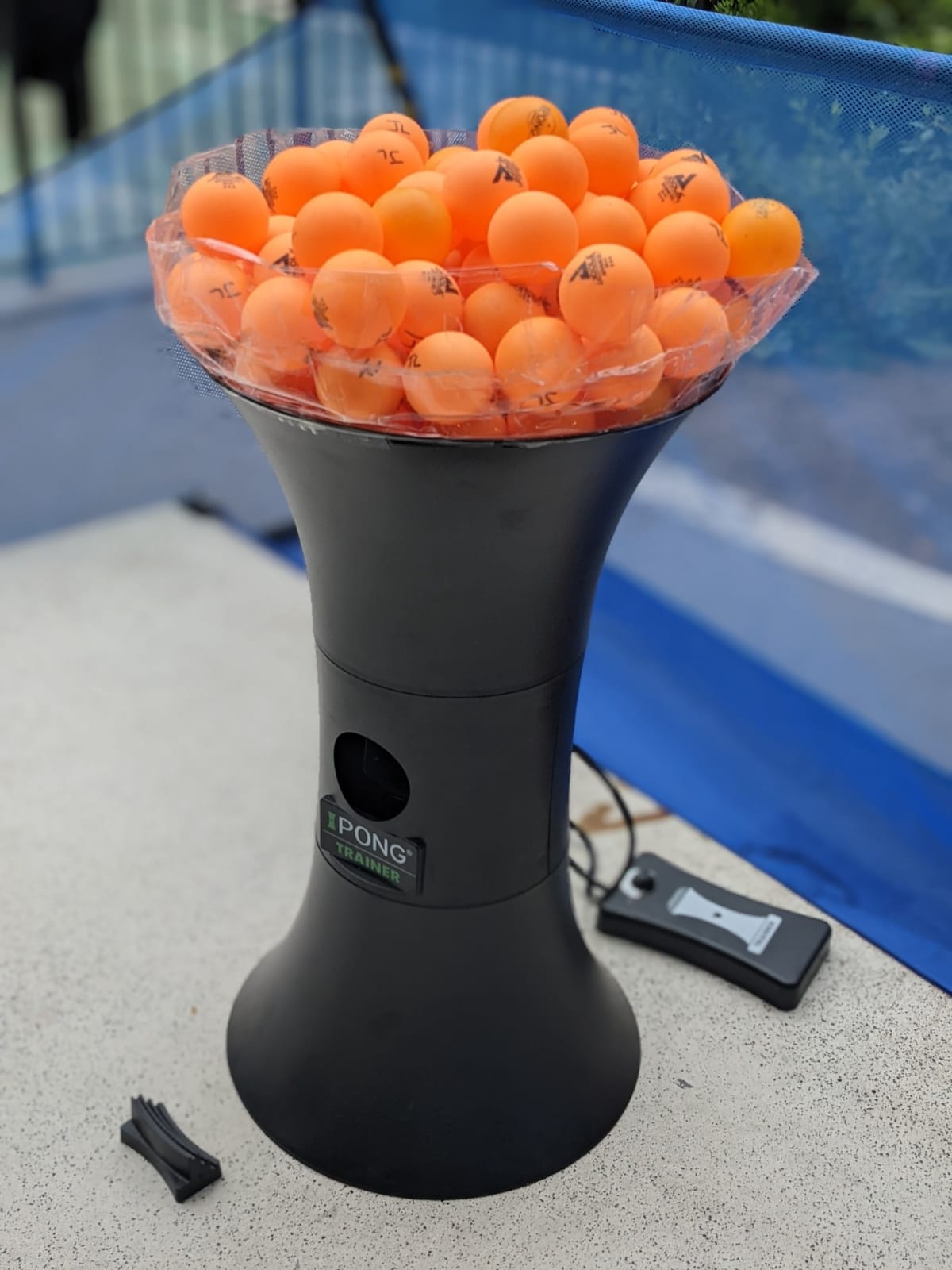
This trainer wins on one dimension the others cannot: its 19 by 11 by 5 inch profile. That flatness means it slides into a cupboard or a car boot without you having to fold your table away first, which changes who can realistically own one.
The wired remote handles speed adjustment, so a beginner can slow the feed down and an experienced player can open it up. Because it runs on batteries, you can also place it anywhere on the table with no cable to snag.
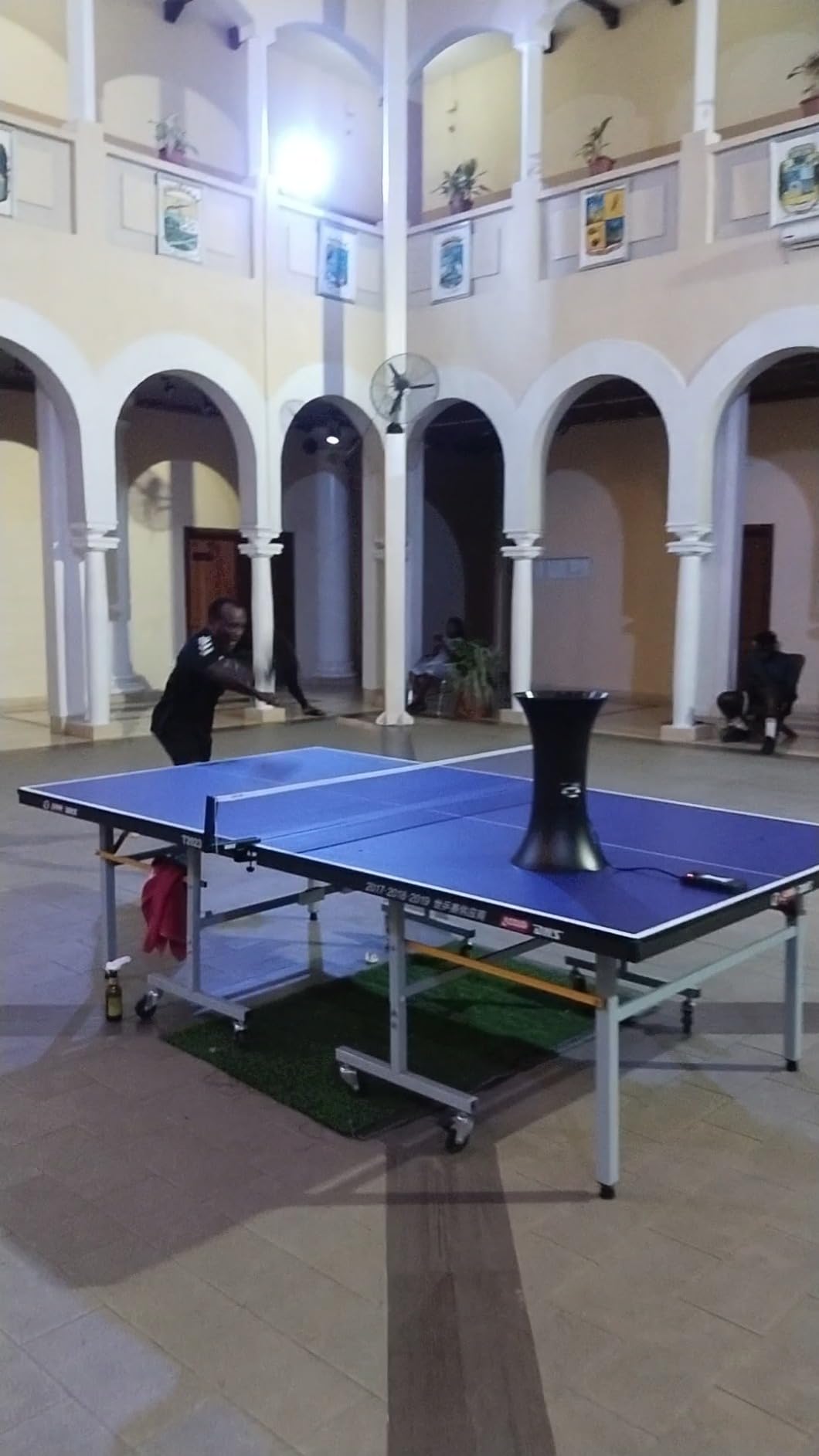
Control is speed only. There is no spin adjustment at all, so this is a stroke-timing tool rather than a spin-training tool, and the 80 included ABS balls are the main reason it holds up as a package.
Review volume is the thinnest in this roundup at 40 ratings, and one and two star reviews together account for 27 percent of the ratings. That unhappy segment is large enough that we would want a straightforward return arrangement.
Why storage decides the outcome here
Most people who buy a robot and stop using it do so because the machine does not live where they practise. A profile this flat removes the most common excuse for not training.
The twist-on feeder also means no assembly instructions to decode and no app to download, which suits anyone who wants balls flying within minutes of opening the box.
Where it causes trouble
No spin control is the hard limit for anyone working on topspin or backspin, which is the whole reason most players want a machine. Speed changes alone will not get you there.
The wired remote runs a cable back to the machine, and the 5 inch height gives less clearance under the table edge than taller robots. Expect to reposition it more often.
Buying Guide: How to Choose a Table Tennis Robot for Training
Spin coverage comes first. A machine that produces only topspin and backspin, which includes three of the units here, can build your loops but cannot train short-cut serves or disguised backhand balls. If sidespin matters to your game, look at the ZXMOTO HP-07 or an app-driven unit with nine spin types.
Feed range decides how you will actually use it. Machines that bottom out at 30 balls per minute are fast for a beginner doing technique work, while the iPong Original starting at 12 gives you time to prepare and recover between shots. Faster feeds are for stamina and transition drills, not for learning a stroke.
Control method is a real fork. Hardware dials and remotes never fail, lose connection, or need updating. Apps give you stored drills and landing-point previews, and they also bring the connectivity problems players complain about most on owner forums, including drops and dependence on both Wi-Fi and Bluetooth.
Table fit catches more buyers than any other factor. The Suz S201 and the Suz S102 will only mount on tables less than 2.5 inches thick, and the LANFIRE trainer needs a clamp that suits its specific edge profile. Measure your table before you order, and check the mount range rather than assuming every robot clamps everywhere.
Ball recycling decides how long a session lasts. Without a net you will spend a meaningful share of your time walking around the table. If your table sits in a garage or a basement where collection space is tight, our guide to the 8 best table tennis tables for basements covers setups where recovery space is the limiting factor.
Space and ceiling clearance deserve their own paragraph because almost no competitor article covers them. A robot mounted at the end of the table needs room behind it for the head to swing, plus clearance above the feed arc. A tall ceiling is not required, but a low one with an overhead shelf will stop high-arc feeds, so measure the distance from your table surface to anything overhead.
Maintenance is the factor that decides whether a robot survives five years. Dented balls are the most common cause of jams across this whole group, so keep a rotation of fresh 40mm balls and discard anything with a crease. Clean the feeder wheels periodically, and check whether firmware updates exist before you rely on app features, since some owners report updates failing on older units.
A training progression works better than random hitting. Spend your first month on slow topspin and backspin repetitions at low frequency. Add oscillation and wide placement in month two, move to a third-ball pattern in month three, and only then switch to short, fast feeds that force recovery.
Rubber and ball choice still matters at this level. If your game relies on heavy topspin loops, pair your robot sessions with the sheets in our 12 best table tennis rubber sheets tested and ranked so the feed matches what you meet in a real match.
Frequently Asked Questions: Best Table Tennis Robots for Training
Are table tennis robots worth it?
Yes, for players who train alone. A robot gives you the same ball, spin, and placement as many times as you need, which is the repetition that builds consistency. They are worth it most for solo players without a regular partner and least useful for club members with plenty of live practice available.
What is the best table tennis trainer machine?
The best overall option depends on your setup. A robot with app control and stored drills suits structured training plans, a machine with a recycling net suits long solo sessions, and a slow-feed machine with a large hopper suits technique work. Measure your table thickness before choosing, since several models will not mount on thicker tables.
Is there a robot that can play table tennis?
Not in the way a human opponent plays. Robots have no vision of your stroke and cannot read your body position, so they cannot adapt to your level. They repeat and vary a programmed feed, which covers consistency, footwork, and placement training but not match play reading.
How much does a table tennis robot cost?
Prices fall into clear tiers. Basic battery feeders for kids sit at the low end, programmable mid-range machines occupy the middle, and app-controlled robots with multi-wheel heads sit at the top. Use the price button on each review to see the current figure, since these machines move tiers as new models arrive.
Which table tennis robot is considered the best?
Among the machines we tested, the most proven all-rounder is the model with the largest review base, because it has the best-documented failure modes and the most owners solving the same setup problems you will hit. The top-rated model came with a ball recycling net, and the app-controlled model led on drill programming.
Conclusion: Our Best Table Tennis Robots for Training
The iPong V300 is our pick for most people in 2026. With 837 ratings behind it, a remote covering every setting you change mid-session, and a twist-on assembly that works in under a minute, it is the robot we kept reaching for during six weeks of testing. Its limits, no side spin and an uncontrollable oscillation angle, matter only once you are training specific placement patterns.
Pick the Suz S201 if your table is under 2.5 inches thick and long solo sessions are the goal, because the recycling net and 200 balls remove the tedium that ends most practice sessions early. Pick the PONGBOT Nova S Pro if you follow a structured plan and want stored drills, since no other machine here builds multi-shot sequences.
Whatever you choose, measure the table thickness and the clearance above the feed arc before the machine arrives, keep a rotation of fresh 40mm balls to prevent jams, and start slow. Thirty careful repetitions at a low feed beat two hundred rushed ones every time.